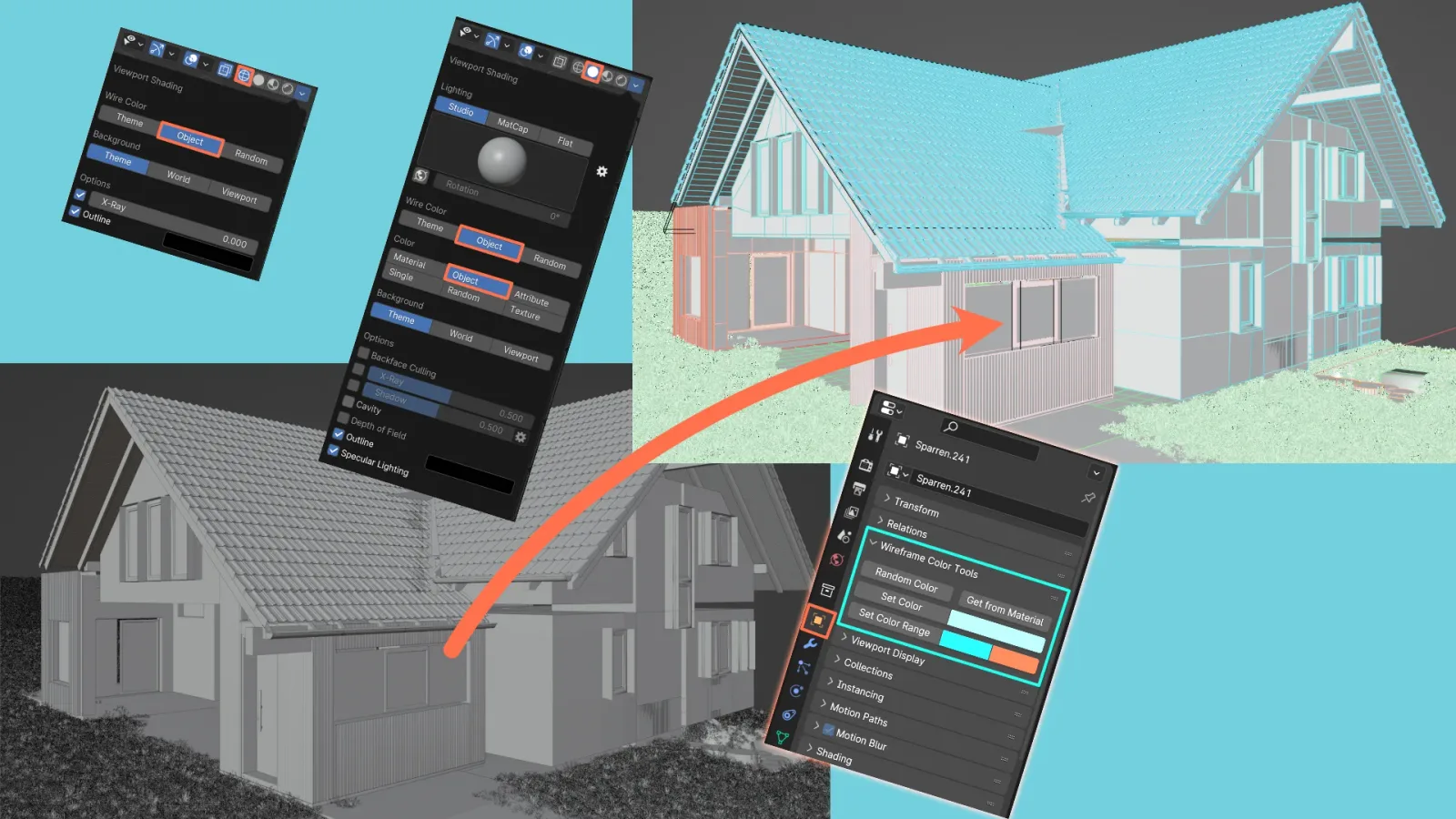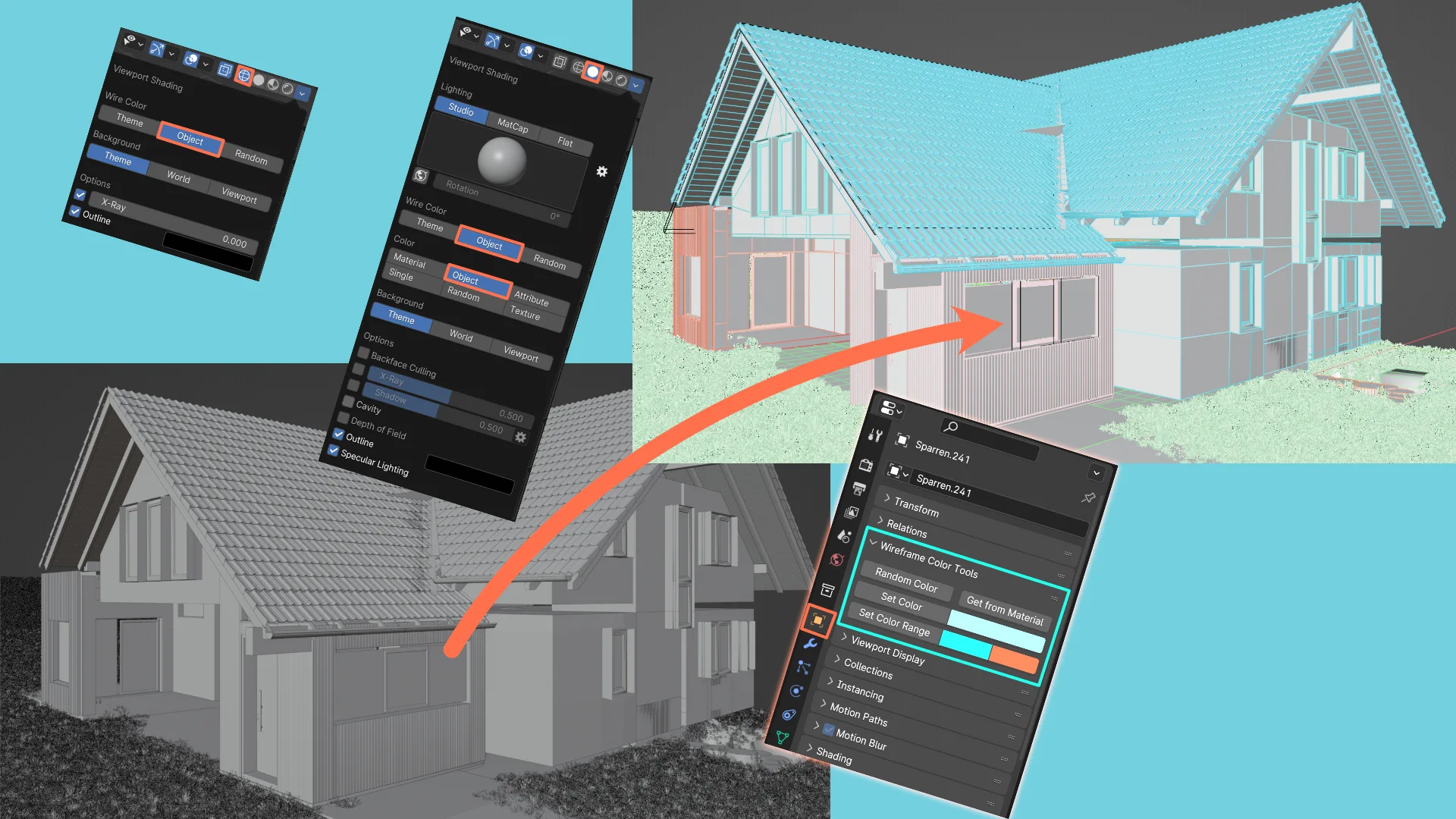
Wireframe Color Tools is a Blender add-on for assigning object colors when overlapping wireframes are difficult to distinguish. Its four operations apply one color to several objects, assign colors across a chosen range, randomize selected objects, or use each object's material viewport color.
Choose how to color objects
- Set Color applies the same object color to multiple objects.
- Set Color Range assigns colors across a range you choose.
- Random Color gives selected objects random object colors.
- Get from Material uses each object's material viewport color.
Display the object colors
The add-on relies on Blender's object colors, so set viewport shading to display them. If the objects still look unchanged after applying a method, check the color display setting for the current shading mode. The listing images show the setup in wireframe and solid modes.
Scope and compatibility
The documented operations assign colors at the object level; the listing does not describe separate edge or vertex coloring. The Blender Extensions catalog lists version 1.0.0, Blender 4.2.0 as the minimum version, and the GPL-2.0-or-later license. Check the listing for current release details.