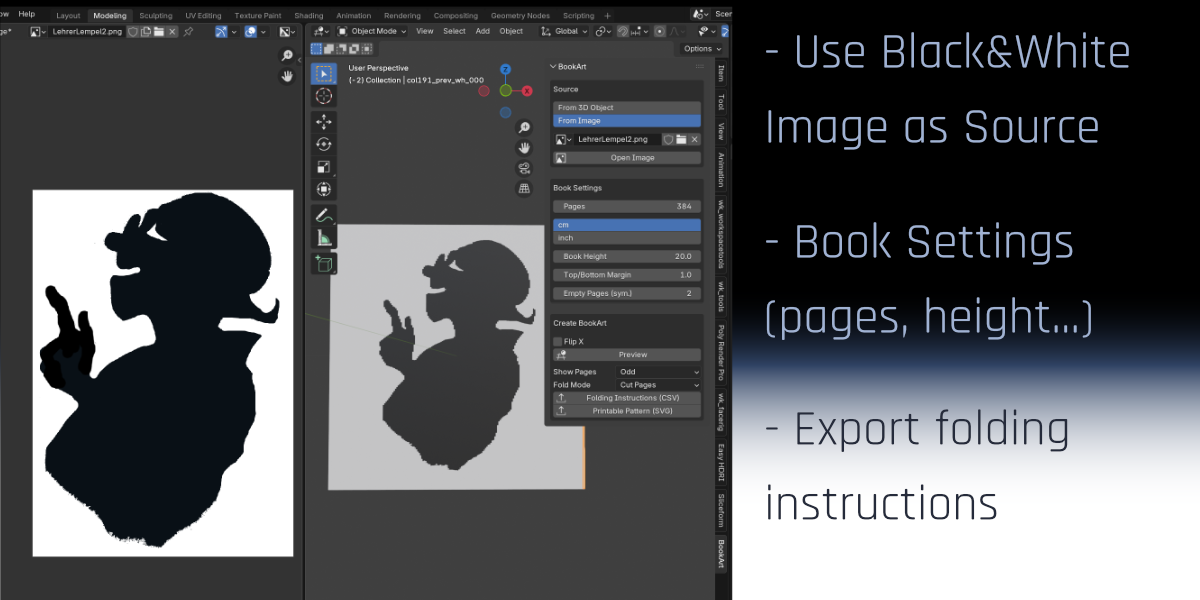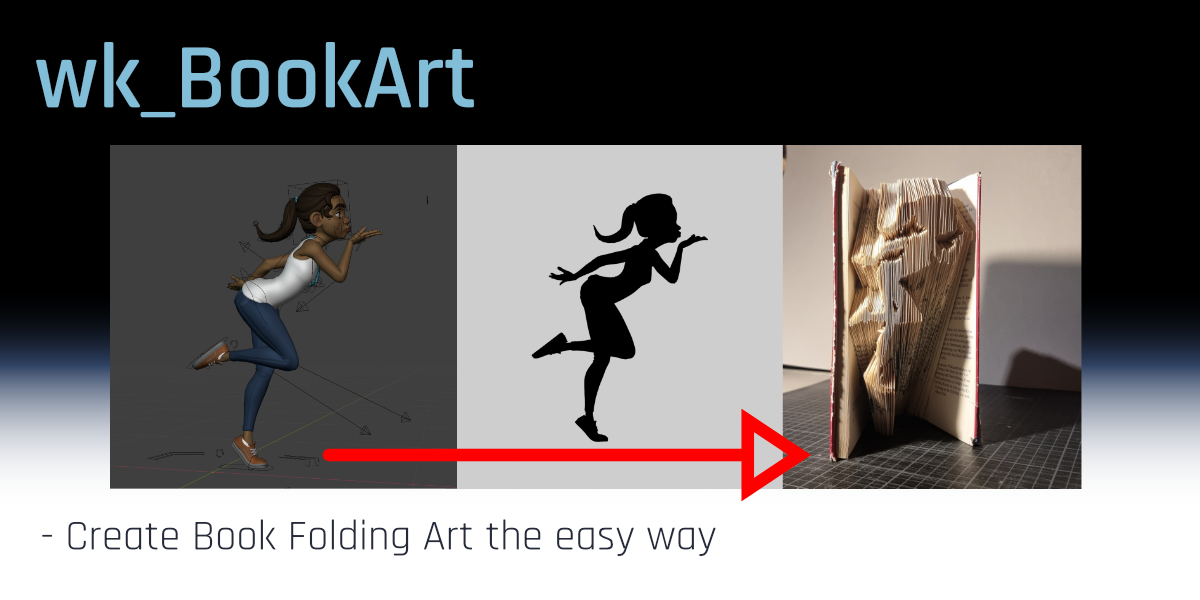
Wk Bookart is a Blender add-on for turning a black-and-white image or a silhouette from a 3D object into book folding instructions and a printable pattern. You can check the motif in Blender, choose how separated sections should be handled, then export CSV instructions or an SVG template. The product documentation describes both source workflows and the exported file formats.
Start with an image or a 3D object
For an image-based design, load a black-and-white image in Blender. For a 3D source, select a mesh, set up its camera view, then capture a silhouette or a slice through the object. You can rotate or edit the object before capture; depending on the mesh, voxelizing it may be required for a clean slice.
Set the book's page count, units, height, and top and bottom margins to match the physical book. You can also set a number of unused pages at the beginning and end. The preview represents the motif with black and white cubes, giving you a way to inspect its proportions and spacing before exporting.
Choose how separated sections are folded
Cut Pages inserts cuts between separated segments that need to stay on the same sheet. Alternate distributes top and bottom segments across successive sheets. The choice affects the folding instructions and the cut marks shown in the SVG.
The CSV is organized by book sheet, so a page number can appear on multiple rows when that sheet has several segments. Rows can describe a segment, a cut between segments, or a full-page fold-back when the sheet has no motif. For segment rows, segment_index starts at 0 within the page and should be read with the page number.
Export instructions or a print layout
Use the CSV for measurement-based folding instructions, including page numbers, fold positions, and segment indices. The SVG lays out book sheets as horizontal rows: gray bars show areas that stay in place, white areas are folded away, and black vertical lines mark cuts in Cut Pages mode. The pattern can be generated at 1:1 scale. Page format, row height, an optional title, a page frame, and scale ticks are available as pattern settings.
Version and setup
Version 1.0.0 adds a Build 3D Book button for viewing the folded result and lists Blender 5 compatibility. The product listing specifies Blender versions 4.5 through 5.1 and a GPL license. The documentation describes installing the add-on ZIP through Blender's Add-ons preferences, then opening BookArt from the Sidebar with the N key. The generated 3D book can be small; if it is difficult to find, hide the source object and look for the _bookart_viz collection in the Outliner. See the product listing for current details.