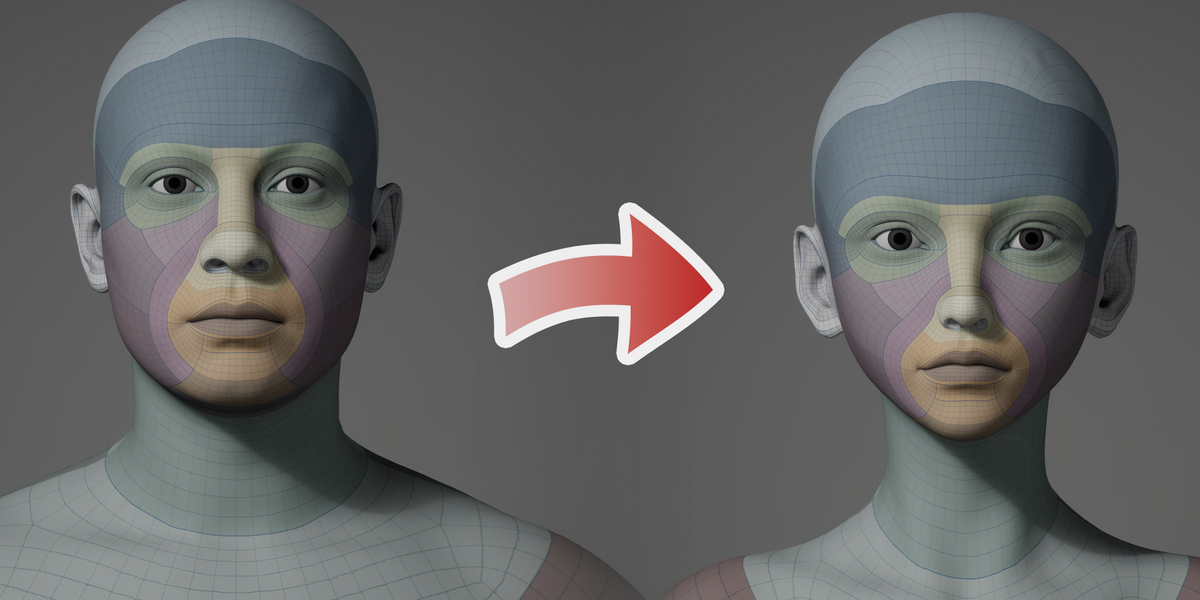
Wrap for Blender is a Blender add-on from TECA 3D for fitting a source mesh, such as a base mesh with standard topology, to a target mesh. You place point pairs to guide the wrap, then refine alignments around features such as eye corners, tear ducts, and lip lines. The product page describes the workflow and its requirements.
The product title frames Wrap for Blender as an alternative to R3D's Wrap. TECA 3D's available material explains this add-on's workflow and platform requirements, with no feature-by-feature comparison. If you are comparing the tools, check their workflows against your models and Blender setup before choosing.
How mesh wrapping works
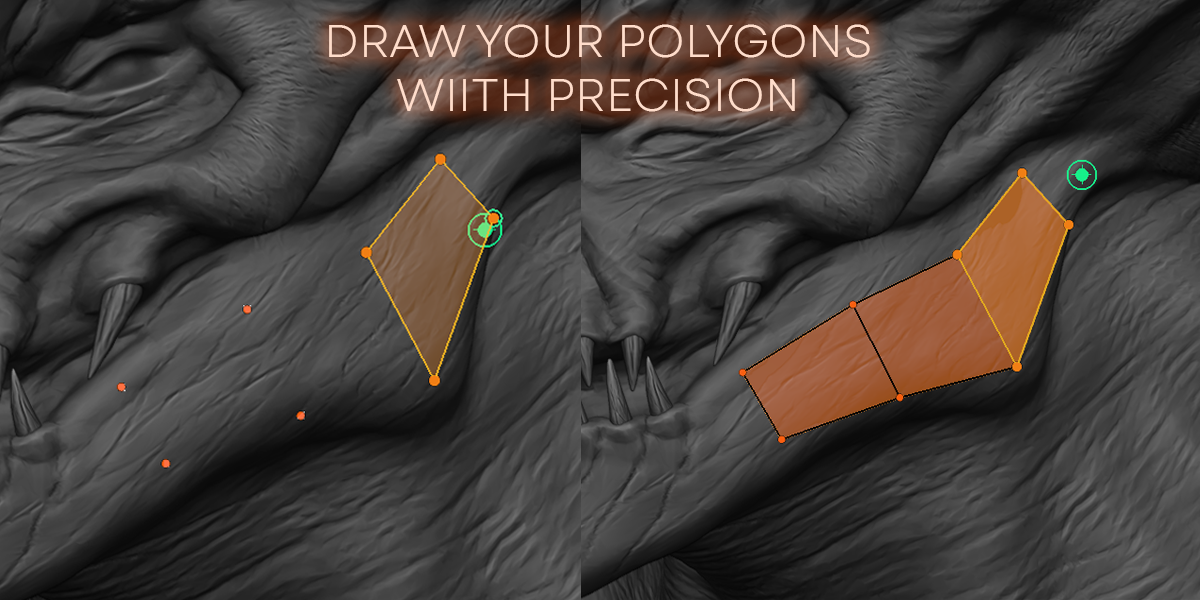
- Create point pairs between locations on the source mesh and the target mesh. These pairs guide the operation.
- Run the wrap. The source mesh deforms to match the target's shape.
- Fine-tune the result, adjusting the alignment where details need closer matching.
TECA 3D describes the method as a universal workflow for different model types and topologies, with user-controlled alignment. Its examples include human and animal models as well as objects such as equipment, buildings, and terrain. The add-on handles the mesh fit; the artist still sets guides and reviews the result.
Working with point pairs
Advanced Mode, added in version 2.0.0, lets you add, delete, and edit multiple point pairs without selecting each pair individually. When you need to wrap one base mesh onto several targets, you can save the pairs to a JSON file and reuse them. The product page describes loading the saved pairs for a new target, resetting target locations, and batch-setting those locations before wrapping.
The release notes for version 1.2.0 describe snapping a selected target location to its nearest vertex by holding Ctrl. Version 2.1.0's notes describe a fix for symmetry processing on models with boundaries, such as a MetaHuman head, and an option to make a model geometrically symmetric about the X axis.
Requirements and scope
The product page's Requirements section lists Windows 11 and Blender 5.0 or later, and says there is no Mac version yet. Its Details section lists Blender versions 5.0 to 5.2. Check the product page for compatibility with your exact Blender release. The page says a Mac version is planned, without giving a release date.
The available release focuses on core mesh deformation and wrapping. Wrap Cloth, Wrap Fur, and Wrap Joint are listed as planned advanced modules, for clothing and similar items, hair and other features, and skeleton-related elements. They are not described as part of the current core release.
Tutorials and sample files
TECA 3D's tutorial playlist follows a MetaHuman Eve example through point-pair setup, wrapping, and fine-tuning. The product page also links Blender scene files for merging Eve's head and body and wrapping a model onto Eve. For results that match the videos, TECA 3D recommends leaving the scene's wrap parameters unchanged until you are familiar with the process.