YL VertexColForge is a Blender add-on for editing Color Attribute data by channel. Its tools cover previewing, painting, selection, gradients, channel operations, randomization, and data transfer. It supports Face Corner and Vertex/Point color attribute domains and can help when mesh colors hold masks, weights, material data, or values packed for export. The Blender Extensions catalog record lists version 1.3.0, a minimum Blender version of 4.2.0, and the developer YLIANG.
Work directly with RGB and Alpha channels
View the full RGB color or preview R, G, B, or A as grayscale in the viewport. The single-channel preview uses Geometry Nodes, and the preview channel stays in sync with the channel being edited. For example, you can inspect an Alpha mask while editing that channel.
Channel fill and brush tools work in Object Mode and Edit Mode, so you can edit values without switching to Vertex Paint Mode. Both tools support selection limits. For channel-based selection, click the mesh to sample a value, then drag to adjust the tolerance. The selection follows the active channel, such as R or A.
Draw gradients and masks
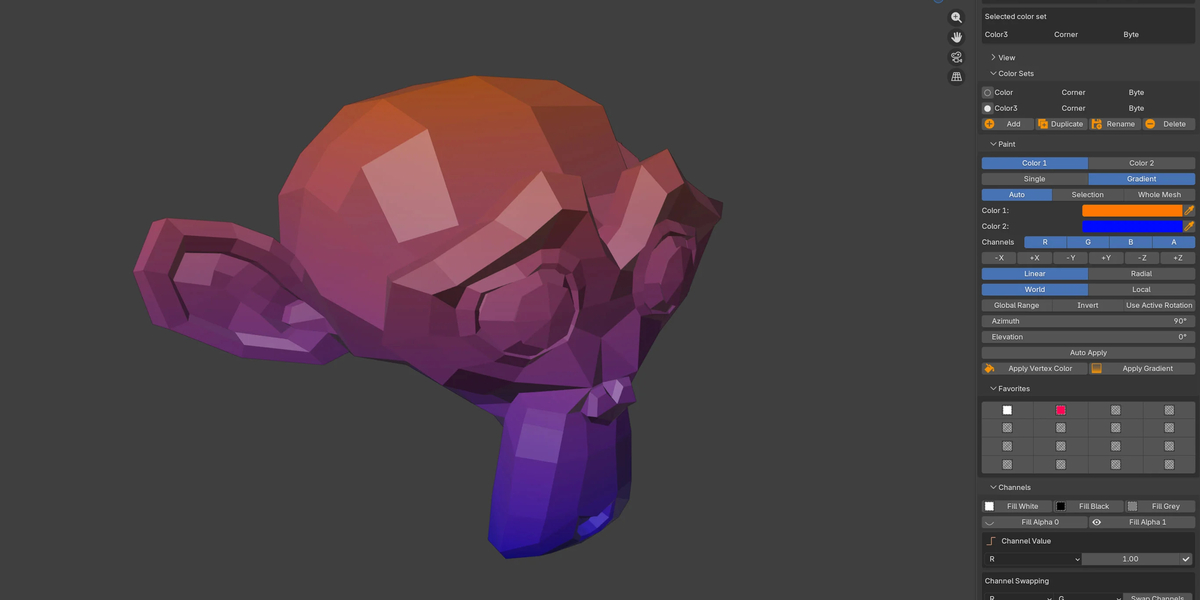
Use a ColorRamp to control a gradient, then drag in the 3D View to create linear or radial gradients and directional Light Masks. The result can be written to RGB or an individual channel. In the UV Editor, the UV Gradient tool draws a gradient in UV space and writes it to the selected channel.
Channel randomization can group values by connected mesh, UV island, material, sharp edge, or angle island. These options suit tasks such as adding regional variation or preparing material masks.
Pack channels and move data
Channel operations include blending, swapping, mirroring, inverting, normalizing, and packing data across R, G, B, and A. Blend mode supports Replace, Multiply, Add, Subtract, and Overlay, with adjustable strength. Version 1.2.0 added Levels, HSV, and Blur adjustments for the active channel, plus reusable channel color presets that can be stored, loaded, or removed. These controls can help organize several masks or other values in one color attribute.
The add-on also converts data between images, vertex group weights, and Color Attributes. It can transfer the active channel between mesh objects using matching topology or nearest-surface sampling, with an optional maximum distance. The developer's README describes these tools and their settings.
Check the preview before export
The grayscale channel view uses a temporary preview modifier. Before exporting, switch back to RGB preview or disable the single-channel preview to avoid exporting that modifier. This step is called out in the developer documentation.
Compatibility and license
The Blender Extensions listing identifies Blender 4.2.0 as the minimum version for the cataloged release. The developer states that the add-on is licensed under GPL-3.0-or-later; bundled assets follow their respective licenses. The interface supports English, Simplified and Traditional Chinese, Japanese, Korean, German, French, Spanish, Italian, Polish, Portuguese, Russian, and Vietnamese.