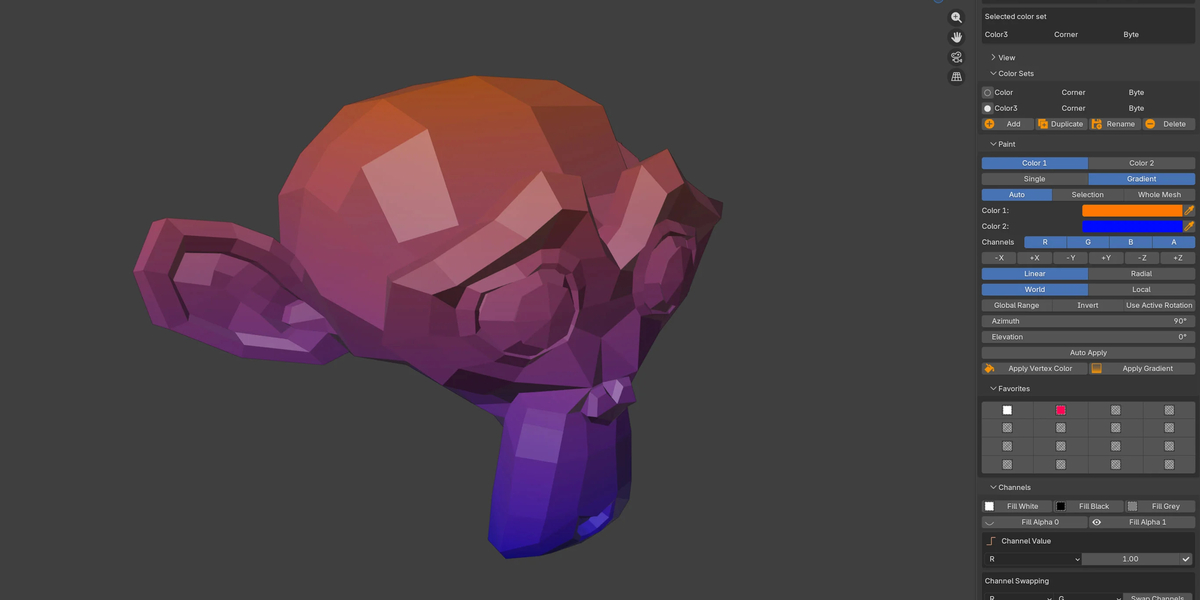
HUE is a Blender add-on for previewing and editing vertex colors and other color attributes. Its tools appear in the 3D View sidebar, which you can open with the N key. The HUE feature overview describes previews that include alpha, along with painting and color-generation tools for Object and Edit modes.
Preview and paint color attributes
HUE includes fill, randomize, gradient, smooth, and color-by-selection operations. In Edit Mode, its selection support lets you work on selected vertices, edges, or faces. A shared palette provides customizable swatches across the tools, and the add-on preferences let you set startup defaults.
Limit edits to selected RGBA channels
HUE’s channel masking controls which RGBA values its tools can change. For example, leaving only the red channel enabled lets an operation change red values while preserving the other channels. This can help when a color attribute stores separate data for a shader, such as a gradient in red and a mask in blue.
HUE also supports editing different color attributes. Choose the attribute and channel settings that match the way your Blender project uses color data.
Version and Blender compatibility
The Blender Extensions catalog record identifies HUE as version 1.2.2, maintained by FardreamerLabs, with Blender 4.2.0 as its minimum version. It lists the GNU General Public License v3.0 or later. Check the Blender Extensions listing for release and installation details.