You're Auto Keying is a Blender add-on from Inlet. It makes Blender's built-in Auto Keying state easier to notice while animating. Auto Keying records keyframes for transformations made to selected objects, and an unnoticed active state can lead to unexpected keyframes. The add-on signals that state with color changes and a header control.
Where it shows the state
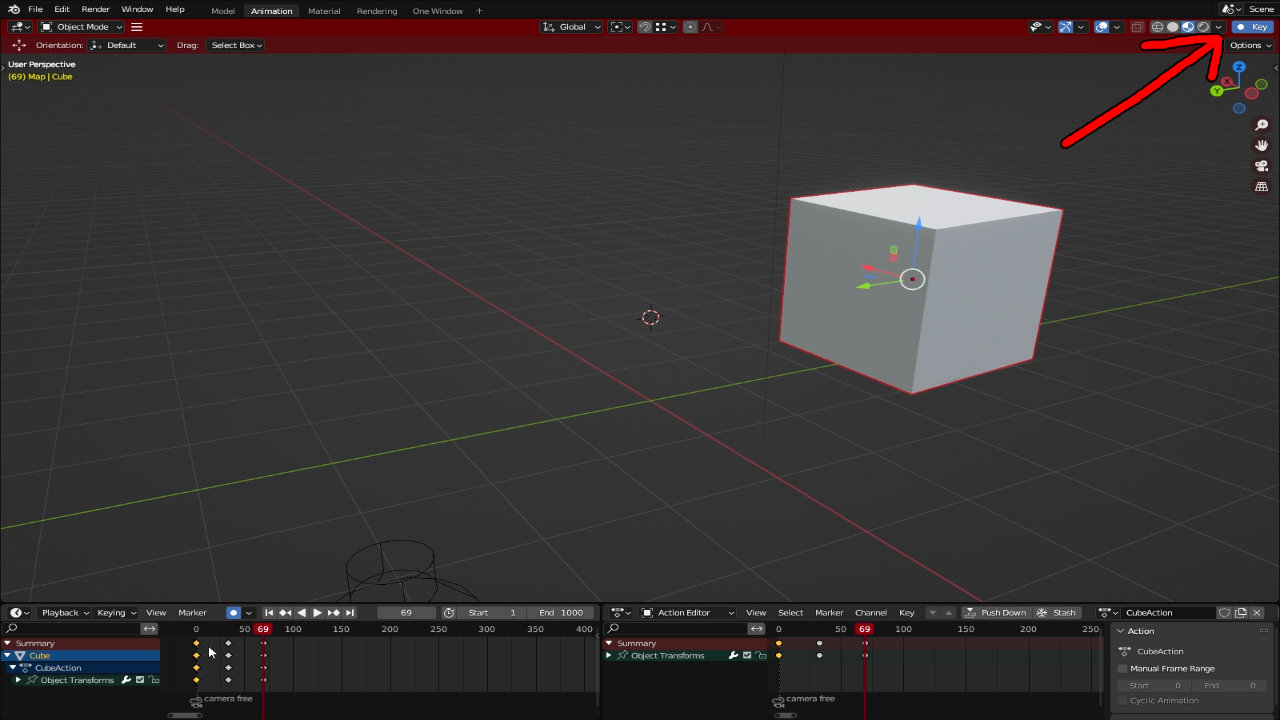
In the 3D Viewport header, the add-on's Key action toggles Auto Keying. Its indicators can change the colors of:
- The active object or pose bone outline.
- The playhead in the Timeline, Action Editor and NLA.
- The 3D Viewport header.
The add-on's Key action is separate from Blender's Timeline Auto Keying button, which continues to act normally, according to the product documentation.
Set colors for your Blender theme
For each enabled indicator, you can set separate colors for Auto Keying off and on. The left color is used when it is off; the right color is used when it is on. Fetch Color captures your UI theme's default colors for the off state. Use it after installing, then repeat if you change your Blender theme. You can adjust the colors through the add-on.
Choose a visible button or hotkey
The version with a visible button puts the Auto Keying control at the far right of the header. A version without a visible button is also included and uses a hotkey to toggle the feature. Version 1.4 combines the two script versions and adds Pose Bone as a coloring option.
Compatibility and installation
The Superhive listing specifies add-on version 1.4, Blender versions 2.83 through 5.0, and a GPL license. The documentation places its controls in the 3D Viewport header. If the downloaded ZIP does not install, the product FAQ says to unzip the archive and install the .py script.