YT-Tools is a Blender modeling add-on by Yoshiaki Tazaki, built around workflows familiar to Modo users. It combines mesh selection and editing tools with falloff transforms, viewport utilities, and clipboard operations. See the product listing and English manual for details.
Selection and mesh editing
Selection tools convert selected edges or vertices to faces, select boundary edges between selected and unselected regions, and use double-clicks for contextual loop or region selection. Modo-style loop selection stores element order in the selection history. The Space key cycles through Face, Edge, and Vertex modes, and X-Ray lasso selection is also included. Named selection sets save and restore complex selections independently of undo history.
Mesh editing includes Add Loop and Loop Slice with span-ratio and curvature options, polygon and edge slicing with handle gizmos, symmetry-aware merge, and context-aware delete. YT-Tools also includes an empty mesh and a teapot primitive.
Transforms and viewport utilities
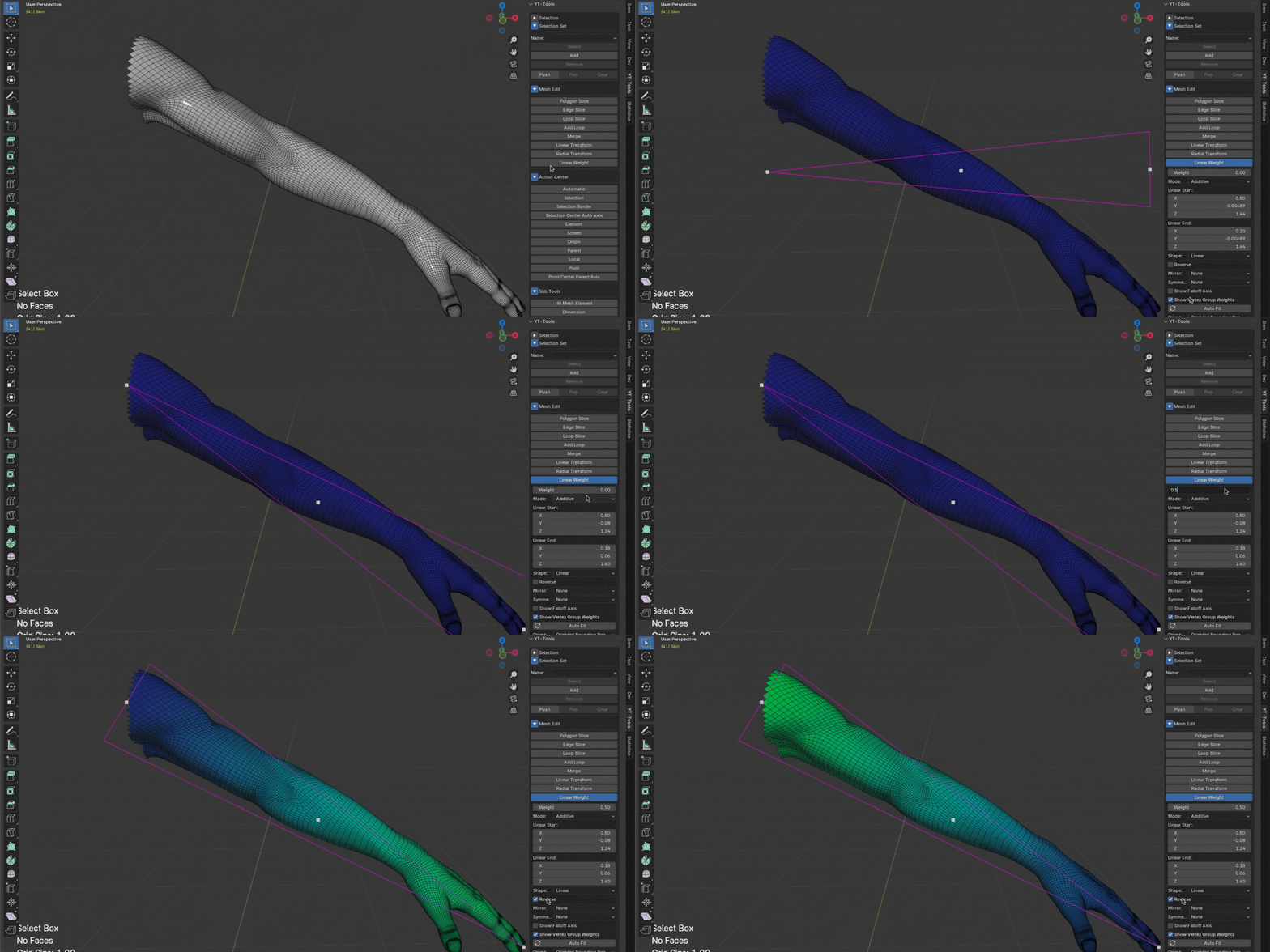
Linear and radial transforms move, scale, or rotate elements with falloff. Other tools include distance-based linear vertex weights, Bend, Soft Drag, Smooth Brush, and Absolute Scale. Viewport utilities cover display toggles, an Action Center that sets pivot and orientation from the selection, temporary top-view workplane alignment, statistics-based selection, and on-screen transform values.
Clipboard tools
The Blender clipboard copies and pastes faces, edges, or vertices in Edit Mesh mode. The external clipboard exchanges mesh data between Blender and Modo. The product listing also links to a separate Modo clipboard kit; a LightWave plug-in is listed as another download.
Compatibility and setup
The product listing's requirements text says Blender 4.x and 5.0 or later, including compatible forks, on Windows and macOS; its details field lists Blender 4.0 to 5.0. The English manual says Blender 4.0 and above or derivatives and lists Windows, macOS, and Linux. The documentation identifies the license as GPL-3.0-or-later. To install, download the YT-Tools ZIP, open Edit → Preferences → Add-ons → Install in Blender, select the ZIP, and enable YT-Tools. The tools appear in the YT-Tools tab of the Sidebar, also called the N panel. The product documentation covers setup and preferences.
YT-Tools may suit Blender modelers who want Modo-style selection and editing conventions alongside slicing and falloff transforms. Its mesh tools operate in Blender; the external clipboard is useful for workflows that exchange mesh data with Modo.