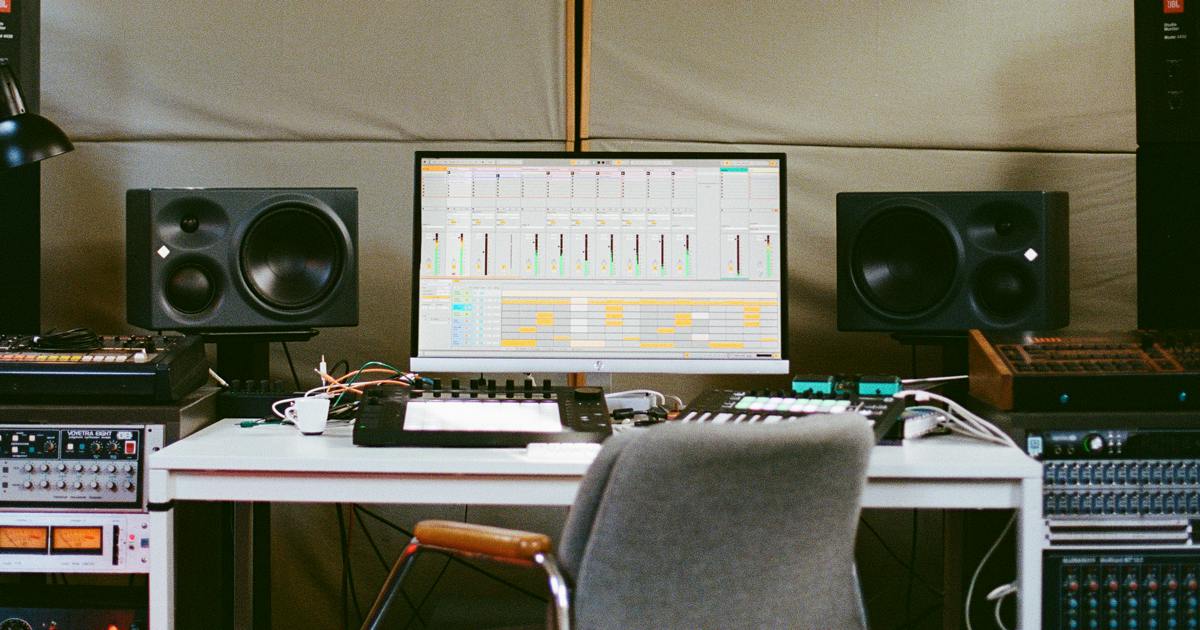
What Ableton Live is for
Ableton Live is a digital audio workstation for composing, recording, arranging, mixing, and performing music. Audio tracks hold recorded or imported sound; MIDI tracks hold note clips that can play Live instruments or plug-ins. Live includes instruments, effects, sounds, and a mixer, and it can render a Set’s audio to a file.
Compose in Session View, arrange in Arrangement View
Session View is a grid for launching audio and MIDI clips in different combinations, including loops of different lengths. Each track plays one clip at a time, so you can place alternatives in the same track and launch a Scene to play a row of clips together. This suits sketching beats, trying sections in different orders, and performing without committing to a fixed timeline.
Arrangement View lays clips along a linear timeline for building a song’s structure. You can record a Session performance into the Arrangement, then edit the timeline and assemble parts from multiple recording takes.
Record, shape, and mix
Live records audio and MIDI, lets you edit clip content, and provides instruments and effects for sound design and mixing. Device Racks let you combine devices and control mapped parameters with Macros. You can automate device or mixer settings, route signals between tracks, and export the finished audio.
Live also hosts external plug-ins. Ableton lists 64-bit VST2 and VST3 support, plus 64-bit and 32-bit AUv2 and 64-bit AUv3 on macOS; AUv3 support starts with Live 11.2. On Apple silicon, macOS VST2 plug-ins need an update for compatibility. Check that each plug-in supports your operating system and processor before building a project around it.
Versions, editions, and trial
Ableton says Live 13 will be released in early 2027. Live 12 owners can pre-order Live 13 at 20% off; people who do not yet own Live 12 can buy or upgrade to Live 12 at 20% off before Live 13’s release and receive the corresponding Live 13 edition free on release day. The announced Live 13 features include a Step Sequencer, ARA 2 support, Drum Synth, and Capture Automation.
Ableton offers Intro, Standard, and Suite editions, with differences in track limits and included instruments, effects, and sounds. In the announced Live 13 comparison, Intro is limited to 16 audio and MIDI tracks and 16 Scenes; Standard and Suite have unlimited tracks and Scenes. Suite includes Max for Live and the full instrument and effect collection. Ableton’s 30-day Live 12 Suite trial includes saving and exporting.
Computer and plug-in compatibility
For Live 12, Ableton lists Windows 10 version 22H2 or Windows 11 version 22H2 or later, and macOS 11.7.10 through macOS 27 on Apple silicon or macOS 26 on Intel. Minimums include an Intel Core i5 from the fifth generation, an AMD Ryzen processor with AVX2, or Apple silicon, plus 8 GB RAM. Basic installation needs about 6 GB on Windows, 8 GB on an Intel Mac, or 10 GB on an Apple silicon Mac. Optional sound content can use up to 76 GB, and Live needs additional free system-drive space beyond the installation minimum to work as expected.
The announced Live 13 requirements raise the operating-system floor to Windows 11 version 24H2 and macOS 14.8.9. If you plan to upgrade, check Ableton’s requirements for the version, computer architecture, and plug-ins you intend to use.