Apple Motion is a Mac motion graphics application for creating and animating titles, transitions, effects, and layered compositions. Its real-time design engine lets you preview changes as you work, and it supports 2D, 3D, and 360-degree projects. Apple's Motion User Guide describes the tools and workflows.
Animate with a timeline, keyframes, and behaviors
Build compositions from video, still images, text, shapes, and other objects, then arrange them in layers on the timeline. Keyframes let you set how a parameter changes over time. Behaviors apply motion patterns such as a fade, orbit, or oscillation without requiring you to set every movement by hand. You can combine these approaches when a graphic needs both a natural movement and precise timing.
Create reusable graphics for Final Cut Pro
Motion can create titles, transitions, generators, and filters, then publish them for use in Final Cut Pro. Templates can expose controls for later adjustments in the editing timeline, so a title or effect can be tailored to a particular project. Apple's Motion overview describes this workflow and the template tools.
Work with effects, tracking, and 360-degree footage
The toolset includes compositing, keying, tracking, 3D objects, and effects for 360-degree projects. That makes Motion useful for building a title sequence, adding animated graphics to footage, or preparing a reusable Final Cut Pro element. Apple's Motion Support page covers plug-in compatibility and graphics requirements.
Third-party effects and compatibility
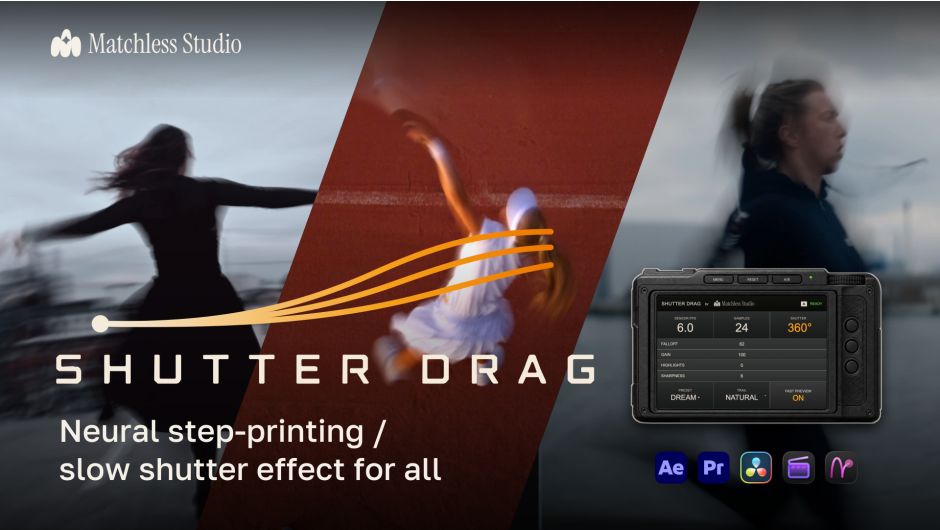
Motion supports third-party effects. For example, the Shutter Drag listing describes an FxPlug effect for Apple Motion 6.3 that creates slow-shutter trails and stepped motion. It includes adjustable Sensor FPS and Shutter Angle controls, along with Dream, Step Print, and Clean presets. The listing names Motion 6.3 in its compatibility information, so check the vendor's current details before relying on compatibility with another release.
Motion is a Mac application, and Apple says it requires a graphics card that supports Metal. Check Apple's current system requirements for the macOS and hardware requirements of the version you plan to use.