REAPER is Cockos's digital audio workstation for multitrack audio and MIDI recording, editing, processing, mixing, and mastering. Cockos lists version 7.86, dated November 13, 2026, on its download page. It offers a free, fully featured 60-day evaluation.
Record and edit audio and MIDI
REAPER includes tools for the stages of a recording project, from capturing audio or MIDI through editing, processing, mixing, and rendering. Version 7 introduced track lanes for organizing takes, layering sounds, keeping alternate arrangements, or storing playlists. Swipe comping lets you select sections from multiple takes to build a composite, with A/B comparison and customizable crossfades. Razor edits can cut, move, copy, or stretch selected media and automation areas.
For MIDI work, REAPER supports hardware and software MIDI, and its version 7 feature set includes up to 128 MIDI buses. These editing and routing options can help when a project has multiple takes, alternate parts, or complex arrangements. The REAPER User Guide is updated for version 7.86 and covers recording, editing, and mixing.
Route tracks and use plug-ins
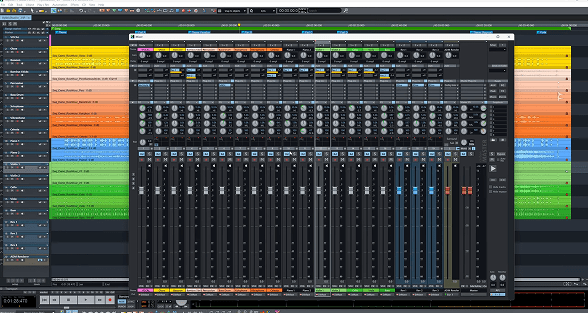
REAPER supports multichannel audio routing and 64-bit internal audio processing. Cockos lists built-in effects for audio and MIDI, plus support for third-party effects and virtual instruments in VST, VST3, LV2, AU, CLAP, DX, and JS formats. Version 7 also added FX containers for saving and recalling effect chains, with options for parallel routing. Check a plug-in's requirements against the REAPER build and system you plan to use.
Customize the workspace
The application can be adapted through keyboard and mouse overrides, macros, control surfaces, OSC, custom skins and layouts, and scripting with ReaScript. Users can keep separate shortcut or mouse-modifier setups for different workflow contexts. Cockos also links to resources such as the ReaScript documentation, the SWS extension, and ReaPack.
Evaluation, license, and updates
The free, full-featured evaluation lasts 60 days. Cockos's purchase page lists a $60 discounted license and a $225 commercial license. The discounted license is available to an individual using REAPER only for personal use, an individual or business using it commercially with yearly gross revenue no greater than USD $20,000, or an educational or nonprofit organization. The page says prices exclude VAT or local taxes and that license purchases are final, so check the terms before buying.
A new REAPER 7 license includes free updates through version 8.99. The official page says updates include fixes and feature changes, while preserving preferences and configurations. Its version changelog lists the specific changes in 7.86.
Who should evaluate REAPER?
REAPER is worth evaluating if you want one application for audio and MIDI production, need flexible routing, or plan to tailor shortcuts, scripts, and layouts. During the trial, confirm that your computer and required plug-ins match the available builds, then try the recording and editing tasks your projects depend on.