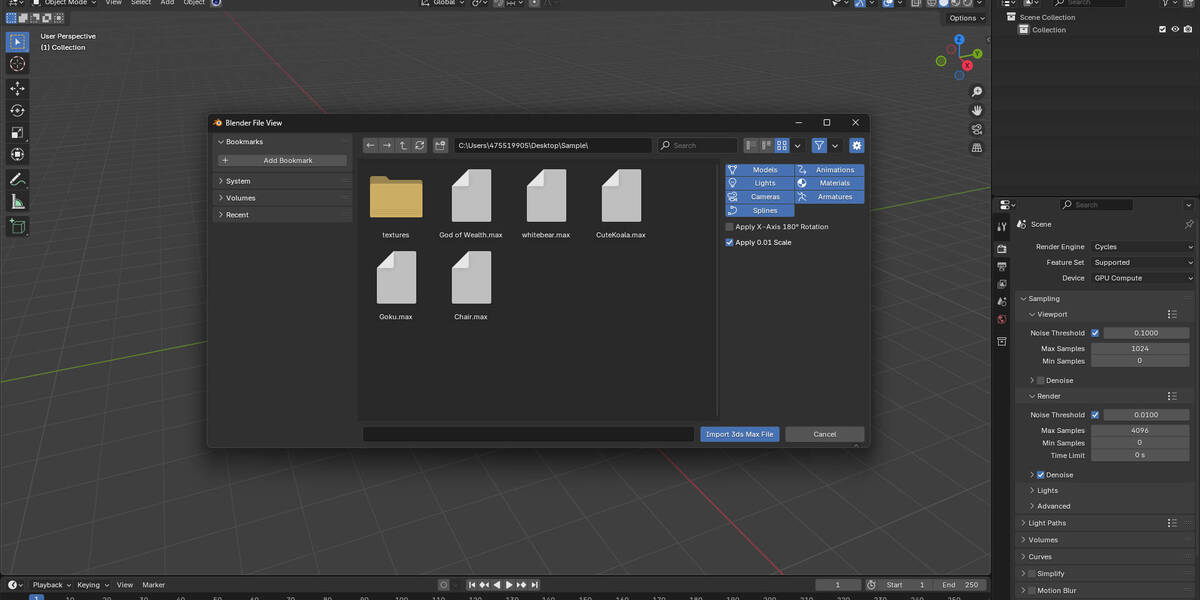
3Dsmax To Blender is a Windows add-on for importing 3ds Max .max files into Blender. Its v1 workflow tries a bundled Autodesk MAX Importer first, then can use a configured local export command for files the importer cannot handle. It also reports unit handling, materials, textures, and import warnings.
Import .max files directly or through a bridge
The add-on tries its bundled MAX importer first, so many files can be brought into Blender without a manual FBX or OBJ export. The bundled importer is source-based and GPL-compatible. Some files or Blender setups may need the bridge fallback.
For those cases, configure a local 3ds Max bridge command. It can open a .max file and export OBJ, FBX, glTF, or GLB for Blender to import. The add-on checks for a missing bridge executable before starting and can retain intermediate files for debugging when that preference is enabled.
Check scale, materials, and textures
For direct imports, the add-on normalizes scene scale to Blender's metric system. When it can read the file's unit metadata, it detects millimeters, centimeters, meters, or inches. If the metadata is unavailable, choose a fallback source unit in preferences; the default is inches.
Materials are normalized for Cycles where possible. The import report lists external texture images it found and those that are missing. Texture files need to remain at their referenced path, beside the .max file, or in searchable subfolders. Embedded texture extraction is not included.
Setup and version details
The product overview specifies Blender 4.2 LTS or newer on Windows x64; the marketplace compatibility field lists Blender 4.1–5.3. Confirm the supported Blender versions with the creator before installing. Then install the ZIP in Blender and enable the add-on in preferences. Import a .max file by dragging it into Blender or using the import operator.
An optional GLB cache can write GLB output for direct imports to a chosen folder, which can help when reusing import results for handoff or review. The add-on itself does not require an internet connection. The bridge fallback depends on the local tools you configure.
Scene transfer limits
Geometry is the primary target. Depending on the parser or bridge output, renderer-specific materials, modifiers, rigs, constraints, animation, cameras, lights, and scene metadata may be simplified or lost. Review the import report and inspect the result before using it in a production scene.
The add-on does not include proprietary Autodesk software, licenses, converter binaries, or third-party tools. Its support covers add-on installation, preference setup, Blender import handoff, and failure reports; it does not cover Autodesk licensing or unrelated converters. See the Superhive product listing for current product details.