BeatEdit Bundle 2 from mamoworld tools combines beat-detection tools for After Effects, Premiere Pro and Audition. It suits editors and motion designers who want music timing to guide animation, video edits or audio work.
How the three components use beat information
After Effects animation
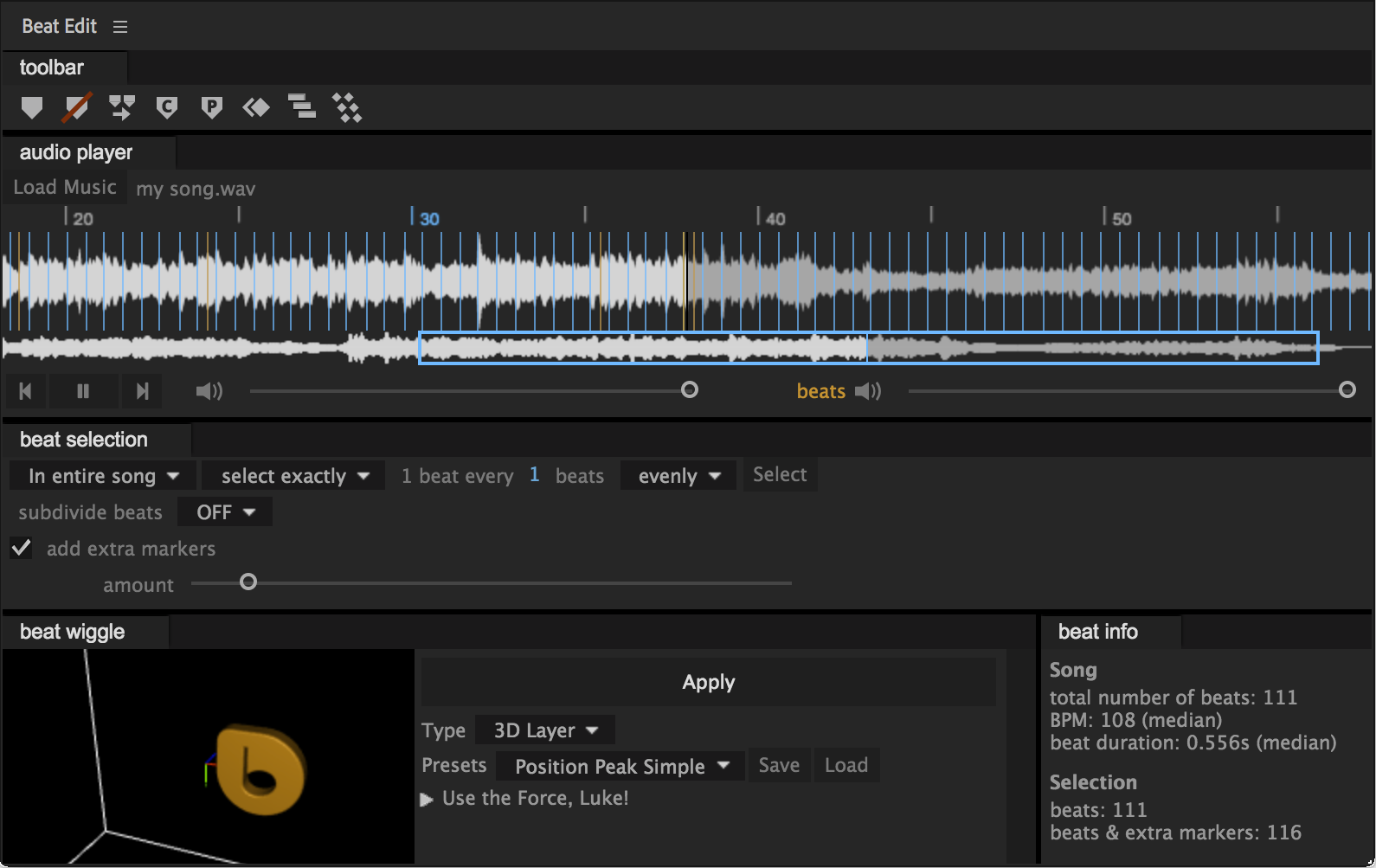
BeatEdit for After Effects can place beat markers in a composition and use Beat Wiggle to animate sliders, 2D or 3D layers, and time-remapped footage. You can repeat keyframed animations, stagger layers or keyframes, and choose which beats to use, such as every fourth beat, random beats or subdivisions. Its continuous repeat mode starts each repetition where the previous one ends.
Premiere Pro editing
BeatEdit 2 for Premiere Pro creates sequence or clip markers to guide manual cuts. It also works with Premiere Pro’s Automate to Sequence function to make music-timed slideshows or rough edits that you can adjust in the timeline. The tool can load music from a sequence, show beat information such as BPM, and create, move or delete markers within the work area.
Audition audio work
BeatEdit for Audition creates standard markers visible in waveform and multitrack views. The markers are saved with the audio file and can help you select sections that span four or eight beats for looping. In multitrack view, you can line up markers on different clips and time-stretch them to match tempos.
Compatibility, price and licensing
The published compatibility lists include After Effects and Premiere Pro through 2026, and Audition through 2025. Check the list for your exact host-app version; the Audition listing does not show 2026. BeatEdit for DaVinci Resolve is a separate product, not part of this bundle.
The bundle listing shows a price of $199.97, and lists a free trial for each component. Its posted EULA permits one copy on one computer at a time. Multiple copies or users require an appropriate license for each. If you mainly use one host app, compare its individual product with the bundle before buying.