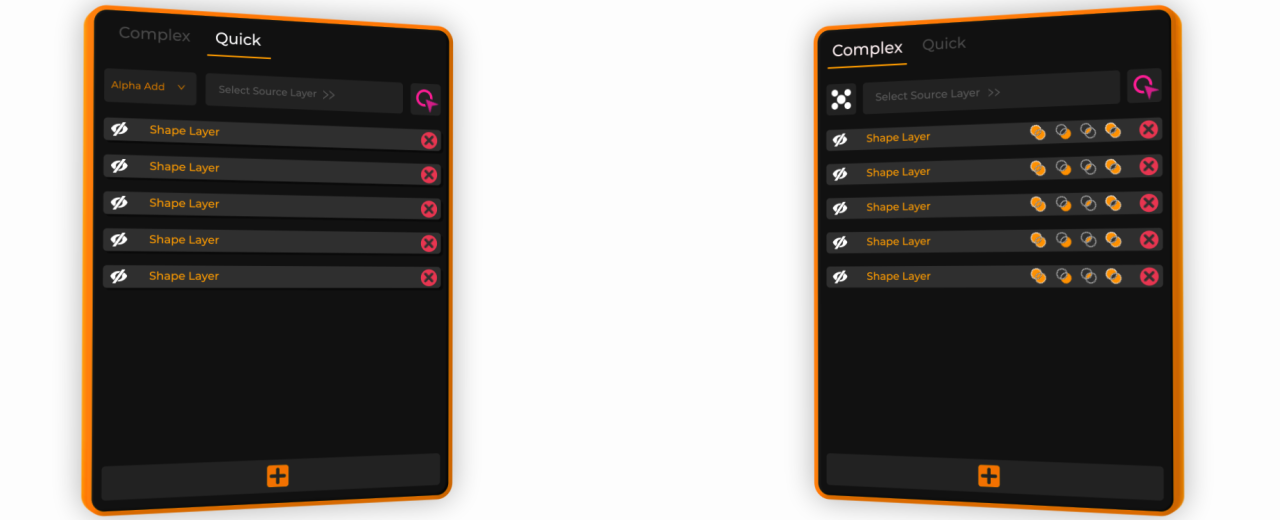
Compound Matte 2 is for After Effects projects where one source layer needs several matte layers. It lets you manage those mattes in a drag-based interface and choose Merge, Subtract, Intersect, or Exclude for each one.
Choose an engine for the matte setup
The Quick engine is intended for faster, simpler work, while the Complex engine is for building complex mattes. The tool detects the engine in use and switches automatically. It also reads how layers are reused across mattes to avoid interference. Layer opacity and layer effects are supported.
Compound Matte 2 does not use After Effects' Set Matte effect. Its listing says it can eliminate the need for After Effects' internal track matte in many cases. If a project depends specifically on Set Matte, account for that difference when deciding whether this operator fits.
Compatibility and licensing
The listing names After Effects 2025, 2024, 2023, 2022, 2021, 2020, and CC 2019. It does not specify operating-system compatibility.
The product EULA, updated Oct. 21, 2025, grants one copy and bars installation on more than one computer at a time. The License Type FAQ, updated Nov. 5, 2026, describes the default Single User License as allowing up to two computers when they are not used simultaneously; floating licenses may be installed on computers on the same network, allow one user per license at a time, and require the Floating License Server. Because the product listing has a license-type selector and displays a Floating License Server requirement, confirm which terms apply to the selected license before purchase.