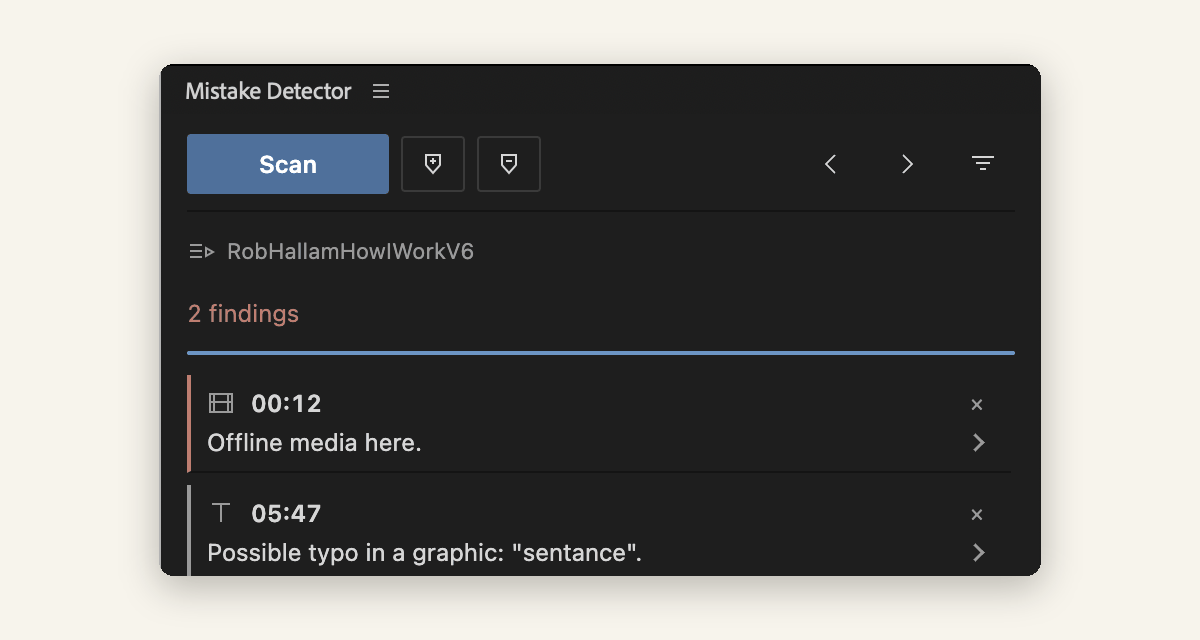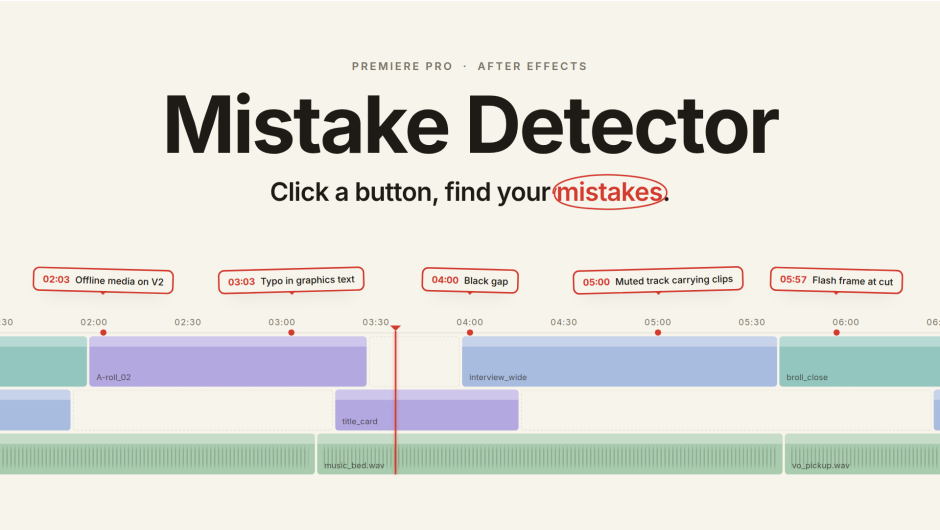
Mistake Detector is a pre-export quality-control panel for video editors and motion designers using Premiere Pro or After Effects. It scans the open project and lists issues with timestamps, so you can jump to each location and review it before delivery. Scans run locally without changing the project.
Checks for each application
In Premiere Pro, Mistake Detector scans the active sequence for offline media, black gaps across the video tracks, muted audio tracks that still contain clips, exposed frames, clips of three frames or fewer at the sequence frame rate, and typos in Essential Graphics titles and lower thirds. A gap on an upper track is ignored when footage below it still fills the output. Offline media is reported once per missing file, even if that file appears several times.
In After Effects, it checks the active composition and its precomps for missing footage, expressions that After Effects reports as errors, text typos across the comp tree, and black borders. For border checks, it combines layer geometry with a rendered frame, which helps distinguish actual gaps from layers affected by masks or effects.
Review and manage findings
Click a timestamp to move to the finding. In After Effects, clicking also opens the composition it belongs to; a black-border finding jumps to the relevant frame. In Premiere Pro, you can add standard timeline markers for the findings. Remove markers clears only the markers Mistake Detector created, leaving your own markers in place.
You can turn off individual checks or dismiss an intentional finding. Dismissals stay out of later scans of that sequence or composition; dismissals for text typos last only for the current session. The panel labels potentially deliberate findings as warnings and findings such as offline media or black gaps as errors.
Compatibility and licensing
The current listing names After Effects 2024, 2025 and 2026, and Premiere Pro 2024, 2025 and 2026. One installation adds the panel to both applications. Premiere Pro users open it from Window > Extensions.
The listing displays a Floating License Server Required prompt and a license-type selector. aescripts' licensing guidance says single-user licenses do not require the server; floating licenses do, and remote users on a floating license need VPN access to the network running it. Check the selected license type before purchase because the setup requirements differ.