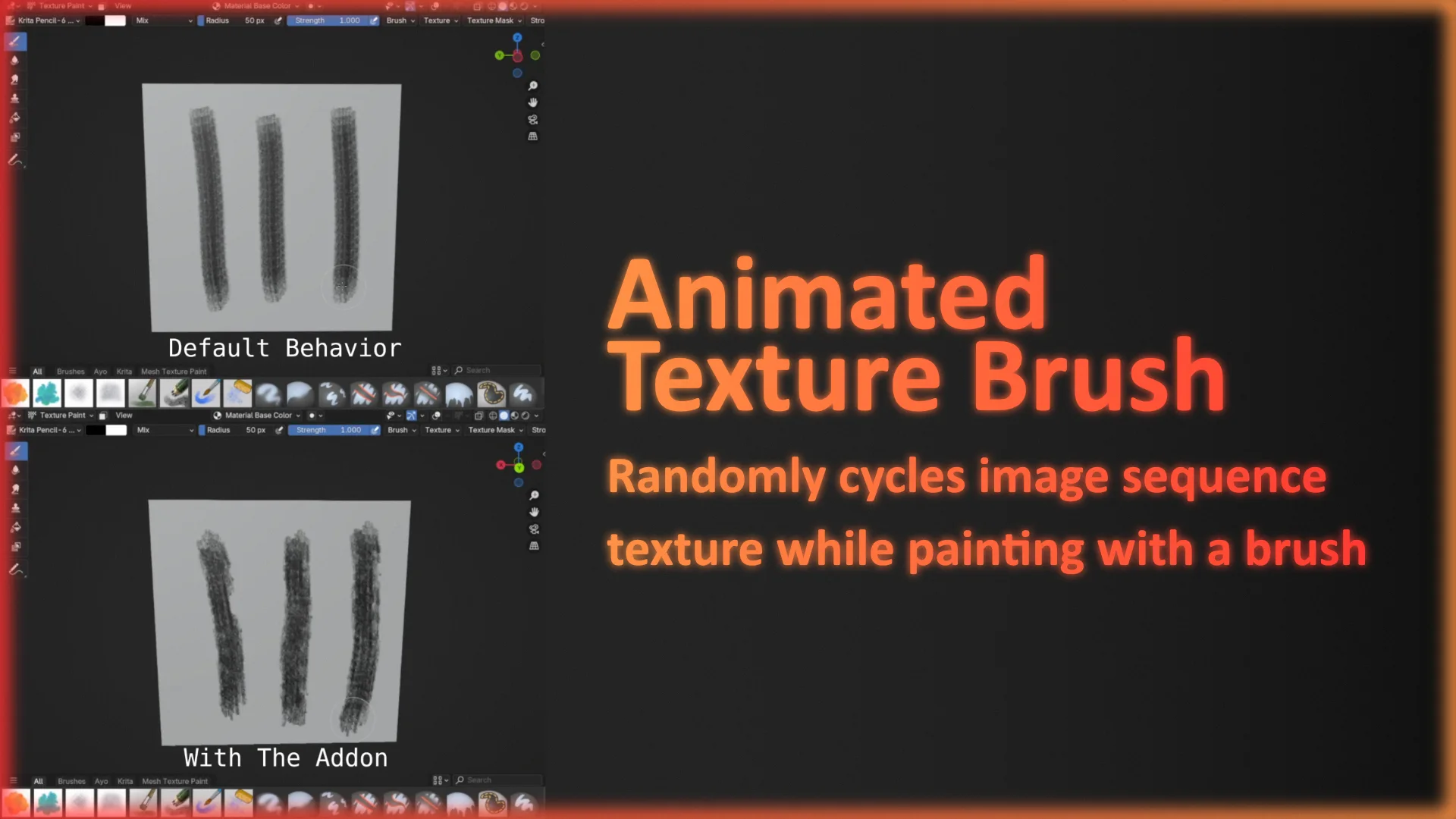
Animated Texture Brush is a Blender add-on that cycles the image sequence assigned to a paint brush while you work. It can change the brush texture, its mask, or both, and supports Texture Paint, Sculpt, Vertex Paint, and Image Editor Paint.
The add-on works with an image sequence already set up on a brush. You choose how frames are selected and when the selection changes, which lets the same sequence behaves differently from stroke to stroke or during a stroke.
Choose how the sequence cycles
Random selects a sequence frame at random. Ordered moves through the frames in order, then loops to the beginning. Ping-Pong moves forward and then backward without repeating the endpoints.No Repeat is available with Random mode. When more than one frame is available, it prevents consecutive duplicate frame selections. It applies to the selections made by the add-on; it does not guarantee that every visible brush stamp will look different.
Set the target and timing
Choose whether to animate the brush texture, the mask, or both. Texture and mask can use independent sequence ranges, so each target can draw from its own portion of the sequence.
Per Stroke selects a frame when each stroke begins. Continuous changes frames over time, with an update rate configurable from 1 to 100 updates per second. Since Continuous is time-based, a stroke may skip or repeat frames instead of advancing exactly once per painted stamp. Blender's native Image Editor texture caching can also retain the first sampled frame for part or all of a stroke.
For predictable frame changes between separate strokes, pair Per Stroke with Ordered or Ping-Pong. This controls the frame selection at the start of each stroke; it does not make Continuous mode advance once per stamp.
Prepare a brush in Blender
Use a brush with an existing Image Texture set to Image Sequence and a positive Frames value. Configure the sequence and its local image paths in Blender as usual. Then enable Animated Texture Brush from the Tool sidebar or the extension preferences. In supported 3D paint modes, its controls are also available in the Properties Editor under the Tool tab.
Find Animated Texture Brush on the Blender Extensions listing, or download the latest release ZIP. Blender's Install from Disk instructions cover installing a downloaded extension. Version 1.1.0 requires Blender 5.0 or later. The listing identifies Kvendy as the developer and the license as GPL-3.0-or-later.