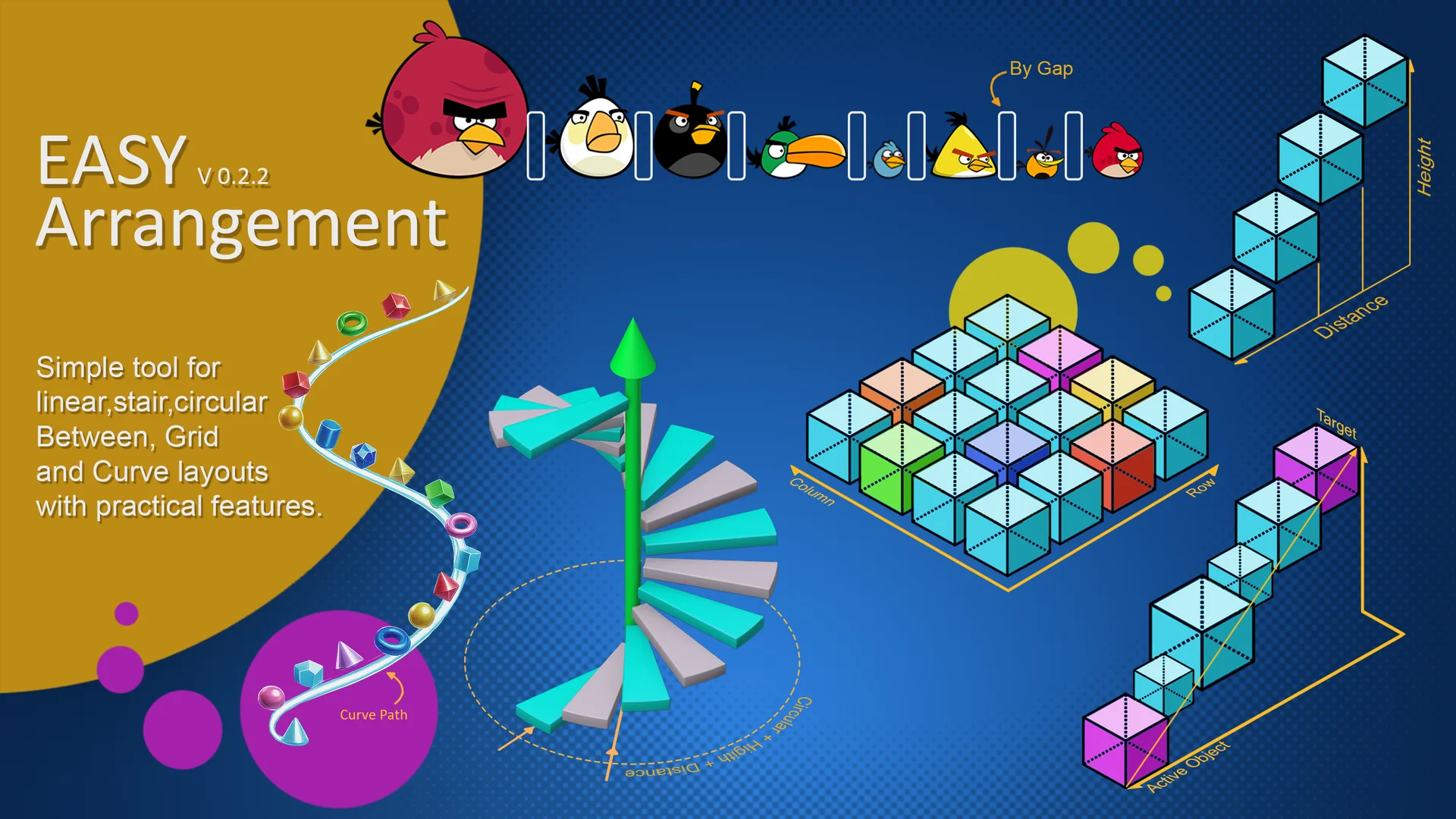
Arrangement Tool is a Blender add-on for arranging objects in the 3D Viewport. It supports circular, spiral, linear, grid, and random layouts, and can work with the current object selection or a specified collection. The Superhive product listing identifies Blender 4.3 and a GPL license. Check the listing for compatibility and license details before installing.
Choose a layout
- Circular: place objects in a circle with a customizable radius.
- Spiral: create a spiral with adjustable height and radius.
- Linear: arrange objects along a line with a user-defined length.
- Grid: set rows, columns, and spacing for a grid pattern.
- Random: scatter objects within defined position and rotation ranges.
Adjust the arrangement
Position, rotation, and spacing can be fine-tuned with controls such as radius, height range, grid dimensions, line length, and random offsets. Global position and rotation offsets shift the arrangement as a whole. The Face Center option makes objects face the center of the arrangement automatically, except in random layouts.
Work from Blender's Sidebar
The controls are in Blender's Sidebar under the Arrangement tab. The listing describes real-time adjustments and visualization, with undo support. These options suit scene layout work for design, layout visualization, or creative compositions.