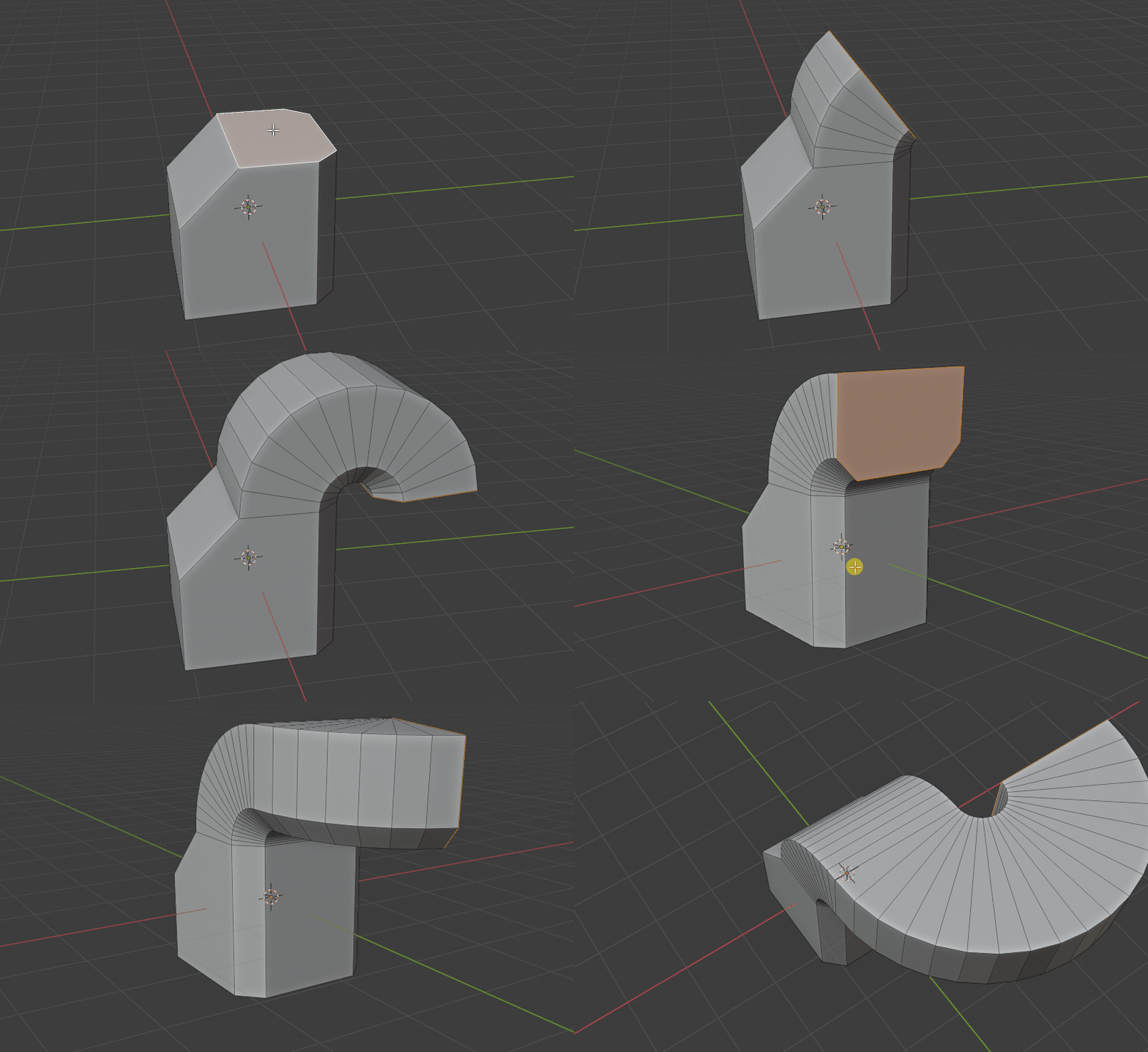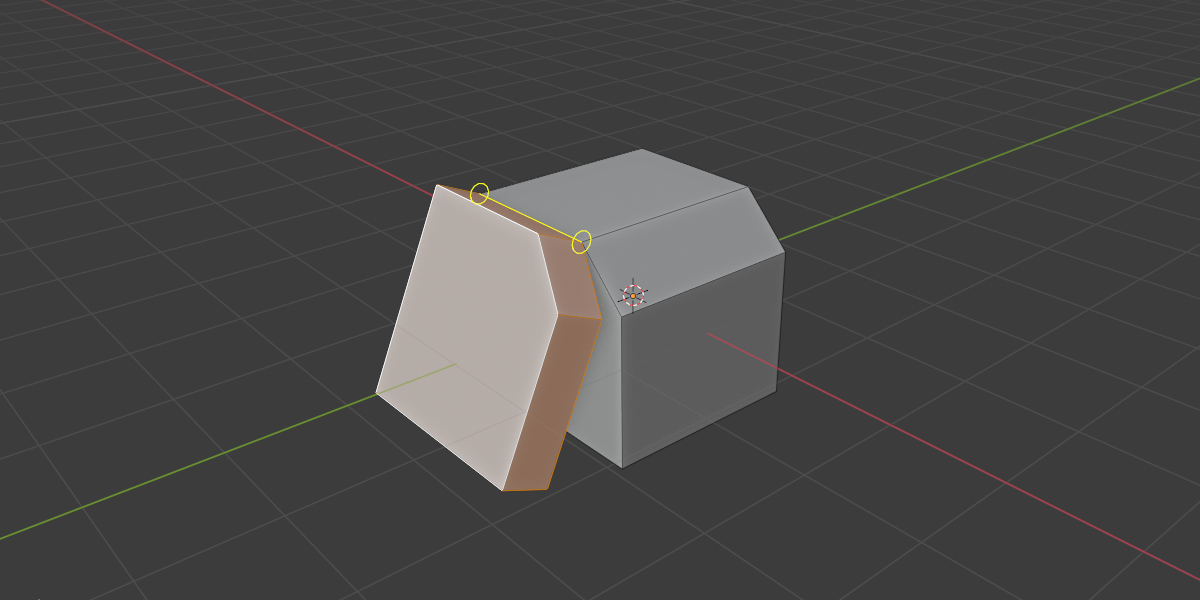
Bend Face is a Blender add-on for rotating or moving selected mesh faces around an edge or along a face normal. It marks the nearest edge with a yellow line, which you can drag to control the operation in the viewport.
Move or rotate selected faces
In Edit Mode, select the faces and start Bend Face from the context menu. Drag near a highlighted edge with the left mouse button to rotate the faces; use the right mouse button to move them along the line. The tool measures the drag horizontally. For precise edits, enter an angle or distance in the Left-Bottom menu. That menu can also change the last rotation or move made with the mouse.
Hold Ctrl while dragging to snap rotation in 5-degree steps or movement in 0.25 steps. Number keys 1, 2, 3, and 4 set preset rotation angles of 30, 45, 60, and 90 degrees, respectively; pressing the same key again selects its negative angle.
Use a face normal as the axis
Press F to switch from edge mode to Face Normal Mode. The yellow guide then follows the face normal, so you can rotate around it or move faces along it. This is useful when the selected edge does not give you the direction you need.
Create connected loops with Rotate Extrude
Enable Rotate Extrude in the Left-Bottom menu and set the number of copies to add edge loops between the original face and its rotated or moved position. The copies can form bent geometry, including tube-like shapes. You can combine this option with Face Normal Mode and adjust Axis Offset (co-linear) for a face-normal extrusion.
Interaction and limits
In continuous mode, Bend Face stays active for multiple operations. Press Q to confirm and save, or Esc to cancel changes and exit. An Addon Preferences setting can switch to exiting after an action. Sliding Rotation is experimental: press S to enable it, and use it with one selected face. It slides vertices along existing edges while the face rotates.
The Superhive listing states support for Blender 2.83 through 5.2. Check the Bend Face product page and its documentation for current compatibility and usage details.