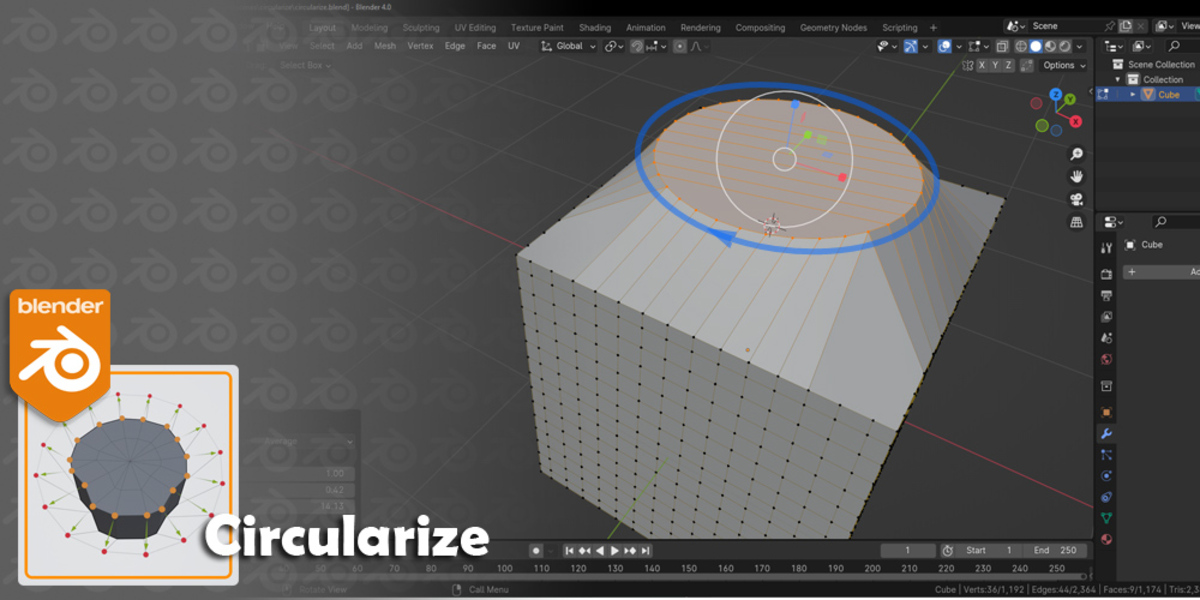
Circularize is a Blender add-on for reshaping selected vertices into a circle. It helps when a mesh selection is uneven or has been nudged out of shape and you want to correct it in place instead of creating a separate circle mesh.
Shape the selected vertices
Radius Type offers Average, Minimum and Maximum options for interpreting the selection as a radius. By default, Circularize projects the vertices to the circle while keeping their existing distribution around it. Enable Even Angles to sort them clockwise and space them evenly. The product documentation notes that this can make the connecting edges look twisted.
Adjust size and orientation
- Scale changes the circle's radius.
- Push moves the circle along the selected vertices' plane normal.
- Spin rotates it around that normal.
- Align Cursor aligns the 3D cursor to the final plane normal so you can continue working on the circle.
Select the vertices, run the Circularize operator, then adjust the options for the shape you need. Leave Even Angles off to retain the selection's uneven spacing, or enable it when evenly spaced vertices are more useful.
Compatibility and license
The Superhive product listing identifies Circularize as Blender Extension compatible and lists Blender 3.6, 4.0, 4.1 and 4.2. It is released under the GPL license. Version 1.0.1 moved the add-on into its own subdirectory to avoid conflicts; the version history advises removing an older copy before installing this update.