Camera2View is a Blender add-on by zets for turning the current 3D Viewport perspective into a camera. Its controls cover camera creation, navigation and keyframing. The Blender Extensions record lists version 1.5.1, with compatibility beginning at Blender 4.2.0 and ending before 4.5.0.
Create a camera from the viewport
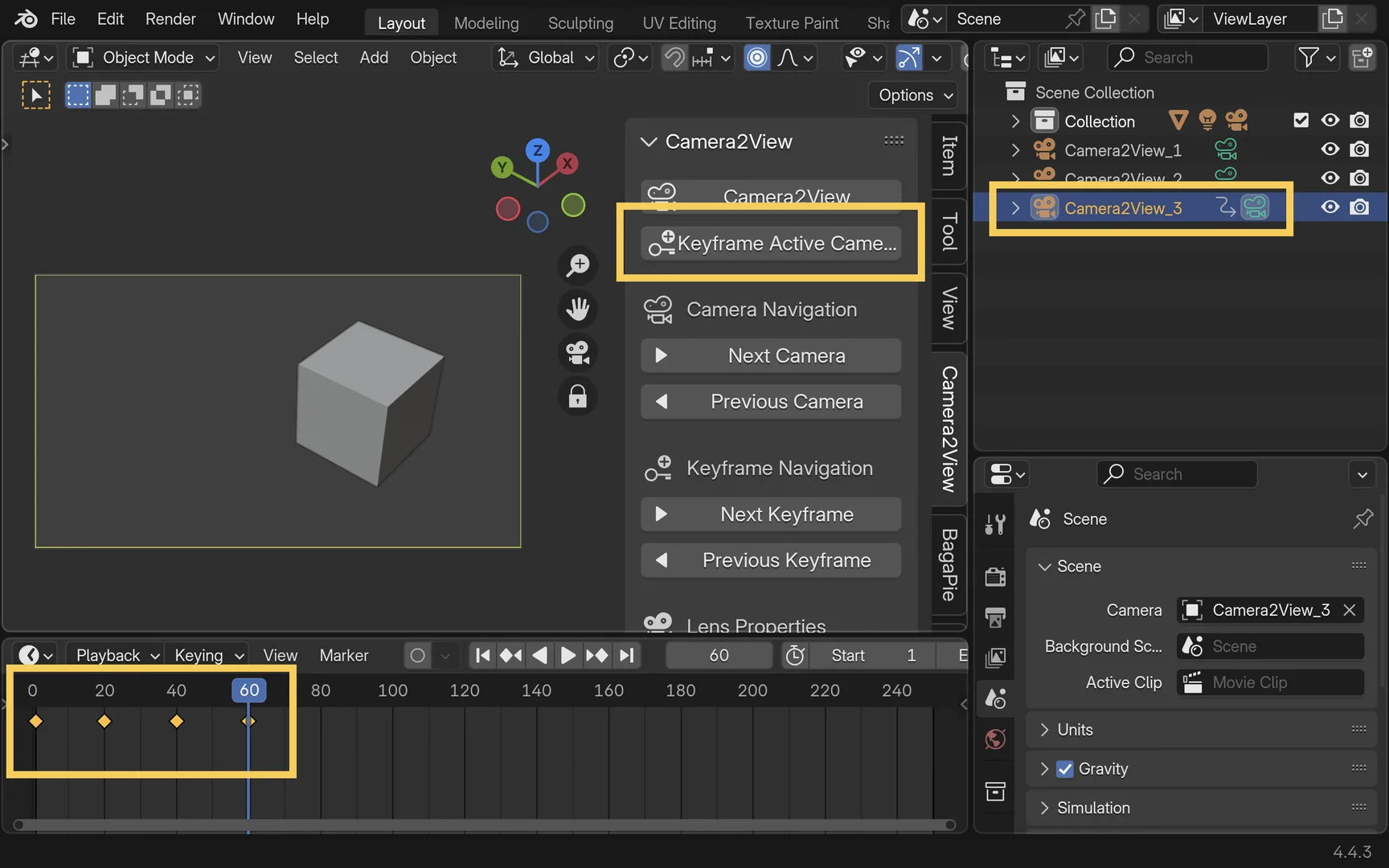
Open the 3D Viewport sidebar with N and choose the Camera2View tab. Frame the scene from the angle you want, then create a camera from that view. The catalog feature description says the new camera uses the viewport's position and angle, switches the viewport to camera view and locks it to the new camera. Created cameras receive sequential names such as Camera2View_1.
To block several shots, frame another angle and create another camera. Next and Previous controls switch between Camera2View cameras, which helps compare compositions before choosing one to animate.
Keyframe movement and camera settings
Camera2View can keyframe camera position and rotation for basic moves. The panel also has individual keyframe controls for focal length, orthographic scale, lens unit, clipping range and lens shift. Keyframe navigation moves to the previous or next keyframe on the active camera.
A shot-blocking pass can start with a viewport composition, turn that view into a camera, then add keys for movement or camera settings that change over time. This combination of view-based camera creation, camera switching and keyframe controls suits previs, cutscene staging and flythrough planning in Blender.
Compatibility and license
The Blender Extensions listing identifies zets as the maintainer and version 1.5.1 as the listed release. Its catalog record sets Blender 4.2.0 as the minimum and 4.5.0 as the maximum, so 4.5.0 and later are outside the published compatibility range. The listing specifies GNU GPL version 3.0 or later.
Before installing, check the extension listing for current release details. For a downloaded extension archive, follow Blender's Install from Disk instructions.