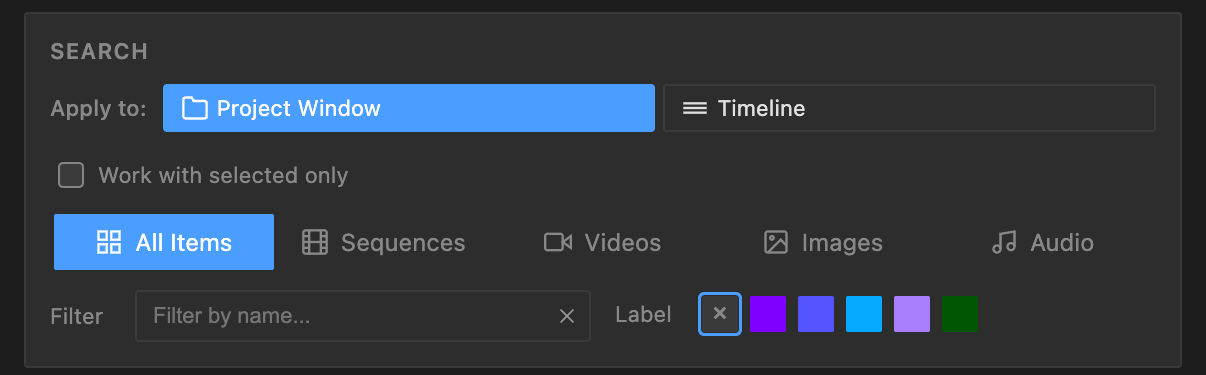
Change it! for Premiere Pro searches sequences by name and settings, then lets you change properties and organize matches in one pass. You can search the whole project or limit the scope to sequences selected in the Project window. Before applying changes, review the matches and their current settings in a table.
Find sequences by name and settings
Combine search criteria for name, label color, resolution, frame rate, pixel ratio, sample rate, fields, duration, max bit depth and max render quality. Choose All or Selected to set the search scope. Empty search fields include every sequence within that scope, so check the match count before proceeding.
Review matches before applying changes
The Found table lists each match with its current settings. Click a row to reveal that sequence in the Project window. After reviewing the list, set the properties you want to change, including resolution, frame rate, pixel ratio, sample rate, fields, max bit depth or max render quality. Quick presets and pinned presets can help with settings you use repeatedly.
Change settings and organize the project
In the same run, Change it! can move matches into an existing bin or a new bin, and set their label color. Combining these actions lets you update sequence properties and arrange the matching items together. The Revert command undoes the last run, restoring its sequence settings, labels and bin layout. Only the most recent pass can be reverted.
Version, compatibility and price
The product listing's version history shows version 2.0.5, dated October 3, 2026. Its compatibility table lists Premiere Pro 2022 through 2026. The version 2.0 notes describe broader support for Premiere Pro 2021 and newer; if you use Premiere Pro 2021, confirm compatibility with the developer before installing. The listing shows a price of $28.99, a 25% checkout discount and a free trial. Check the Change it! product listing for the current offer. The listing also links to the product documentation.