See nested sequences as a flowchart
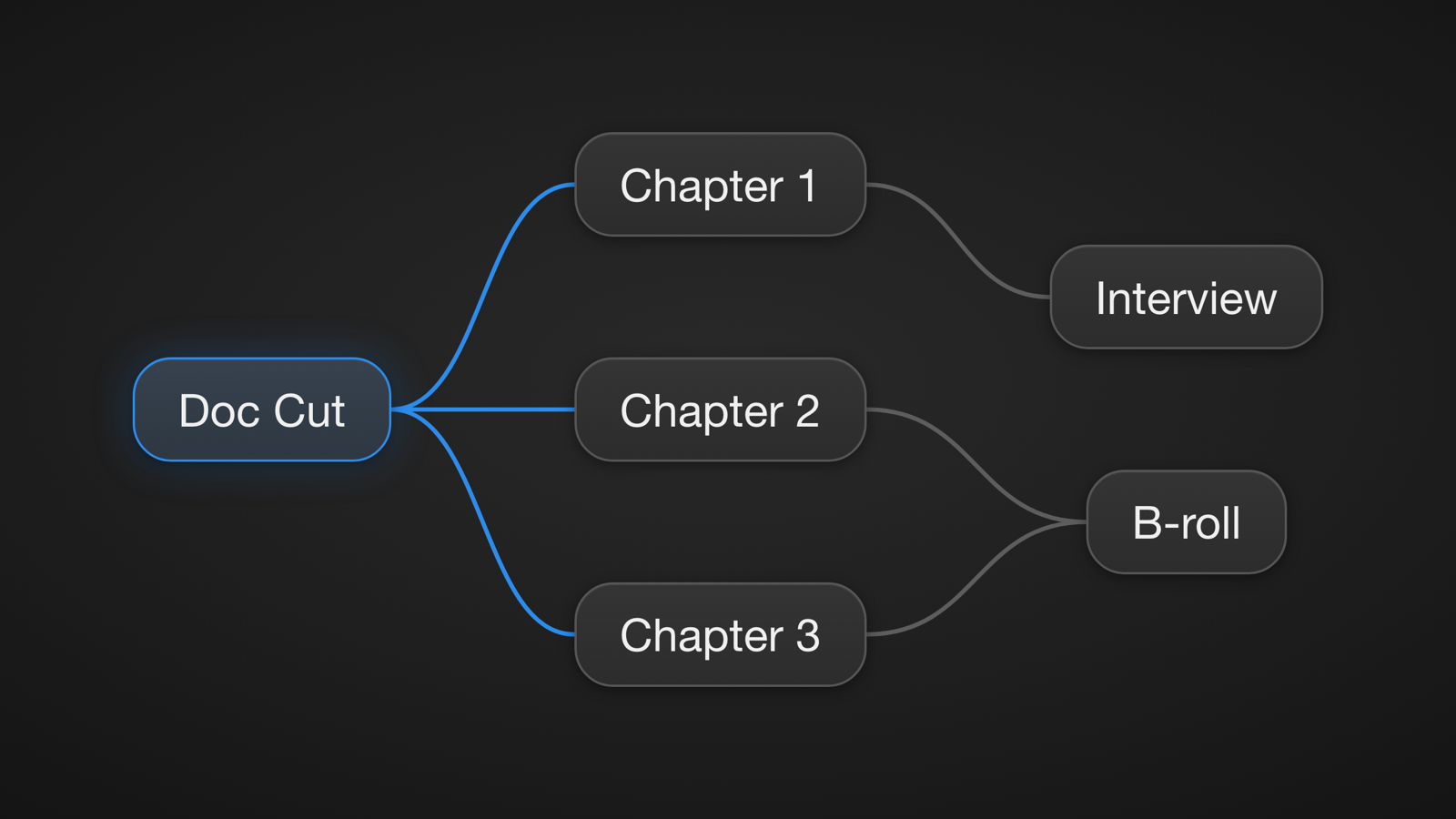
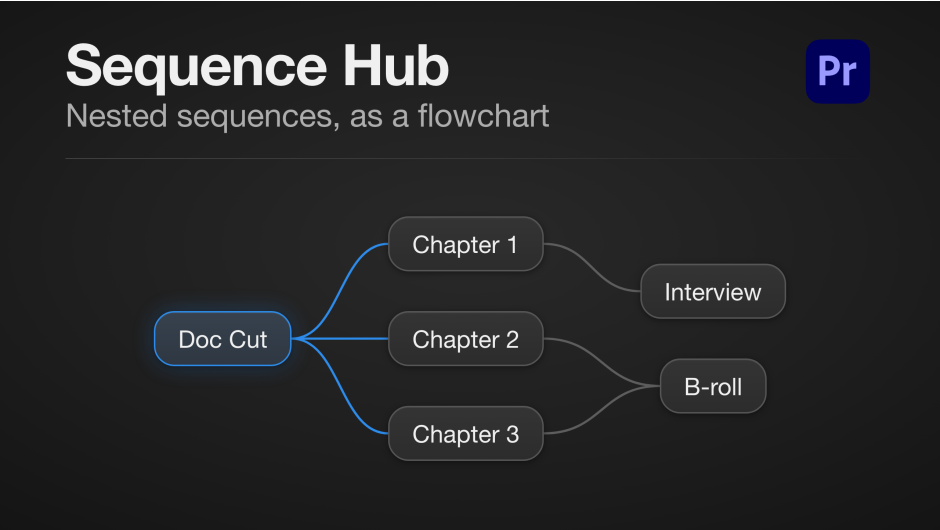
Sequence Hub by Leyero displays a flowchart of the active sequence and its nested sequence relationships in Premiere Pro. Each line shows a sequence nested inside another. Click a sequence in the chart to open it in the timeline.
The chart updates when you add, remove, or re-nest sequences. The active sequence is highlighted, and the view follows it as you work.
Navigate the chart
Pan and zoom across the flowchart to inspect its sequence structure. The current view shows the active sequence flowchart; hover over another sequence to preview its flowchart.
Sequence Hub can also file new sequences into bins automatically. This option is off by default.
Version and compatibility
Version 2.0 moved Sequence Hub to UXP as a native Premiere Pro panel. The developer describes sequence reading as faster, and says the panel follows Premiere Pro's theme and interface scale. The version history lists 2.0.2, dated October 7, 2026, with bug fixes and improvements.
The current listing requires Premiere Pro 26.2 or later on macOS or Windows. It describes Sequence Hub as a one-time purchase and points to aescripts' 90-day return policy. Check the Sequence Hub listing for current compatibility, release details, and purchase terms.
Who may find it useful
Sequence Hub is for Premiere Pro editors working with nested sequences who want to inspect their relationships and move from the flowchart to a sequence in the timeline. Its active-sequence view can help when a project contains several layers of nesting and the current sequence is easy to lose track of.