Set reminders for Blender work
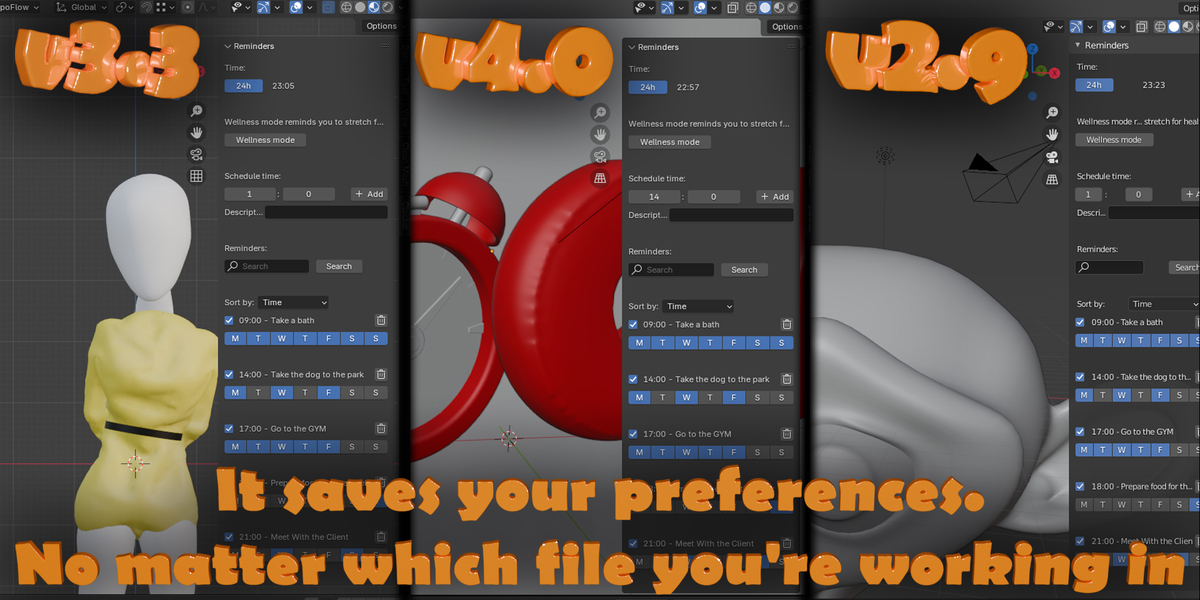
Clocker is a Blender add-on from Cobox for time-based reminders. Choose a time and the days for each reminder, then add a custom message describing what you want to remember. A 12-hour or 24-hour clock setting controls how times appear. If an alert arrives while you are working, you can snooze it for five minutes.
- Schedule reminders for specific times and days.
- Add a custom message to each reminder.
- Search reminders and sort them by creation date or scheduled time.
- Snooze an alert for five minutes or temporarily deactivate a reminder without deleting it.
Search and sorting can make a longer reminder list easier to manage.
Optional Wellness Mode
Wellness Mode sends customizable reminders at regular intervals to prompt short breaks during long Blender sessions. The product listing describes the prompts as support for posture and reduced eye strain. Wellness Mode is optional, so you can use the time-based reminders on their own.
Saved settings and compatibility
Clocker saves preferences, reminders and modes across sessions, so they remain available when you return to Blender. The Superhive product listing identifies Clocker as a GPL-licensed, Blender Extension-compatible add-on and gives a Blender version range of 2.9 to 5.2. Check the listing for compatibility details before installing.
The Clocker documentation provides installation and usage information. With scheduled reminders, searchable entries and optional break prompts, Clocker is aimed at Blender artists, animators and designers who want time cues within their work session.