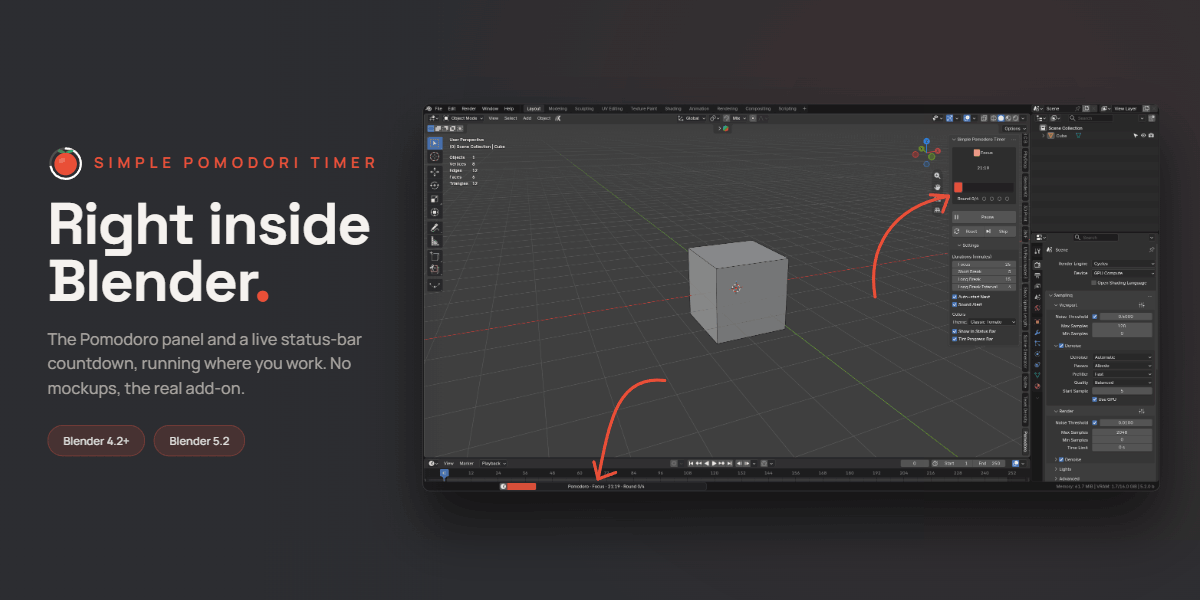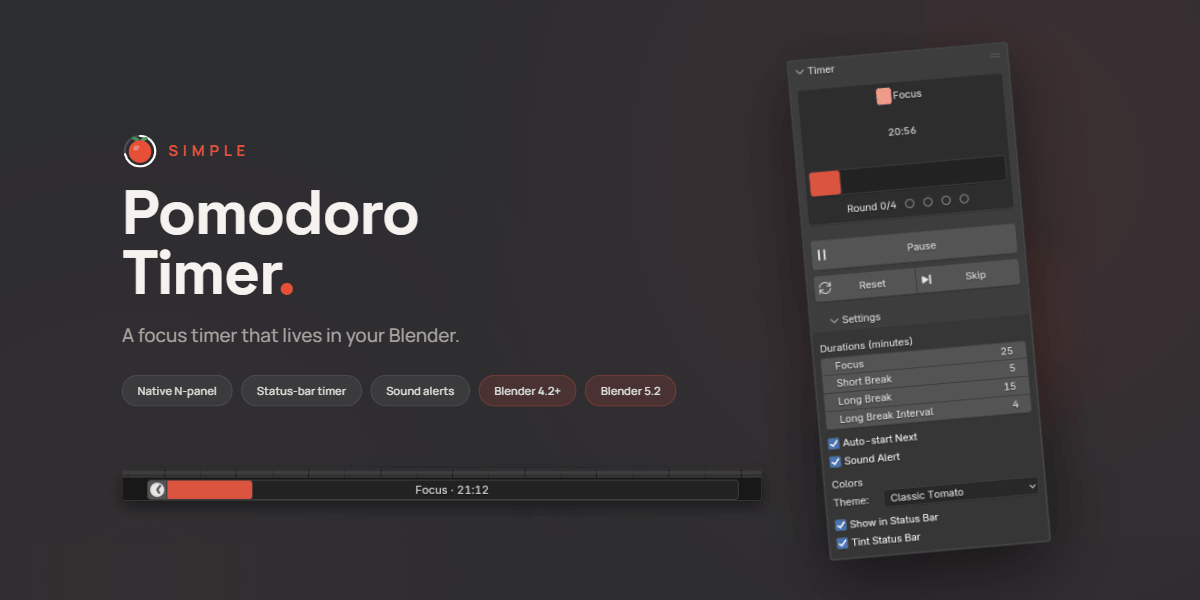
Simple Pomodoro Timer by AUER brings timed focus and break sessions into Blender’s 3D viewport. Its cycle moves through Focus, Short Break, and Long Break phases automatically, while a live countdown stays in Blender’s status bar. You can check the time or control a session without opening a separate timer app.
Run a timer from the 3D Viewport
After installing the add-on, press N in the 3D Viewport and open the Pomodoro tab to see the full timer. Start, Pause, Reset, and Skip controls are available in the sidebar panel. A right-click menu on the status bar provides another way to control the timer, and clicking its clock icon returns you to the panel.
The status bar countdown remains visible while you work, so the timer does not need its own window. When a phase ends, the add-on shows a popup notification and can play an optional sound alert.
Adjust phases and appearance
Each phase duration can be changed to fit your routine. Round tracking starts a Long Break automatically after every few Focus sessions; the listing does not specify the exact number of sessions in that interval.
Choose from Classic Tomato, Ocean, Forest, or Monochrome themes, or set custom colors. Together, the adjustable durations and color options let you change the timer’s pacing and appearance from their defaults.
Who may find it useful
The add-on is intended for Blender users who want a Pomodoro timer near their 3D work. It keeps the session readout in the status bar and the main controls in the viewport sidebar, which can suit artists who prefer not to switch to a separate timer during a work block.
Compatibility and license
AUER’s Superhive listing identifies Simple Pomodoro Timer as a Blender add-on and Blender Extension compatible. The product details list Blender versions 4.2 through 5.2 and a GPL license, while its compatibility text and FAQ say Blender 4.2 and newer; the FAQ reports testing through 5.2. The listing’s FAQ describes installation from a downloaded ZIP through Blender preferences. For versions outside 4.2–5.2, the FAQ recommends checking the developer’s page; check there for the latest installation steps.