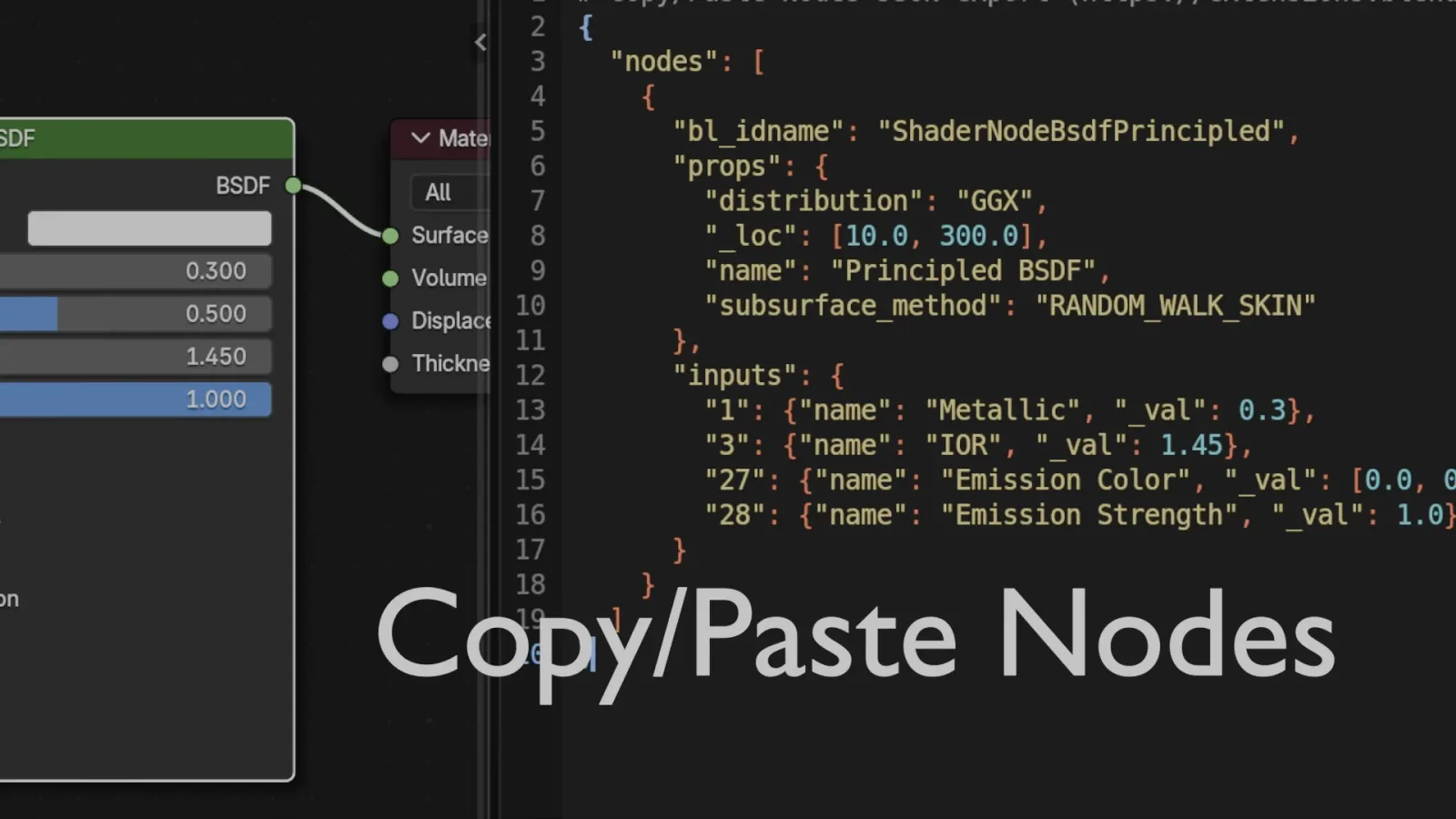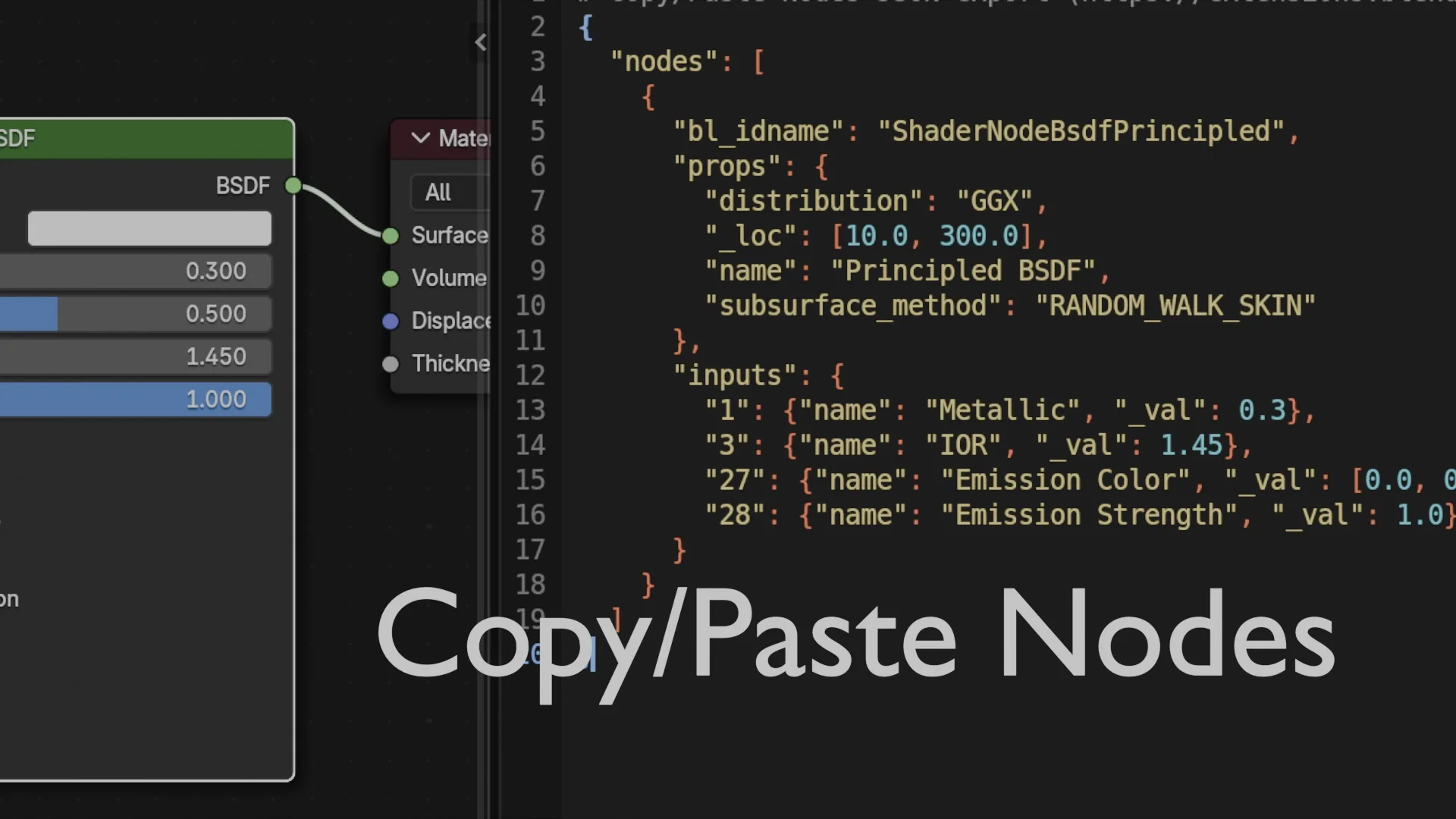
Copy/Paste Nodes is a Blender add-on for copying nodes as JSON text through the system clipboard. Its dedicated shortcuts work in Node Editors, making the clipboard text available to other open Blender instances and useful for sharing node setups or comparing versions of a node tree.
How node copying works
The add-on uses Ctrl+Alt+C to copy and Ctrl+Alt+V to paste; on macOS, use the corresponding Cmd shortcuts. These are separate from Blender's standard Ctrl+C and Ctrl+V node operations. Copy/Paste Nodes serializes nodes to JSON on the system clipboard, so the data can be handled as text rather than staying in Blender's internal clipboard.
The serialized structure follows Blender node-tree data and omits fields that match their defaults, keeping the JSON shorter. That text format can help when sharing node setups in places where a .blend file is awkward to send, or when comparing node-tree changes. The add-on's developer notes that the JSON structure is still being developed, so treat it as an evolving format.
Compatibility and permissions
The Blender Extensions catalog lists version 0.1.6 with Blender 4.5.0 as its minimum version. It declares a clipboard permission for copying and pasting nodes and uses the GPL-3.0-or-later license. Check the Blender Extensions listing for the current release details.
Installation
Copy/Paste Nodes is listed on Blender Extensions. If you install a downloaded archive, follow Blender's Install from Disk instructions. The developer's GitHub repository provides the source and an issue tracker. Since the JSON structure is not finalized, test important node setups before relying on copied text in a production file.