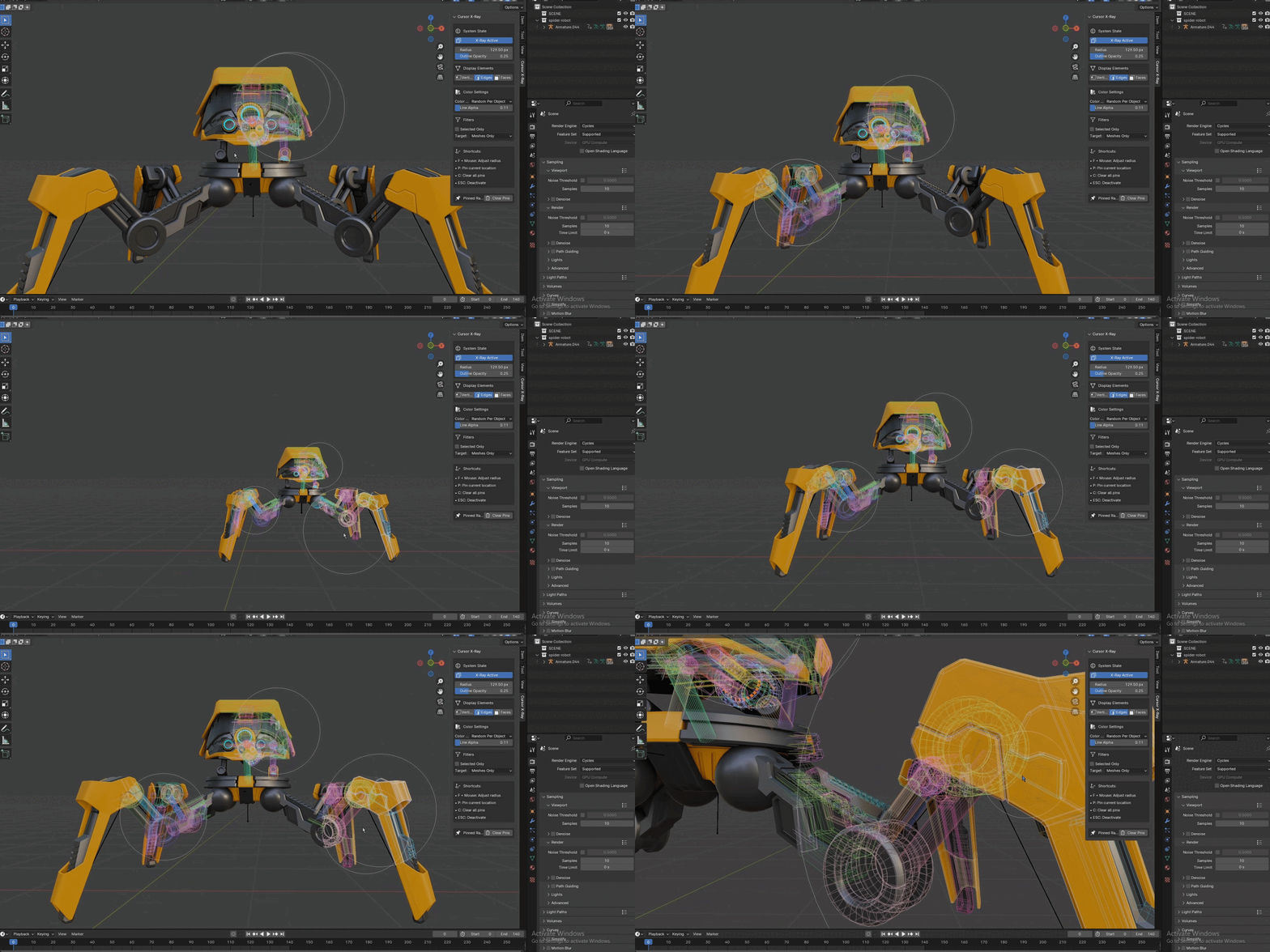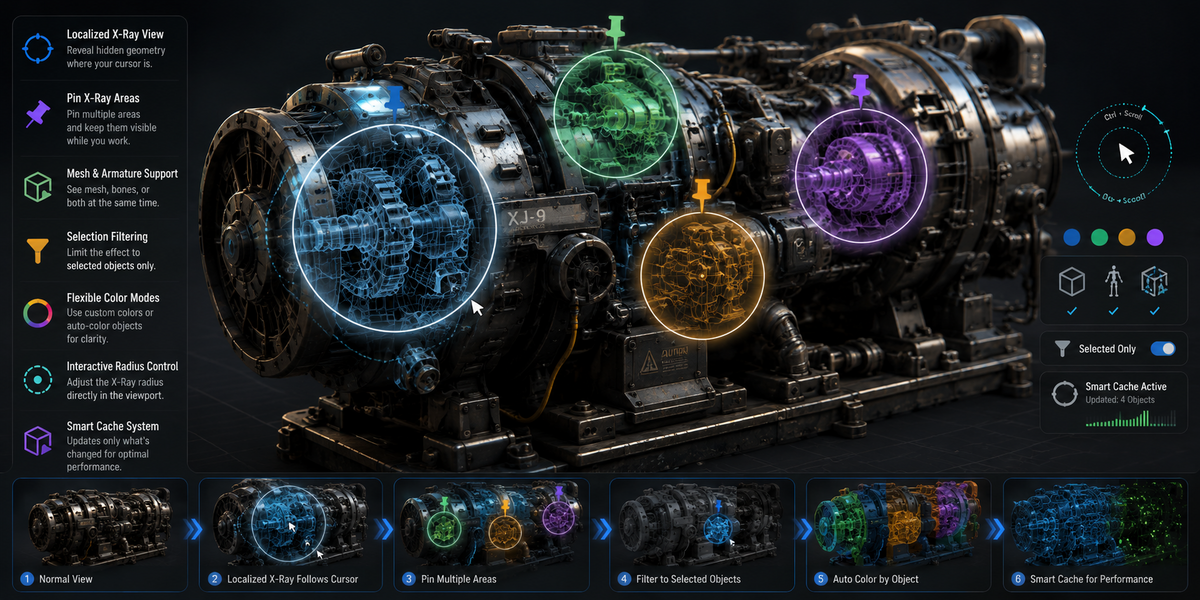
Cursor X-Ray is a Blender add-on that reveals hidden geometry and bones inside a circular area around the mouse cursor. It lets you inspect a local part of a mesh or rig without turning on X-Ray across the whole viewport. The Superhive listing says it works in any mode and supports Blender 3.0 through 5.2.
Inspect geometry where you point
The X-Ray area follows the cursor, so the rest of the viewport stays focused on the scene as you work. Cursor X-Ray can show mesh topology, armature bones, or both together. This can help when selecting parts of a dense mesh, checking a rig, or working in a crowded scene.
Pin areas and adjust what you see
You can pin the X-Ray focus to multiple mesh areas, keeping those spots visible while you move to another part of the scene. Selection filtering can limit the effect to selected objects. Color options include a custom color or automatic unique colors for each object, and mouse controls adjust the radius directly in the viewport.
Compatibility and license
The product listing identifies Cursor X-Ray as a Blender add-on, marks it as Blender Extension Compatible, and lists a GPL license. It also links to a tutorial video. Check the Superhive product listing for current compatibility and product details.
Viewport performance
Cursor X-Ray uses a cache that updates objects when they change, reducing unnecessary calculations. The listing describes this as a way to help maintain viewport performance; it does not provide benchmark results.