CutMap gives sequence versions a visual map
CutMap is an Adobe Premiere Pro plugin that turns a project's bins and sequences into a visual map for versioning and navigation. Editors and post-production supervisors can follow how a project changes across revisions and see the status of each version or sequence.
How CutMap organizes a project
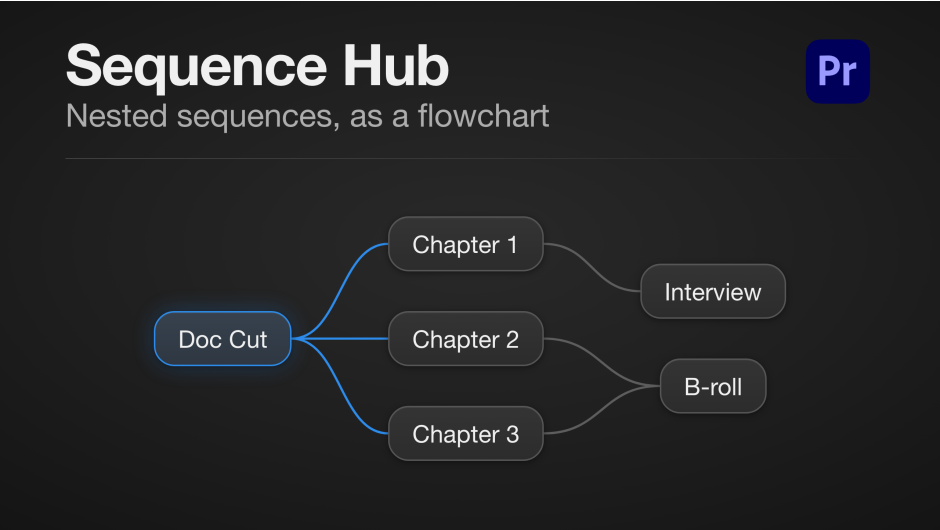
CutMap maps a Premiere Pro project's bins, sequences and versions into a visual version tree. Its map and the Premiere Pro project sync automatically in both directions, so a reorganization in either place appears in the other.
Keeping version status visible
CutMap shows whether each version or sequence is approved, in progress or parked, so a supervisor can scan related cuts on the map at a glance. For example, a director's alternate cut could be parked while the current cut remains in progress.
Where CutMap fits
CutMap is aimed at editors and post-production supervisors working on commercials, episodic content, or other projects where cuts and versions become hard to track in Premiere Pro's standard panels. A visual map can help when versions branch and bins fill with sequences. A simple edit with one working sequence may have little to organize.
What to check before installing
During evaluation, see whether CutMap's visual map and two-way sync fit how your team organizes bins and sequences. Consider whether its status tracking matches your review stages and whether separate project workspaces suit how you divide jobs. CutAtlas lists CutMap version 1.0 for Adobe Premiere Pro 2025 (version 25.5 or later) and 2026 on macOS and Windows. Its current offer includes a 7-day free trial and a lifetime license for a one-time $9 limited launch price ($29 regular), with no subscription. Confirm the current price before buying.