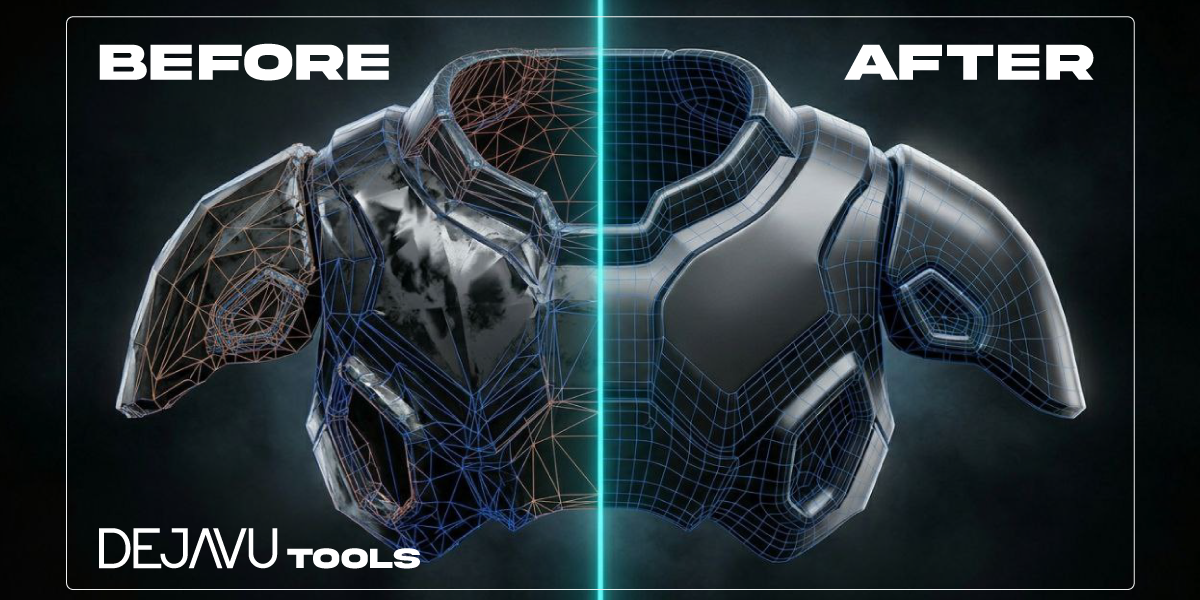
DejaVu Tools is a five-part Blender add-on for inspecting topology and handling common mesh preparation tasks. It can highlight face types, align an object, export depth and normal maps, organize Sidebar tabs, and open the folder for a saved .blend file. It does not repair topology automatically; you choose and make the geometry changes.
Inspect topology and select faces
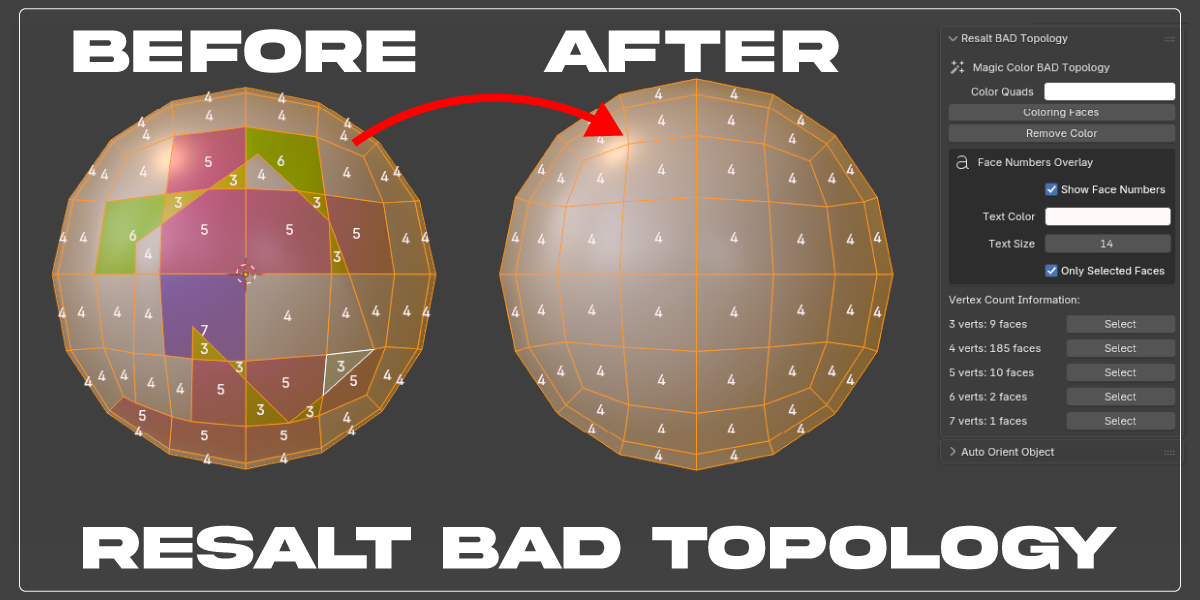
Resalt BAD Topology colors faces by vertex count, making quads, triangles, and n-gons easier to distinguish in the viewport. You can select faces by type for manual cleanup, and enable an optional face-number overlay in Edit Mode for closer inspection. The tool helps locate faces to review; it does not delete or merge geometry.
Orient objects and open project folders
Auto Orient Object aligns an object using selected faces or edges, or at least three selected vertices. It works in Object Mode and Edit Mode, with Ctrl + Alt + F as the listed default shortcut. The operation changes the object's rotation, but the documentation says it does not edit the mesh data.
Open .blend Folder is available from Blender's File menu and opens the folder containing the active saved project. Save the file first. The product documentation lists support for Windows, macOS, and Linux.
Export maps and find Sidebar tabs
Depth and Normal Map bakes maps from the active camera and exports EXR files at 1K, 2K, or 4K. The documentation says to have an active mesh and a defined, writable output folder before exporting.
Sidebar Tab Navigator collects Sidebar tabs in a searchable, sortable list with favorites. Open it from View > Sidebar Tabs, the viewport header, or use Alt + N to open the list and Ctrl + Alt + N to search. Its preferences include alphabetical, recent-use, and frequency sorting.
Check compatibility and install
Check with DejaVu which Blender range applies before installing: the listing details panel says 4.5–5.2, the product overview and documentation say 4.4.3–5.2, and the product FAQ reports testing from 4.5–5.1. Install the downloaded ZIP through Edit > Preferences > Add-ons > Install..., enable DejaVu Tools, then open its panel at View3D > Sidebar > DejaVu. The listing identifies the license as GPL and lists Cycles and Eevee for the included workflows. See the DejaVu Tools documentation for setup and troubleshooting, or the Superhive product listing for compatibility details and the support thread. For support, include your Blender version, operating system, reproduction steps, and a screenshot or short video.