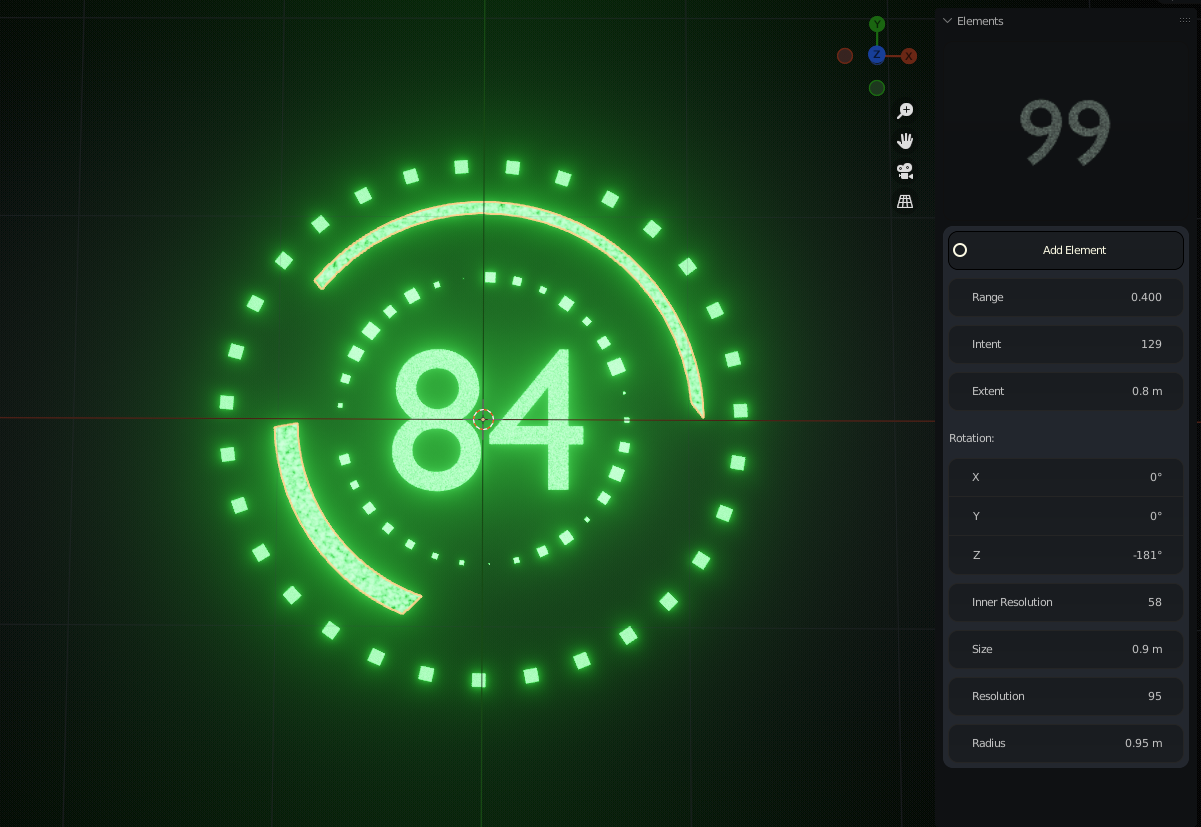
Element X Addon is a Blender Geometry Nodes add-on for creating procedural sci-fi elements for objects and scenes. Its creator cites Doctor Strange and Iron Man effects as examples of the style it can produce. The workflow starts with a preset, which you can scale, adjust and combine with other elements.
Build from presets in Blender’s N-Panel
Element X appears in Blender’s N-Panel, organized into four panels: Element Presets with Settings, Material, Animation and Help. The listing says it includes 21+ presets.
Settings vary by element and include Resolution, Count, Rotation, Scale and Random. The add-on also lets you control multiple properties together, such as Trim Start and Trim End.
Animate elements with three modes
- Constant keeps a rotation moving. Reverse changes its direction, and the axis option changes the rotation channel.
- Function moves an element’s rotation or location back and forth. Amplitude sets how far it moves, while period sets the time for the motion cycle.
- Reveal makes an element appear from hidden to visible using Blender’s build modifier.
Adjust the glow material
The Material panel manages the material used for the glow effect. Glow controls bloom strength, Alpha can be used when you do not want the glow, Noise adds noise, and Mix Noise blends alpha transparency with noise. The creator says you can also change the effect to another material.
Blender compatibility and license
The Superhive product listing identifies the license as GPL and lists Blender versions 4.0, 3.6, 3.5, 3.4, 3.3, 3.2, 3.1, 3.0, 2.93, 2.92, 2.91 and 2.9. Check the listing for current compatibility details if you use a version outside that list.