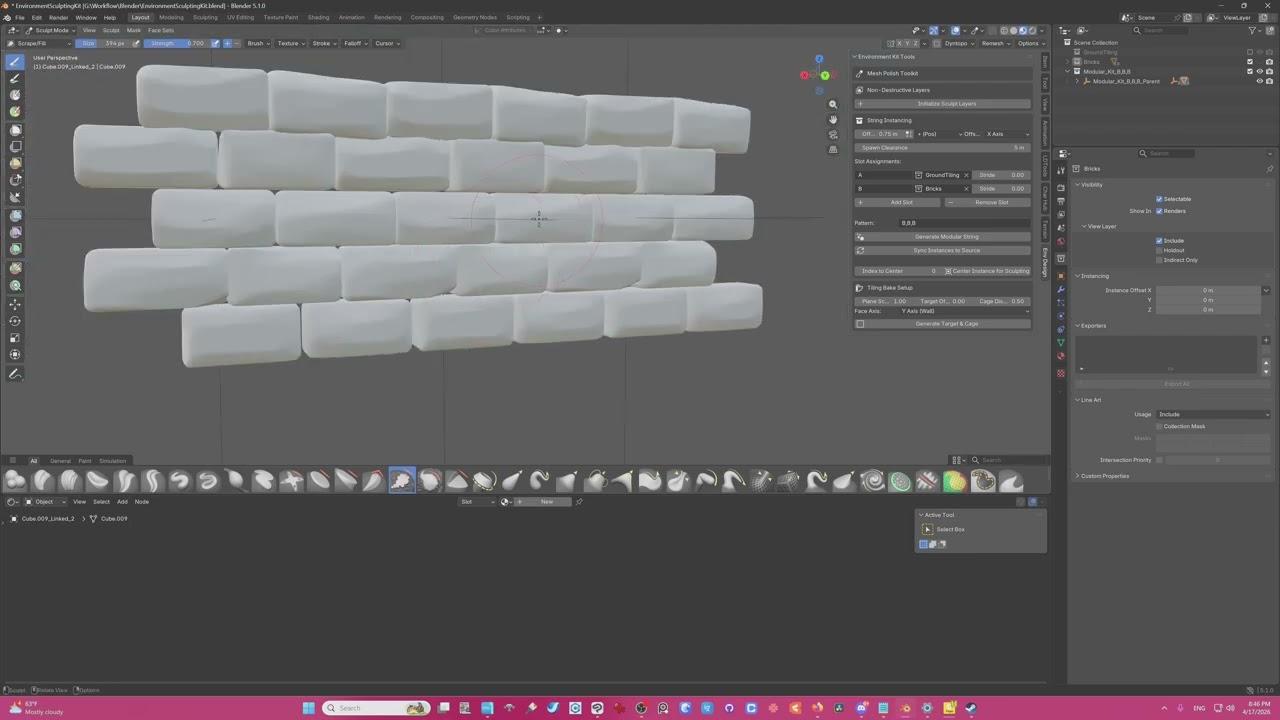
Environmental Sculpting Kit is a Blender add-on from tykuii's lil shop for Blender 5.1 and later. It combines sculpt layers, noise controls, mesh-smoothing algorithms, modular collection instancing, and a target-and-cage setup for tiling workflows. The product listing and documentation describe its controls and limitations.
Adjust sculpt work with layers
Create a sculpt layer on the active object, then edit, mask, disable, or remove it. Layer opacity accepts values such as 1 for full influence, 0 for no influence, -1 for inverted influence, and 2 for double influence. When the result is ready, the manual Flatten Layers operation applies the layer data to the mesh permanently.
Add procedural noise and refine the mesh
Layer noise can use sine waves, white noise, Perlin noise, Voronoi or cell noise, or a custom texture. Scale, strength, and seed controls adjust the noise. The kit also includes 10 noise textures that can be imported into a Blender scene and selected as custom textures.
For smoothing and polishing, choose Conformal Willmore, Safe Laplacian, or Safe Taubin and set global strength and iterations. Fast Stylized is also available, but it is marked experimental. Its settings can cause problems when moved far from their defaults, so the documentation recommends saving before trying it.
Arrange collections with pattern strings
String Instancing builds a sequence of collection instances from letter-labeled collection slots. Entering a pattern such as A,B,A places the collection assigned to B between two instances of A. Controls set the axis, direction, spacing, snapping, and distance from the world origin. You can also sync generated instances after changing their source collection.
Prepare a target and cage for tiling
Generate Target & Cage creates scaled planes with adjustable target offset, cage distance, and face axis. It prepares geometry for a later baking workflow; the add-on does not include the actual internal or external baking operations. This is separate from Flatten Layers, which permanently applies sculpt-layer data to the mesh. If changing the face axis, remove an existing setup first because the documentation says existing setups may not adjust correctly.