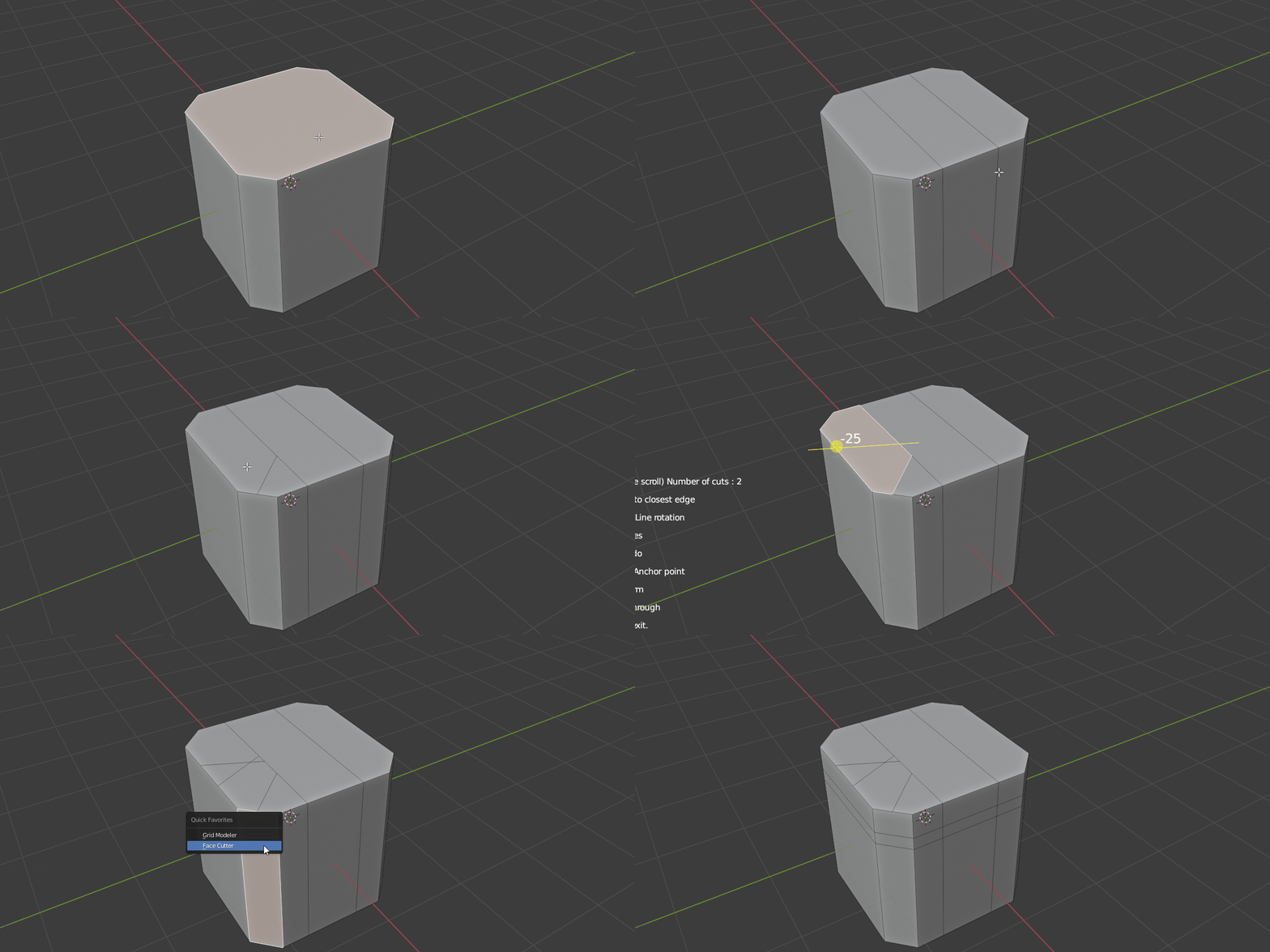
Face Cutter is a Blender modeling add-on by KushiroCG for cutting selected faces, including ngons. It uses snapping points to place perpendicular or angled lines, then makes a local cut or projects a cut through the mesh. You can set the number of divisions, define a line between two points, or align it to a nearby edge.
Start a cut in Edit Mode
- Select one or more faces in Edit Mode, right-click to open the context menu, and choose Face Cutter.
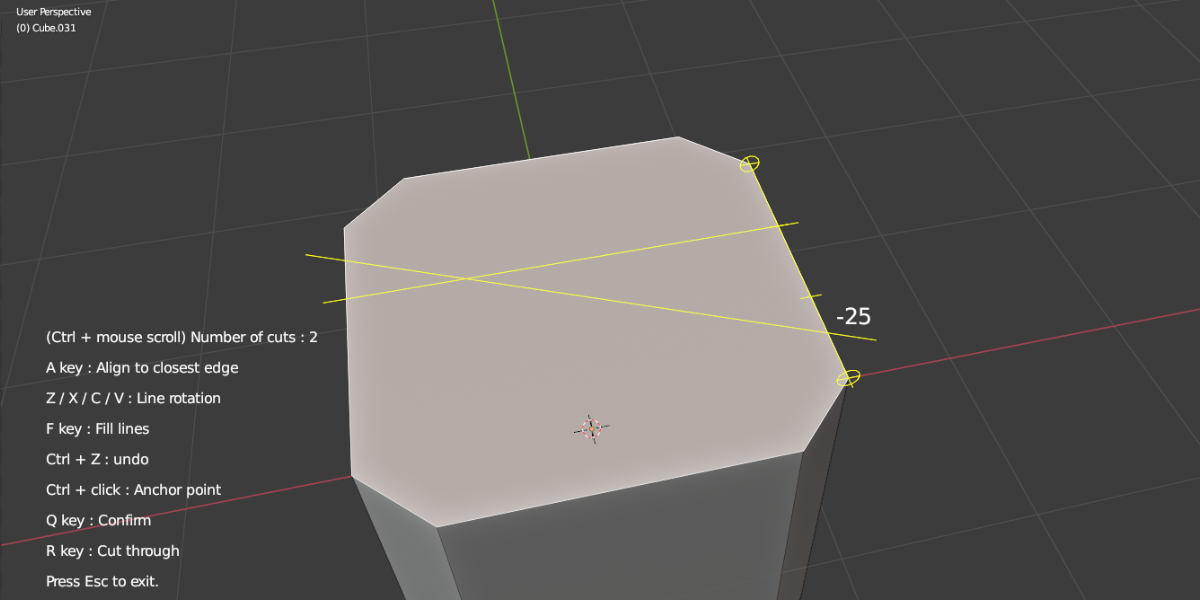
- Select a base edge, then place cutting points on its snapping points or elsewhere. Use Ctrl with the mouse wheel or the bracket keys to change the number of snapping points. Number keys 1 to 9 set that number directly.
- Press Q to make a basic cut or R to cut through the mesh. Hold Shift while positioning the line to turn snapping off.
- To add lines from another edge, press Esc to return to edge selection, choose a new base edge, and set more lines. Execute them with Q or R.
Adjust the cutting lines
Face Cutter has controls for changing line placement without leaving the tool. Z or X rotates a line by 5 degrees; C or V changes it by 1 degree. Press D to set a 45-degree angle, then press it again for -45 degrees. Move the cursor near an edge and press A to align the line. Press A near the original selected edge to restore the perpendicular angle.
Press W to toggle Full Width Mode when working across multiple faces. It uses the full side, including collinear edges. Easy Edit mode, toggled with E, displays the snapping points for direct selection and can make diagonal lines between edges. Press F to fill the snapping points with lines, or S to mirror the cutting lines to another side.
Cut through faces and mesh sections
Press R to cut through the whole mesh. Shift+R limits that cut to linked faces. For a cut that also separates the mesh into solid pieces, press T; Shift+T limits the cut and separation to linked geometry.
When selected faces have different normals, Face Cutter projects the cut onto them. Choose a face for alignment by moving the cursor near it before setting the base edge. The product listing describes the tool as similar to Blender's Ctrl+R workflow and notes that it can cut ngons.
Compatibility and setup
The Face Cutter product listing identifies it as a GPL add-on and gives a Blender version range of 2.83 to 5.2. Its update history lists version 1.10.2 as a minor bug fix, with earlier updates for Blender 4.0 API changes. Check the listing for current compatibility before installing. If you scaled an object in Object Mode, apply its scale before using Face Cutter; the developer notes that unapplied scale can cause problems.