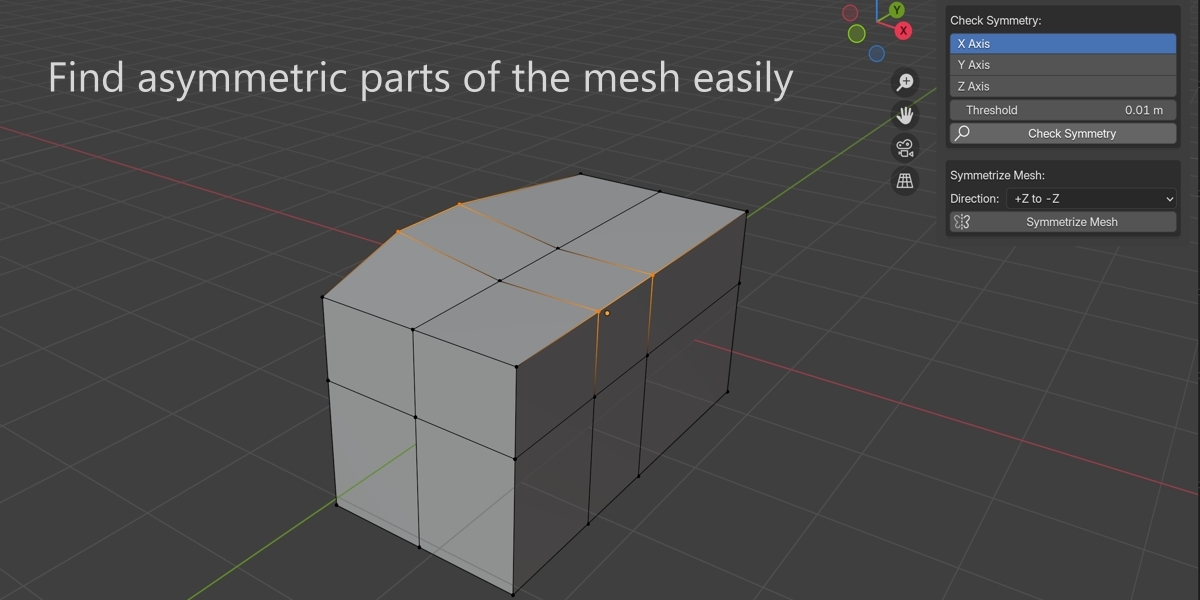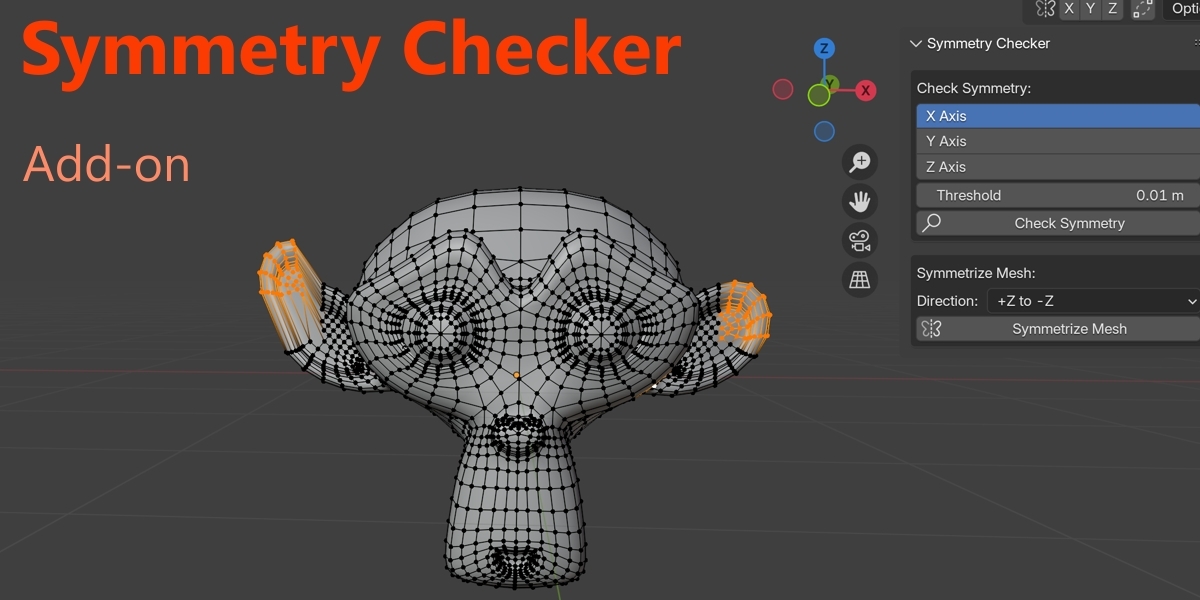
Symmetry Checker is an Azerilo add-on for Blender that detects mesh asymmetry along the X, Y, or Z axis. It highlights the vertices it identifies, then lets you apply Blender’s native Symmetrize operation in a direction you choose. The controls are in the 3D Viewport Sidebar under the Symmetry Checker tab.
Check mesh symmetry along an axis
Choose an axis and set the detection threshold to control how closely vertices must match to count as symmetric. The add-on reports the result in Blender’s status bar with a check mark for a symmetric mesh or a cross when it detects asymmetry. Azerilo describes the adjustable tolerance as useful for high-resolution models.
The documented check focuses on mesh symmetry. The product listing does not describe a broader topology or rigging audit.
Review the selection before symmetrizing
The one-click Symmetrize tool mirrors one side onto the other; examples include -X to +X and +Y to -Y.
- Select the X, Y, or Z axis for the check.
- Adjust the threshold, run detection, and review the highlighted vertices.
- Choose the intended mirror direction before applying Symmetrize.
Where it can help
Symmetry Checker is intended for character modeling, hard-surface work, and cleanup of scanned or sculpted meshes. It can help locate accidental vertex edits and check symmetry before rigging or animation.
Compatibility, license, and availability
The Superhive product listing lists Blender 3.6 through 5.0 compatibility and a GPL license. It also says Symmetry Checker is included in the Azerilo Smart Tools package with seven other add-ons. AnyPlugins lists the add-on as free, while the captured Superhive text does not show a standalone price. Check the current listing for availability and terms.