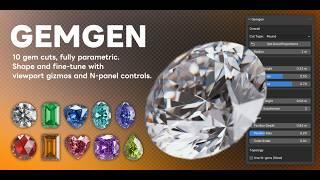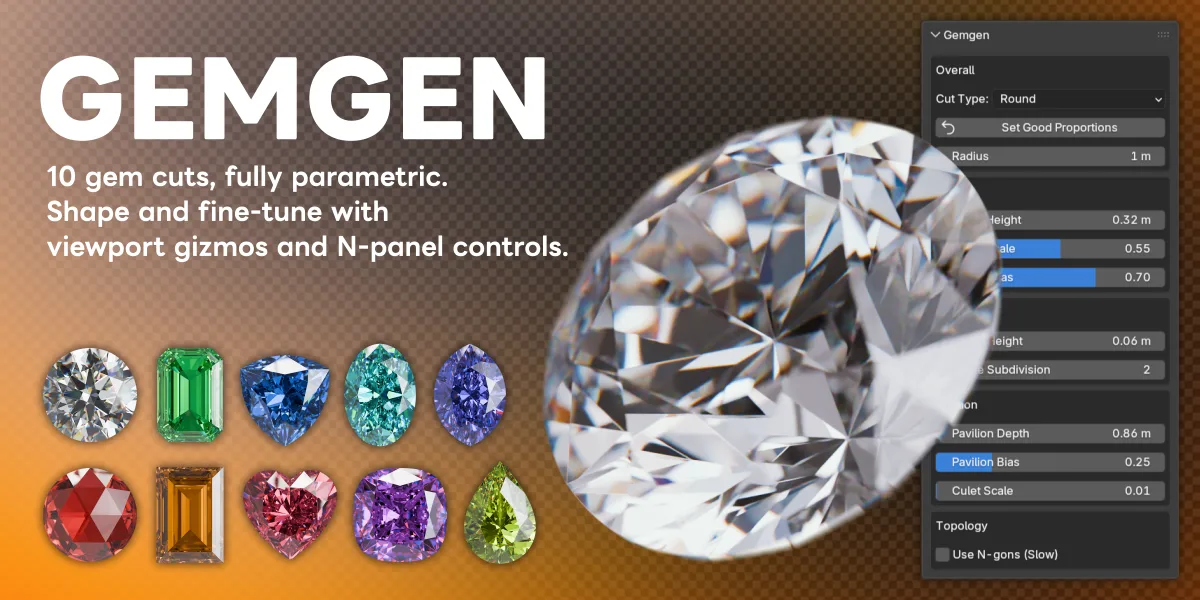
Gemgen is a parametric gem mesh generator for Blender. Choose a cut, adjust its parameters, and see the mesh update in real time. Lite provides the Round cut; Full adds nine more cuts and a sample scene.
Choose an edition
| Edition | Cut types | Proportion presets | Sample scene |
|---|---|---|---|
| Lite | Round | Set Good Proportions for Round | Not included |
| Full | Round, Cushion, Emerald, Oval, Pear, Marquise, Heart, Trillion, Baguette, and Rose | Set Good Proportions for each cut | Included |
The product listing describes the default proportions as aligned with real-world gemstone standards. The other nine cuts require the Full edition.
Add and edit a gem
In Blender, use Add > Mesh > Gem, or press Shift+A and choose Mesh > Gem. A Round gem appears at the 3D cursor. Select it to edit settings in the Gemgen tab of the N-panel sidebar or in the Gemgen panel under Object Properties. The panel shows parameters for the current cut.
Choose another cut from the dropdown to regenerate the mesh. The documentation says Gemgen applies that cut's good proportions automatically, giving you a starting point to adjust. Viewport gizmos let you change size and proportions by dragging handles. The documentation maps the X handle to radius or half-width, Y to half-length for most cuts, Z+ to table height, and Z- to pavilion depth for cuts that use it.
Adjust proportions and topology
Use Set Good Proportions to reset the current cut to the ratios described in the listing as jeweler-standard. Depending on the cut, adjustable settings include table height and scale, girdle height, pavilion depth, crown and pavilion facet settings, and shape controls. For example, Oval has pavilion pattern options, while Heart has point positions and curvature handles.
All parameters are animatable, so you can keyframe settings such as cut type, dimensions, or facet proportions. An N-gon option merges triangulated facets into cleaner N-gon faces for most cuts; Baguette is the documented exception.
Compatibility and listing details
The marketplace details list Blender 4.2 to 5.0, while its documentation and FAQ say Blender 4.0 or later. Check the current Gemgen listing before installing. The listing identifies Gemgen as an add-on and Blender Extension-compatible, lists Cycles as the render engine, and names the GPL license. Its documentation covers installation, controls, parameters, and troubleshooting.
Who may find it useful
Gemgen is aimed at jewelry designers making product visualizations, 3D artists adding gems to scenes, game developers building gem assets, and motion graphics artists animating gem parameters. The Lite edition fits work that needs only a Round cut. Full suits projects that need the other listed shapes or the included sample scene.