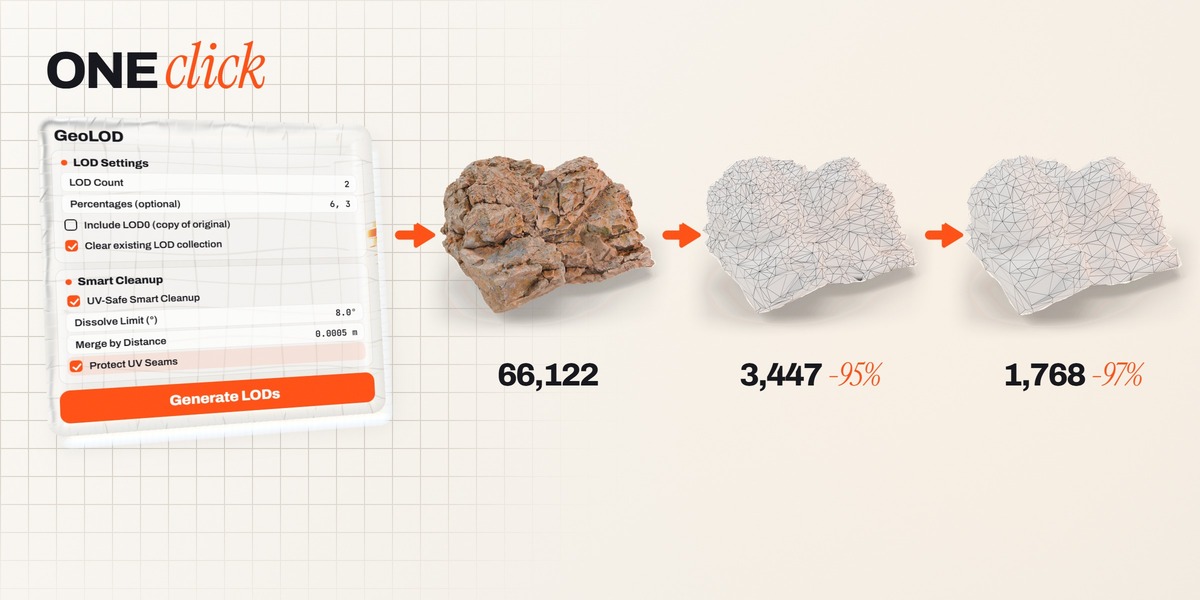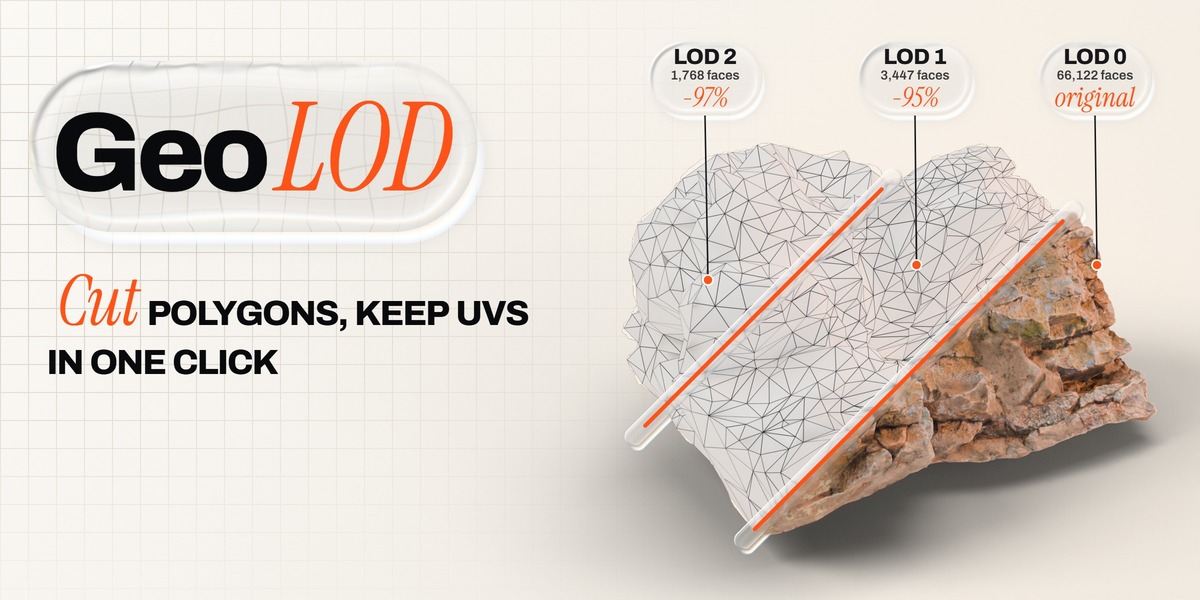
Geolod is a Blender add-on from Darksteady Studio that generates one to ten levels of detail (LODs) from mesh objects. Select a high-poly mesh, choose a level count or set reduction percentages, and create a named set of lower-detail meshes. The boulder face-count example shows a reduction from 66,122 faces to 1,768, about 97% fewer. Results depend on the mesh and settings.
How Geolod creates LODs
Optional UV-safe Smart Cleanup uses Limited Dissolve and Merge by Distance, with an adjustable angle limit and optional seam protection. Geolod then uses the Decimate (Collapse) modifier to reduce each level. Set individual percentages, such as 90, 80, and 65, or use a Start % and Step % pattern. It adds a Weighted Normals modifier with Keep Sharp off and leaves it unapplied so you can adjust shading later.
Generated objects are organized in a BaseName_LODs collection, named BaseName_LOD1 through the selected level, and tagged with a LOD_Level custom property. The product listing says Geolod retains UV maps, materials, vertex groups, colour attributes, skin weights, and the rig. The preservation guidance says UVs, materials, and vertex colours are preserved where possible, so inspect the reduced meshes.
Workflow fit and limits
Geolod works on mesh objects. Decimate produces triangulated geometry, so quads are not preserved. The documentation warns that extreme reductions can distort shape and UVs. For complex Mirror, Array, or Subdivision stacks, it recommends applying them beforehand or using the modifier application option. Weighted Normals stays unapplied.
Compatibility and licensing details differ: Superhive's product page lists Blender 4.2 to 5.1 and GPL; its documentation lists Blender 4.0+ in the introduction and 4.2 to 5.1 in its details. AnyPlugins lists Blender 4.0+ and MIT. Confirm Blender support before installing, and check the license attached to the current download before redistributing files.