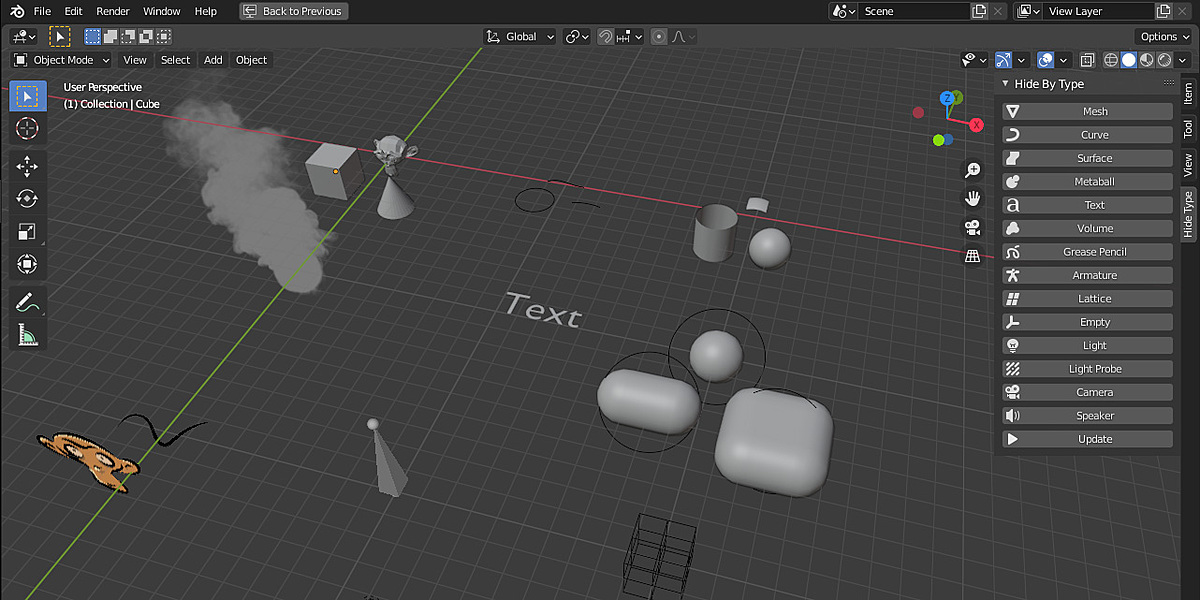
Hidemanager is a Blender add-on for managing object selection and visibility with filters. Its actions also cover render and viewport enablement, so you can target objects by their names, types, relationships, and assigned data.
Filter objects by names, types, relationships, and data
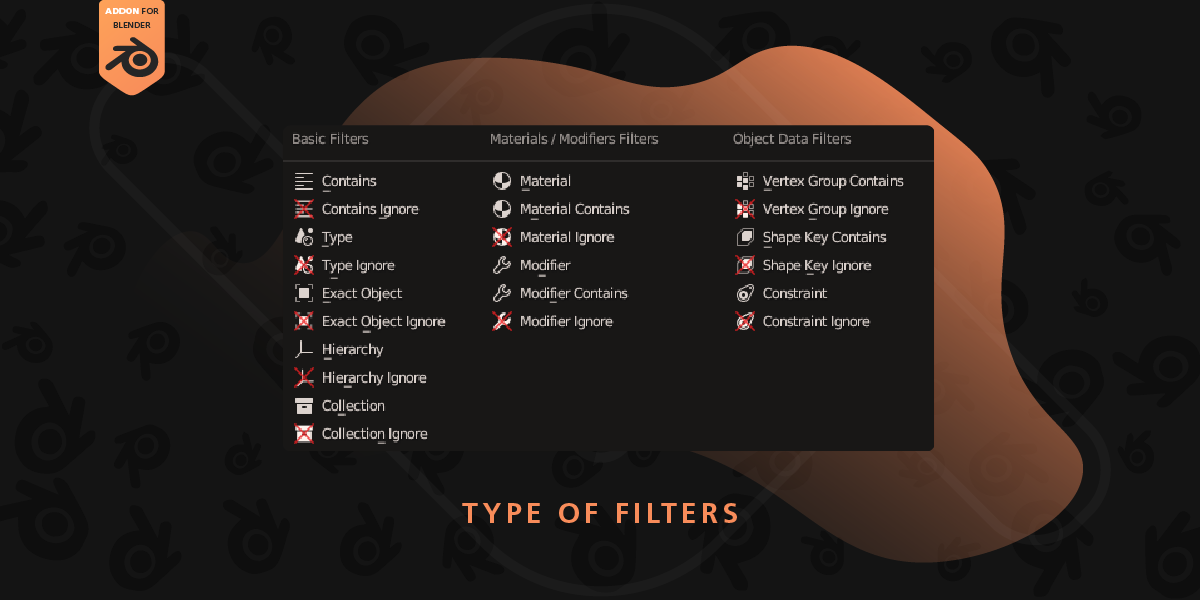
The available filters include:
- Object filters: Contains matches part of an object name, Type matches the Blender object type, Exact Object targets a specific object, Hierarchy includes a parent and its children, and Collection matches the collection containing objects.
- Data filters: Material and Material Contains, Modifier and Modifier Contains, Vertex Group Contains, Shape Key Contains, and Constraint.
Contains-based filters match text in the relevant name and are case-sensitive. The product description says Exact Object is faster than Hierarchy. Ignore filters skip matching objects; when only Ignore filters are used, actions apply to objects that were not skipped.
Choose an action and filter order
Hidemanager can select or deselect objects, hide or show them, change whether they are enabled in renders or viewports, and apply marking actions such as Mark, Remove, and Mark Ignore. Filters can be enabled or disabled individually. Run the selected filter or the enabled filters, then choose whether they execute in their listed order or with Ignore filters first.
Lite and Pro features
Lite includes Contains, Type, and Modifier filters. Pro includes the full filter set, groups, and edit mode filters. Groups let you run a chosen set of filters regardless of each filter's enabled or disabled state. You can enable or disable groups, run a selected group or enabled groups, and set the filter order within a group.
Pro edit mode filters cover Material, Material Contains, and Vertex Group Contains. They can select, deselect, show, or hide mesh. The Force operation in edit mode adds to the active material or vertex group filter. Version 1.3.0 added edit menu filters, a pie menu, a pop-up menu dialog, user preference settings, and the Force option.
Version and listing details
The catalog identifies Hidemanager as version 1.3.0. The Superhive listing names Blender 4.1, 4.0, 3.6, and releases back to 2.8; check the seller's product page for current compatibility and package details. That listing identifies the license as GPL and describes Lite and Pro editions. AnyPlugins marks the product as free, so check the seller page for current availability and terms.