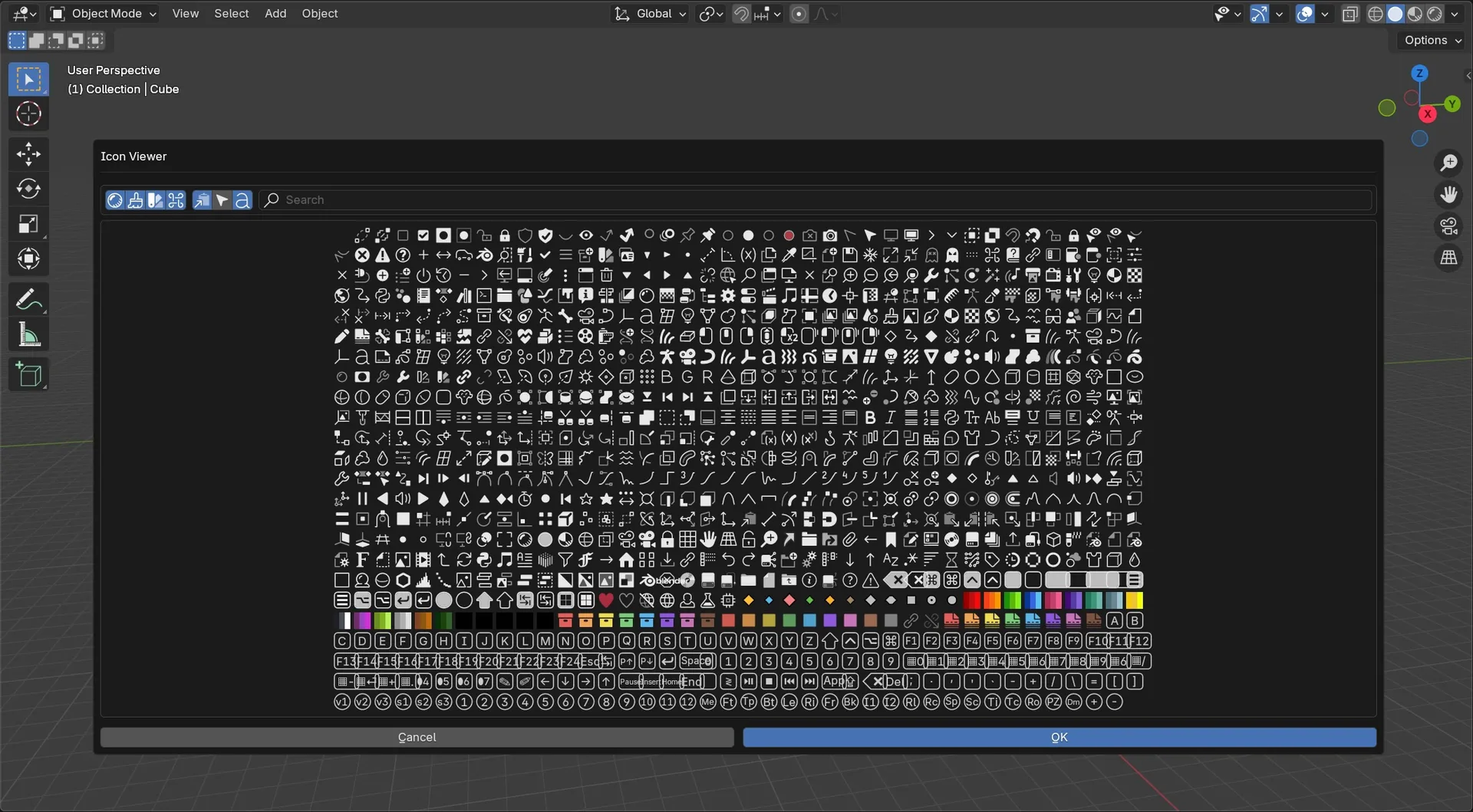
Icon Viewer is a Blender add-on for developers who need an interface icon's name in a script. Click an icon to copy its name to the clipboard. The add-on is located in Blender's Text Editor under the Dev tab.
Look up and copy an icon name
- Open the Text Editor in Blender.
- Select the Dev tab and open Icon Viewer.
- Click the icon you want. Icon Viewer copies its name to the clipboard for use in your script.
The Blender Extensions listing describes Icon Viewer as a click-to-copy tool for icon names.
Compatibility and license
The Blender Extensions catalog lists version 1.4.2, Blender 4.2.0 as the minimum version, and GPL-2.0-or-later as the license. Check the listing and version history for current package details.
Install in Blender
Get the add-on from the official listing. For a downloaded archive, follow Blender's Install from Disk instructions. After installation, open Icon Viewer from the Text Editor's Dev tab.