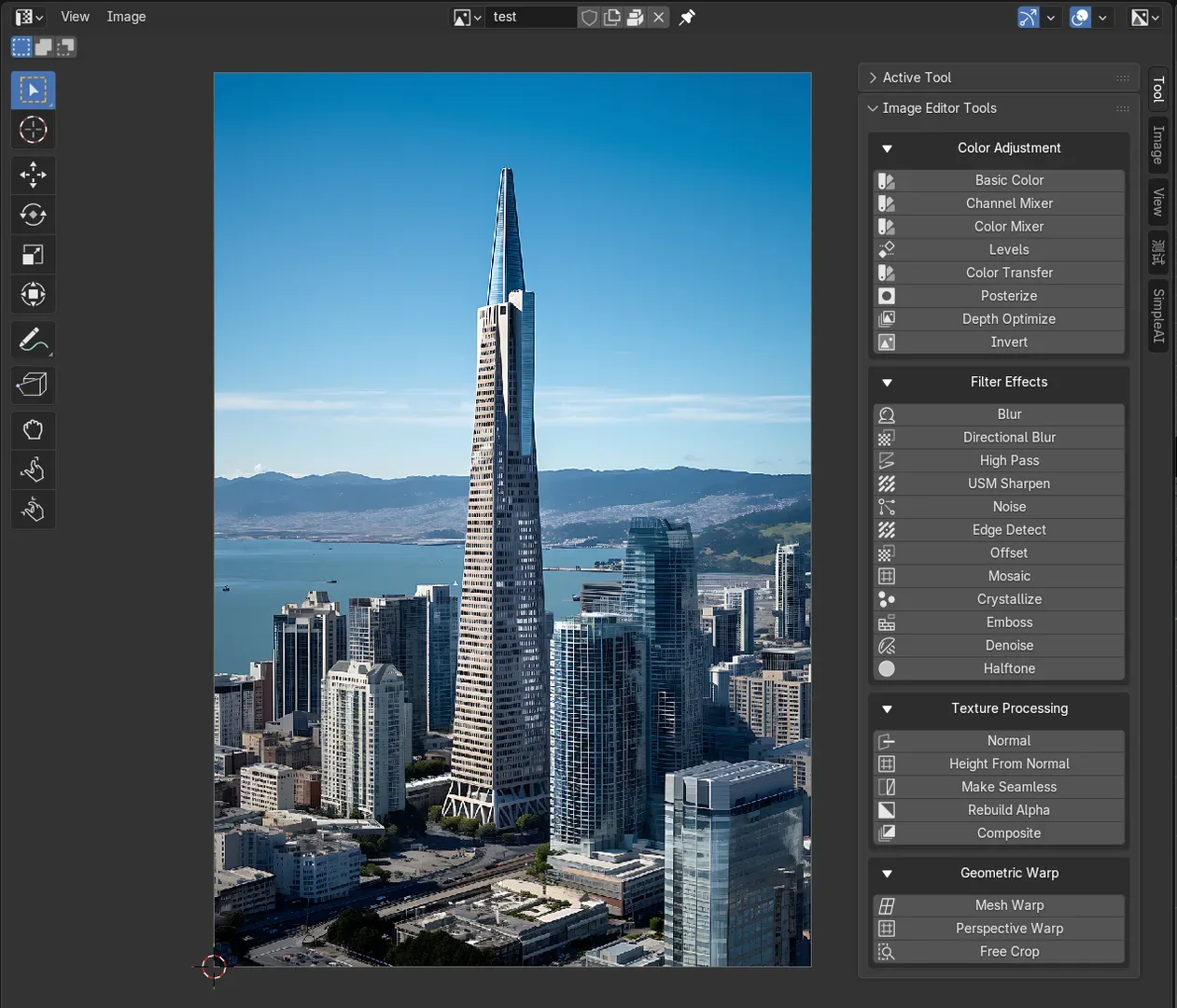
Image Editor Master [图像超级工具] is a Blender add-on by RARA that brings color adjustments, filters, texture-map processing and image warping into Blender's Image Editor. Its GPU proxy preview shows edits on the image as you work, with a split-screen view for comparing the result with the original before applying changes.
Image editing and texture tools
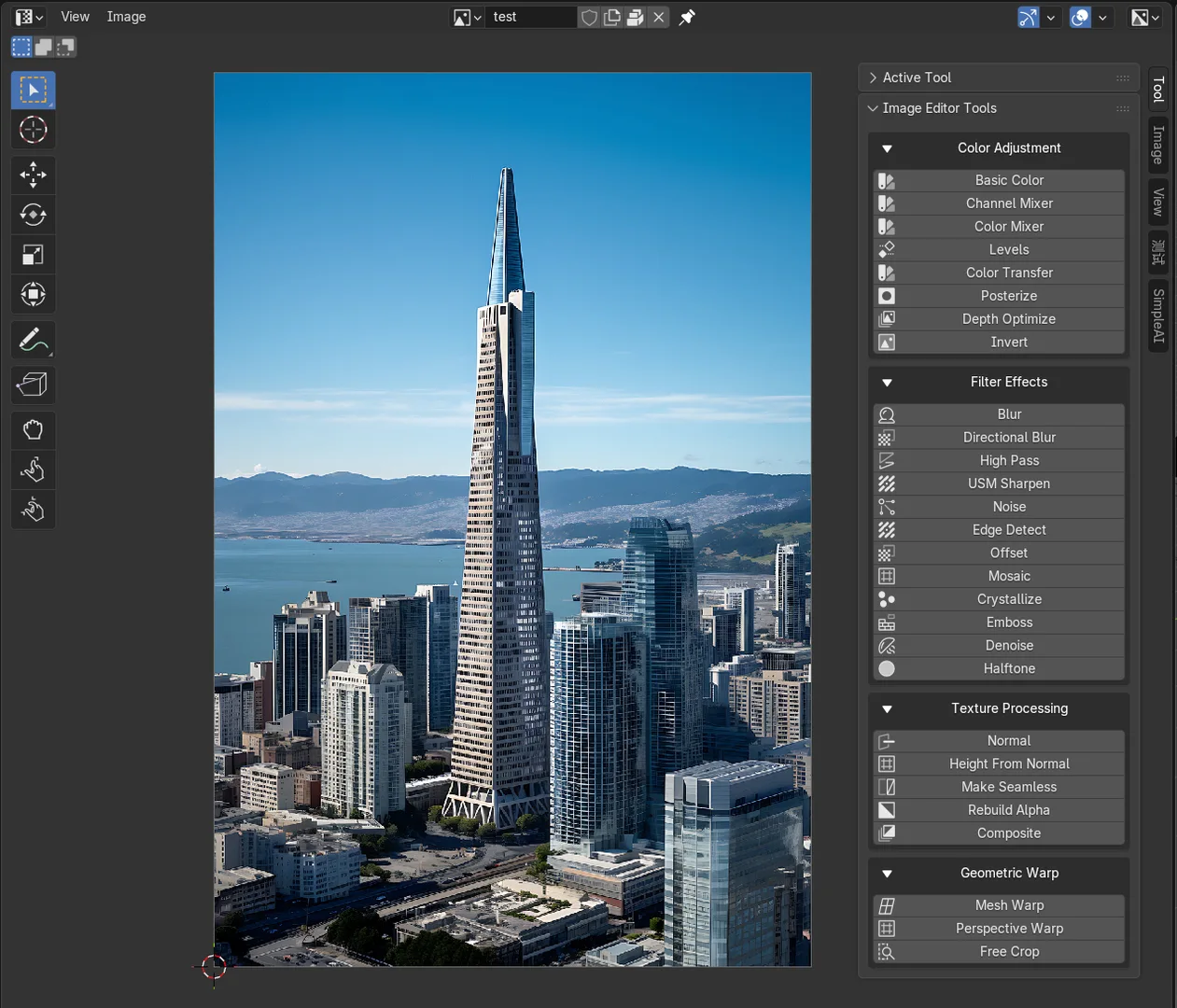
Color controls include exposure, gamma, color balance, hue and saturation, vibrance and contrast. A channel mixer, an eight-color HSL mixer and levels provide more specific adjustments. The toolset also includes posterize, channel inversion and Reinhard LAB color transfer.
Filters cover several blur modes, unsharp-mask sharpening, high-pass, noise reduction, Sobel edge detection, mosaic, crystallize, emboss and halftone. For texture work, it can generate normal maps from height maps, recover height from normal maps, convert DirectX and OpenGL normal conventions, create ambient occlusion and curvature maps, and make images seamless. Image compositing includes 15 blend modes.
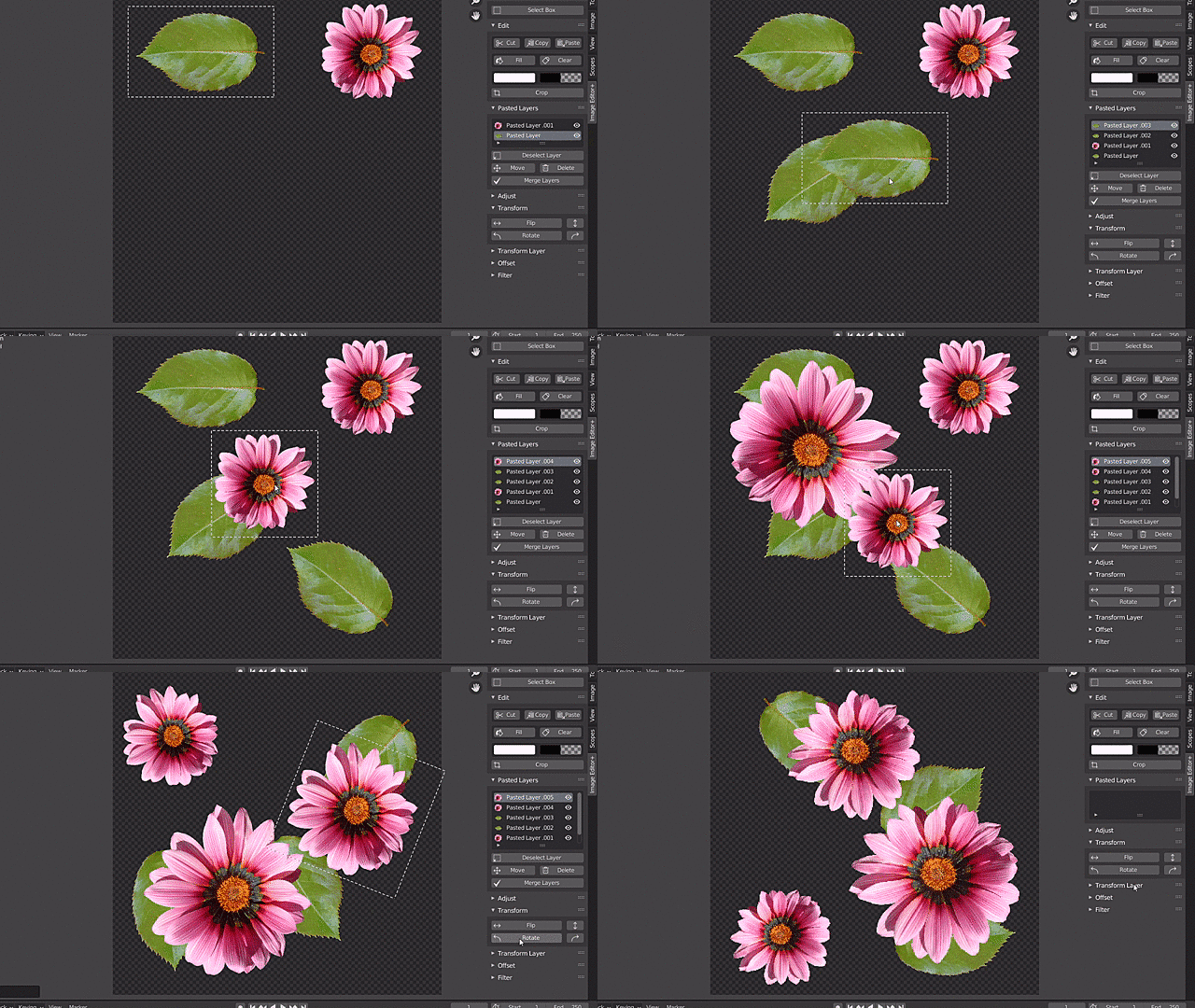
Warp and placement tools include TPS mesh warp, perspective correction and free crop, along with image and text placement and image slicing. These operations let you handle common image and texture adjustments in Blender's editor without switching to a separate application for each step.
Preview and apply changes
Adjust an effect while viewing the GPU preview, then compare it with the source using the split-screen divider. Choose Save to apply the result or Save As to create a separate image.
Several operations support both GPU and CPU processing, with GPU as the default and automatic CPU fallback when the GPU path fails. CPU support does not cover every feature: crystallize and the Place Image and Place Text tools use GPU-based processing.
Compatibility and setup
The Blender Extensions listing identifies compatibility with Blender 4.2 LTS and newer. RARA's repository describes installation through Blender's Get Extensions browser or from a downloaded archive. After installing, open an image in the Image Editor and find the tools in the Sidebar, also called the N-panel, under Tool.
The add-on uses Blender's bundled NumPy, OpenImageIO and GPU modules, so it does not require separate packages. Its interface supports Simplified Chinese, English, Japanese, French, Russian and German. The repository lists the GPL-3.0-or-later license. The Blender Extensions listing requests permission to read images from disk and copy images from the clipboard.
Who it suits
Image Editor Master suits Blender artists who adjust color, apply filters or prepare texture maps while working with images in Blender. Check the linked feature list if a particular operation is essential to your workflow.