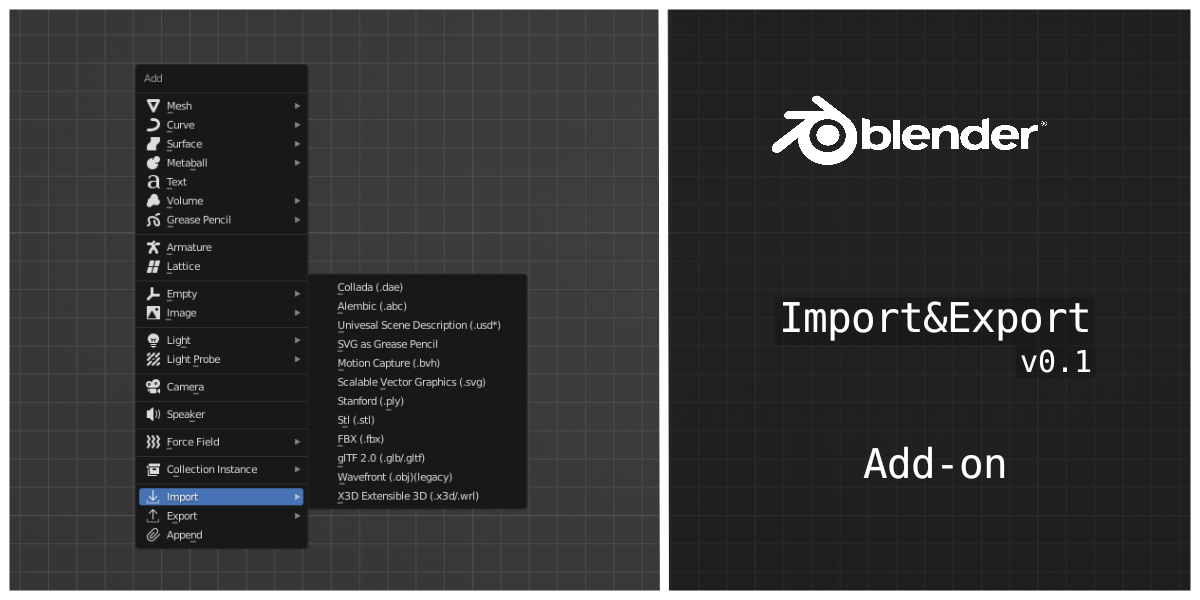
Import&Export by CGCocktail adds import, export, and append options to Blender's 3D Viewport Add menu, opened with Shift+A. Once the add-on is installed and enabled, choose the operation you need from that menu.
Supported file formats
Supported formats include:
- .dae
- .abc
- .usd
- .obj
- .ply
- .stl
- .bhv
- .svg
- .fbx
- .glb and .gltf
- x3d and .wrl
Install in Blender
The download is a version 0.1 ZIP file. In Blender, open Edit > Preferences and select the Add-ons tab. Click Install, choose the ZIP file, and install it. Check that Import&Export appears in the add-on list, then enable it. Its import, export, and append choices will be available from the 3D Viewport Add menu.
The listing names Blender 4.1, 4.0, and 3.6; the add-on was written for Blender 3.6 and also works on earlier versions, though labels differ. For the download and product details, see the Superhive product listing for Import&Export.