Instant Calamari is a Blender add-on for animators whose rigged characters or props make viewport playback slow or choppy. It creates a second, rigid mesh representation parented to the armature bones, so Blender does not have to deform those slices as skinned meshes during playback. You can animate with the generated collection, then switch back to the original meshes for rendering.
With an Armature modifier, Blender evaluates deformation across the vertices of each skinned object for every frame. That work can slow playback in scenes with high-poly characters or many rigged props, making it harder to judge timing and motion. Instant Calamari splits an armature's child mesh objects into smaller slices based on vertex group weights, then parents each slice to the bone that drives that part of the original geometry. The product listing says playback can often approach or reach real-time, even on dense meshes.
Generate the Calamari meshes
- Select the completed armature.
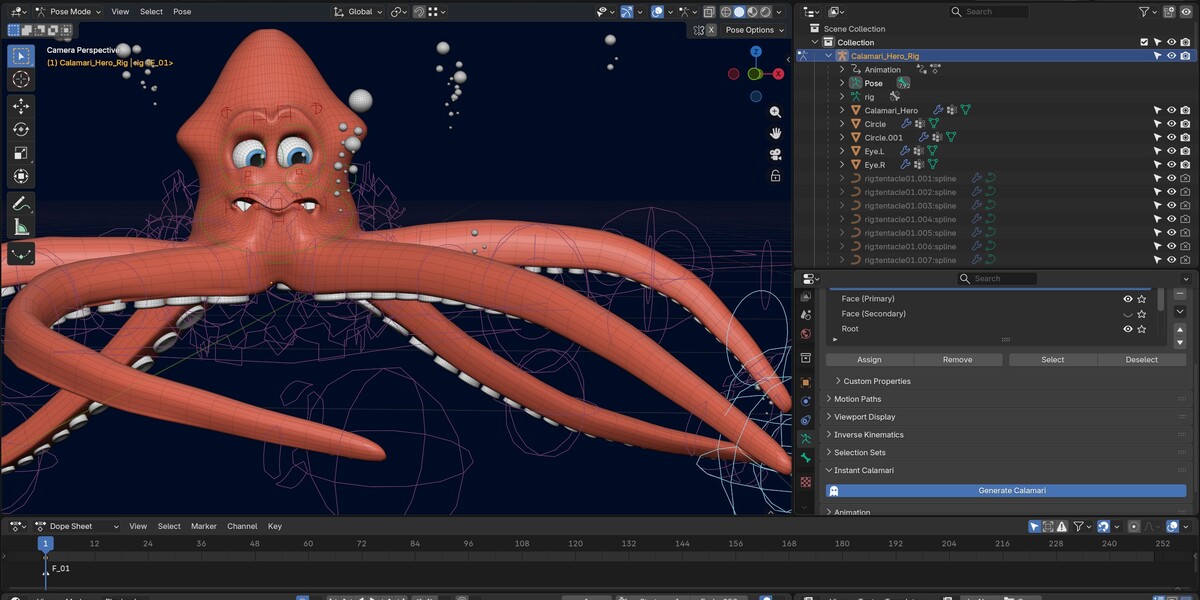
- Open the armature's data tab and find the Instant Calamari section.
- Click Generate Calamari. The product workflow describes a wait of about two to three seconds.
- Check the two new collections:
_deformcontains the original child objects, and_calamaricontains the sliced meshes.
Switch collections for animation and rendering
For animation, hide the deform collection and use the calamari meshes in the viewport. Before rendering, hide the calamari collection and show the original deform meshes. The add-on keeps the originals in their own collection, and the product listing says generation does not change the original vertex weights, keyframes, or actions.
If you edit the rig later, generate the Calamari meshes again from the armature.
Blender compatibility
The Superhive product listing marks Instant Calamari as Blender Extension compatible, lists Blender versions 2.9 to 5.2, and identifies the license as GPL. Check the listing for current compatibility details before installing, especially if your Blender version is outside that range.