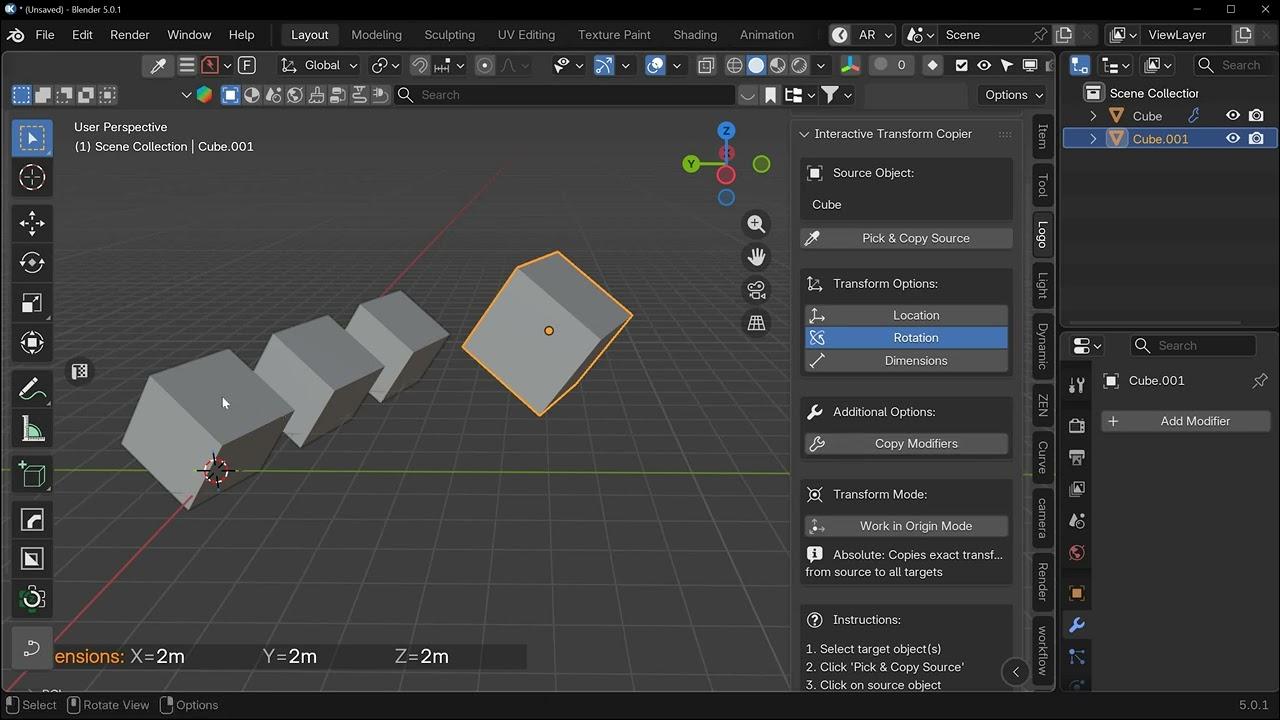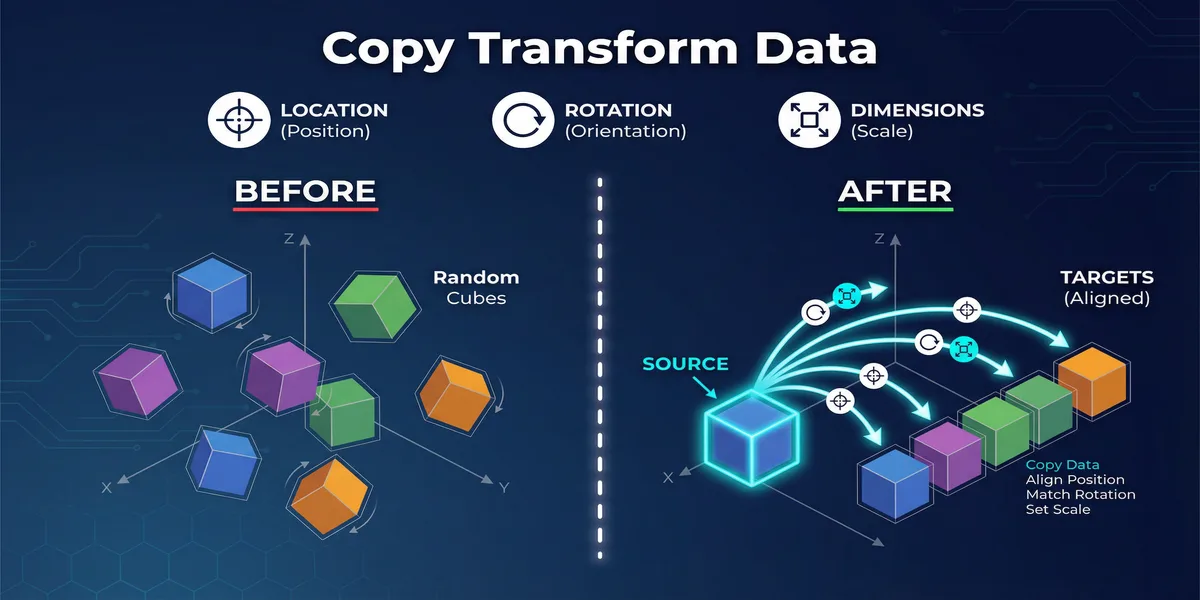
Interactive Transform Copier is a Blender add-on for applying selected transform data from one source object to one or more target objects. Choose Location, Rotation, Dimensions, or a combination, pick the source with the eyedropper, and apply the changes in one operation. The listing also describes copying the source object's full modifier stack in one click.
Choose how transforms are applied
Absolute Mode matches the source object's world position. Relative Mode (Origin) applies the source transform as an offset and preserves the spacing between objects, which is useful when you want to move a group without bringing every target to the same point.
Install and use the add-on
- In Blender, open Edit > Preferences > Add-ons > Install and select the downloaded ZIP file.
- Enable the add-on. Its panel is under Sidebar > Transform Tools.
- Select one or more target objects in the 3D Viewport, then choose which transforms to copy.
- Click Pick & Copy Source. When the cursor becomes an eyedropper, click the source object.
The selected transform data is copied to the targets.
Version and transform considerations
The product listing gives a Blender version range of 4.0 to 5.0. Its documentation page says it was tested on Blender 3.5 to 4.x. Those ranges differ, so check with the creator about your exact Blender build before installing.
The documentation describes a Dimensions option rather than a Scale option. It also warns that locked transform axes may not update, and constraints or parenting can override copied values. The add-on is aimed at repeated object alignment and batch transform work; the listing names architectural visualization, game asset creation, and motion graphics as example workflows.