Keymap Visualizer is a Blender add-on for viewing and editing keyboard shortcuts through an on-screen keyboard. The Blender Extensions record for version 1.1.0 sets Blender 5.1.0 as the minimum. See the official extension listing for the current package, and the developer's README for detailed controls.
Inspect and edit shortcuts visually
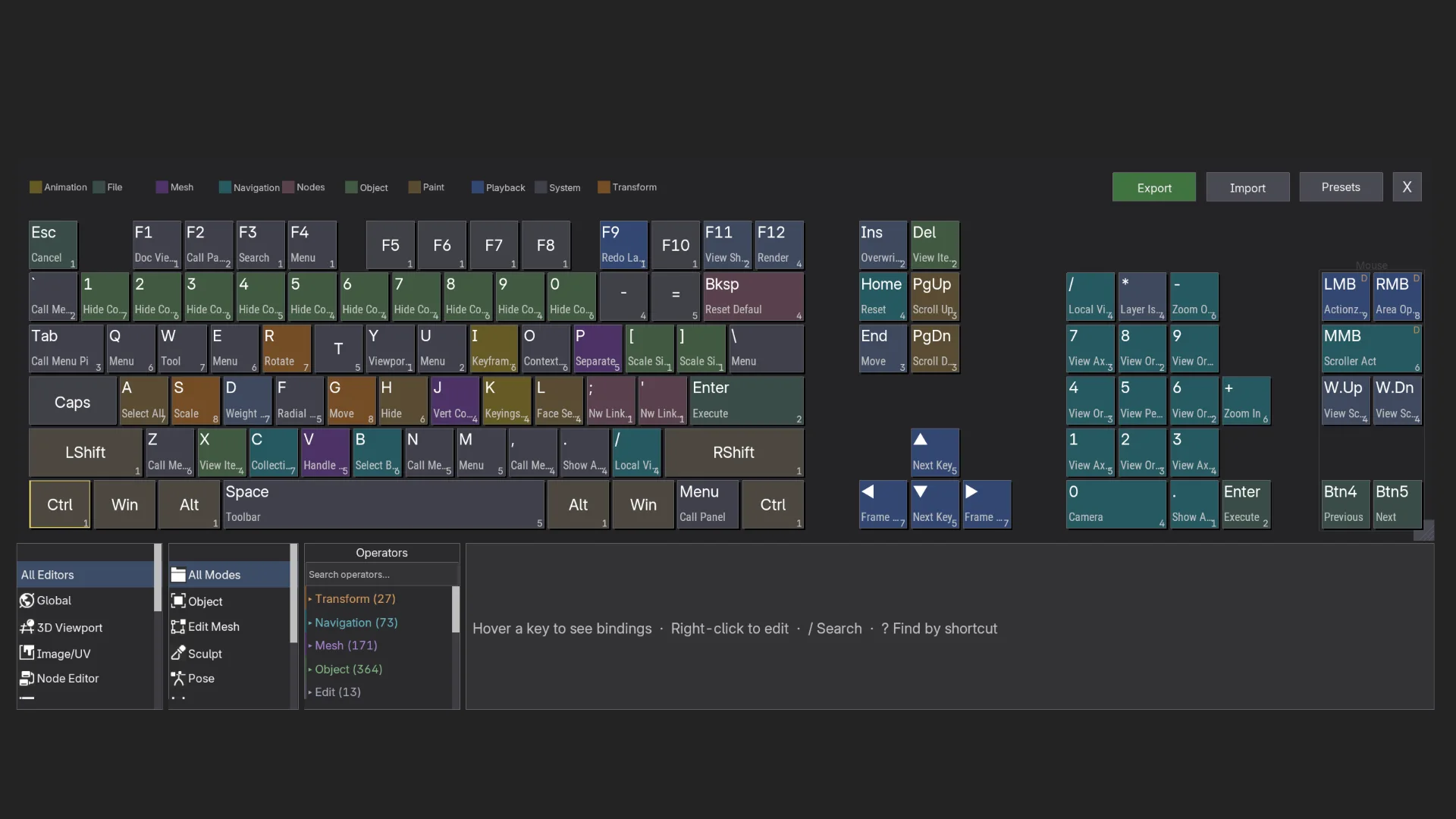
Open the add-on from Edit > Keymap Viz. Hover over a key to preview its bindings, then click to keep its details in the information panel. Right-click a key to rebind, disable or enable a binding, or reset it to Blender's default. If the new shortcut is already taken, choose Swap to move the conflicting binding to the old key, Override to take the combo and deactivate the conflict, or Cancel to back out.
The keyboard view can help when you know the key or shortcut you want to inspect but do not remember which operator uses it. To search in the other direction, type an operator name. The view highlights matching keys while dimming other keys, and the operator browser groups Blender operators into categories.
Search, compare and manage keymaps
- Press
/orCtrl+Fto search operator names, or press?and a key combination to find its assigned key. - Press
Dto compare the current keymap with Blender defaults. Modified bindings appear green, deactivated bindings red, and unchanged ones dimmed. - Use undo and redo for recent changes. The developer documents up to 50 undo levels.
The developer README lists six keyboard sizes, ANSI and ISO physical layouts, and seven logical layouts, along with resizing and configurable colors. You can save a complete key configuration as a JSON preset or import and export Blender .py keyconfig files.
Permissions and a backup precaution
The Blender Extensions record lists file access for exporting key configurations and saving or loading presets, plus clipboard access for copying and pasting presets as JSON. The developer warns that the add-on edits keymaps in place, creating a real risk of keymap loss or corruption with no guaranteed way to restore them from within Blender. Before making changes, back up userpref.blend and any keyconfig files from your Blender configuration folder. Undo can help with recent edits, while a backup gives you a separate recovery copy.
Keymap Visualizer may suit Blender users who regularly look up shortcuts, customize bindings, or want to compare their changes with the default keymap. Check the extension listing for the current compatibility details before installing.