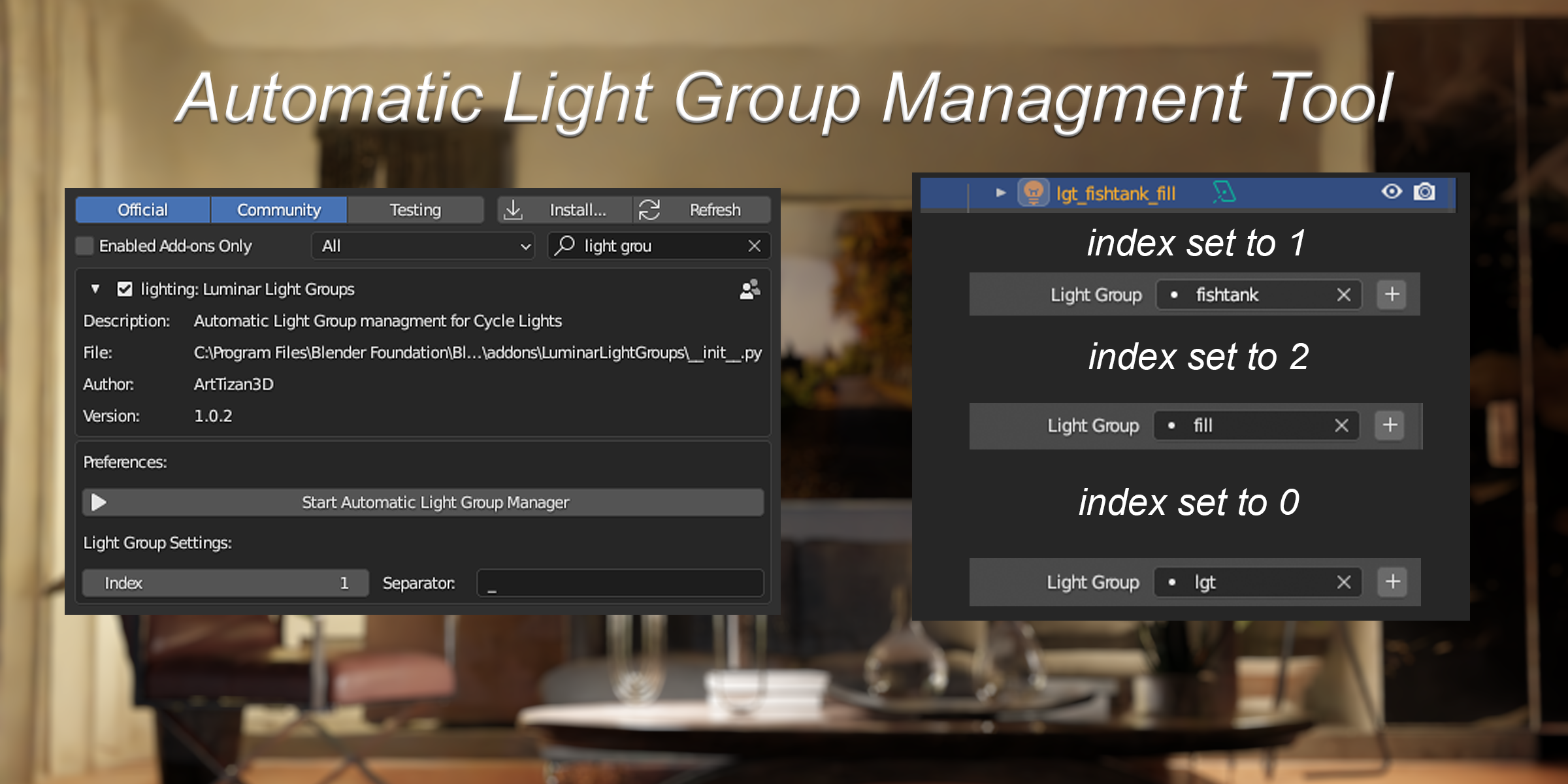
Luminar Light Groups is a Blender add-on that automates creating and assigning Light Groups in the Cycles render engine. It uses each light's name as a base, reducing the manual work of organizing lights whose intensity, color and other properties you want to adjust together.
How name-based grouping works
Set an index number and separator symbol to fit your naming convention. The add-on updates groups as you add, remove or rename lights in a scene. It supports Cycles lights, including Mesh Lights and World Lights.
Choose automatic or one-time organization
Start and stop controls let you pause automatic management while making manual changes. You can also run the organization once from Blender's Add menu, opened with Shift+A. That option is useful when you want to apply the naming-based organization at a specific point in your lighting work.
Version and compatibility details
The Superhive product listing identifies the add-on as version 1.03, under the GPL license, and lists Blender 3.4 and 3.5 compatibility. Its changelog, dated August 6, 2023, records Mesh Light and World Light support, the one-time operator and minor fixes for scenes with more than 100 lights. Check the listing for compatibility details before using another Blender version.
Price information differs between available listings: Superhive's creator note says the lowest option is US$1, while a catalog record labels the add-on free. Check the Superhive page for the current price before downloading.
Who may find it useful
This add-on suits Blender artists using Cycles who organize lights through their names and want groups maintained automatically. Its documented workflow is tied to Cycles Light Groups; the available product details do not document support for Eevee.