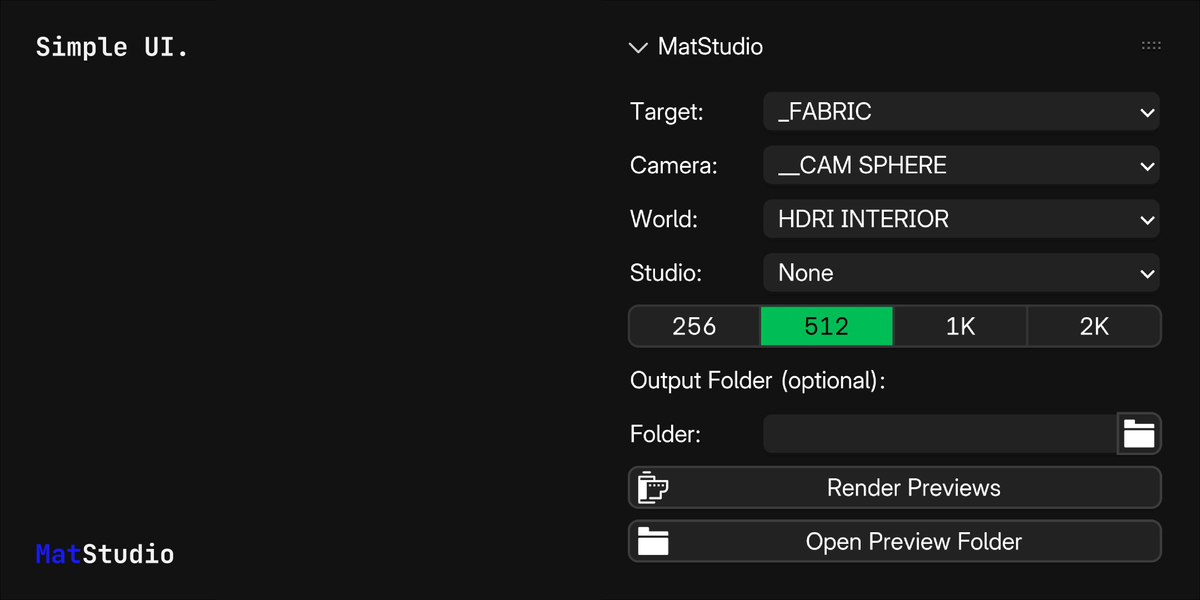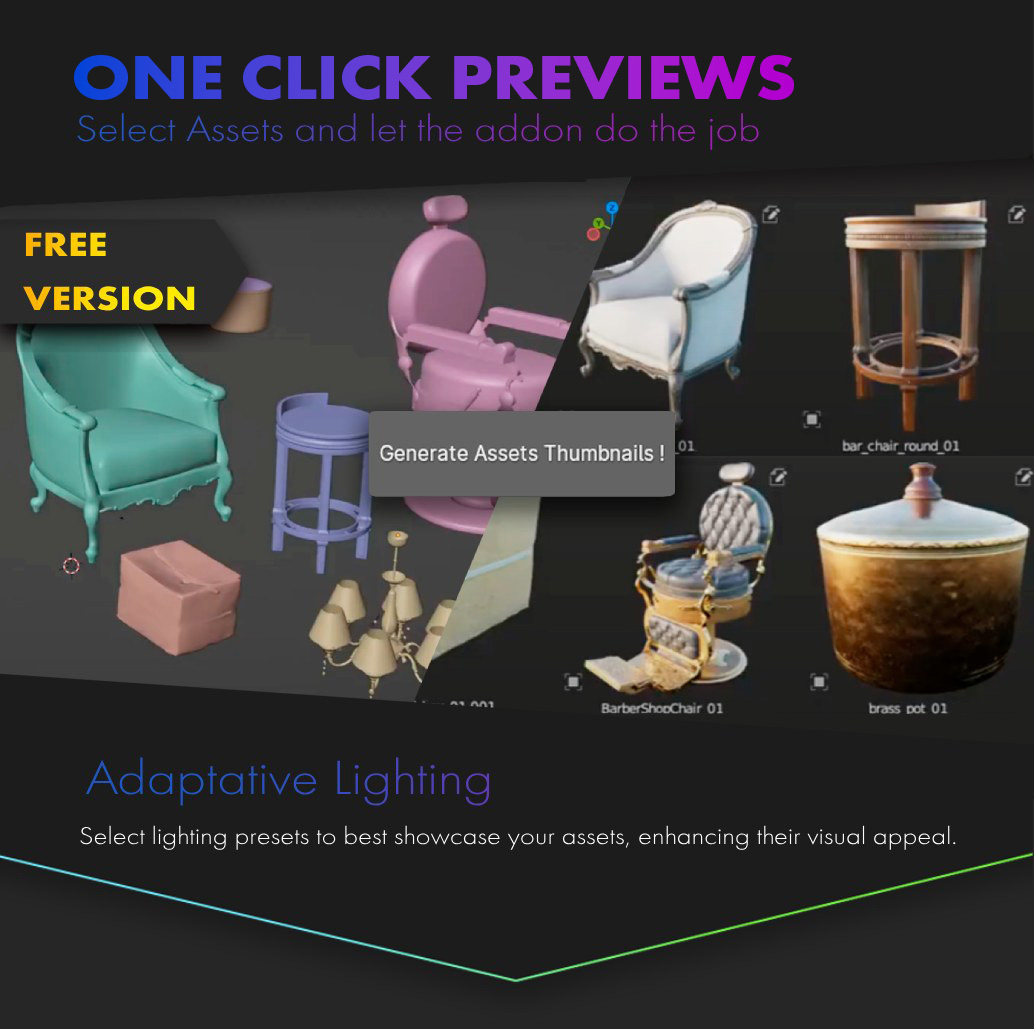
MeshStudio is a Blender add-on for generating and assigning custom object previews in the Asset Browser. Choose the camera and world environment, set the preview resolution and camera zoom, then render previews for selected objects. You can revise an object and render its preview again when its appearance changes.
Set up an object preview
Select the objects in the 3D viewport and center the cursor in the camera view. MeshStudio lets you choose the camera and world environment for the render, adjust the zoom and resolution, and set an output folder. These controls let you use a consistent setup for previews across a Blender asset library.
Use a studio lighting collection
For a custom studio setup, place the lighting setup in a collection and choose that collection from the add-on's Studio dropdown. MeshStudio renders the objects in the selected collection. The setup can include real lights, backdrops or additional geometry. Choose None from the dropdown to render without studio lighting. PLASTIK MACHINE also suggests saving cameras, world environments and studio lights in a Blender startup file for reuse.
Choose where previews are saved
You can set a custom output folder and open it from the add-on. If you leave the folder unset, MeshStudio saves previews in //object_previews next to the .blend file.
Compatibility and installation
PLASTIK MACHINE says MeshStudio has been tested and works with Blender 4.4.0 through 5.2.0. The listing names Cycles and Octane Render as compatible render engines. To install it, download the ZIP file, open Blender Preferences, go to Add-ons and choose Install from Disk. The add-on then appears in the Asset Browser. It is released under the GNU GPL 3.0 license; the add-on does not include the .blend files shown in its video.
See PLASTIK MACHINE's MeshStudio listing for the installation instructions and current compatibility details.