Mio3 Flex is a Blender add-on for reshaping mesh edge loops into smooth, freeform curves. Select a loop, start Path Deform from the Mio3 panel in the 3D View sidebar, then adjust the spline’s control points to change the loop’s shape. The Blender Extensions listing identifies the add-on and its developer, mio.
Shape loops with Path Deform
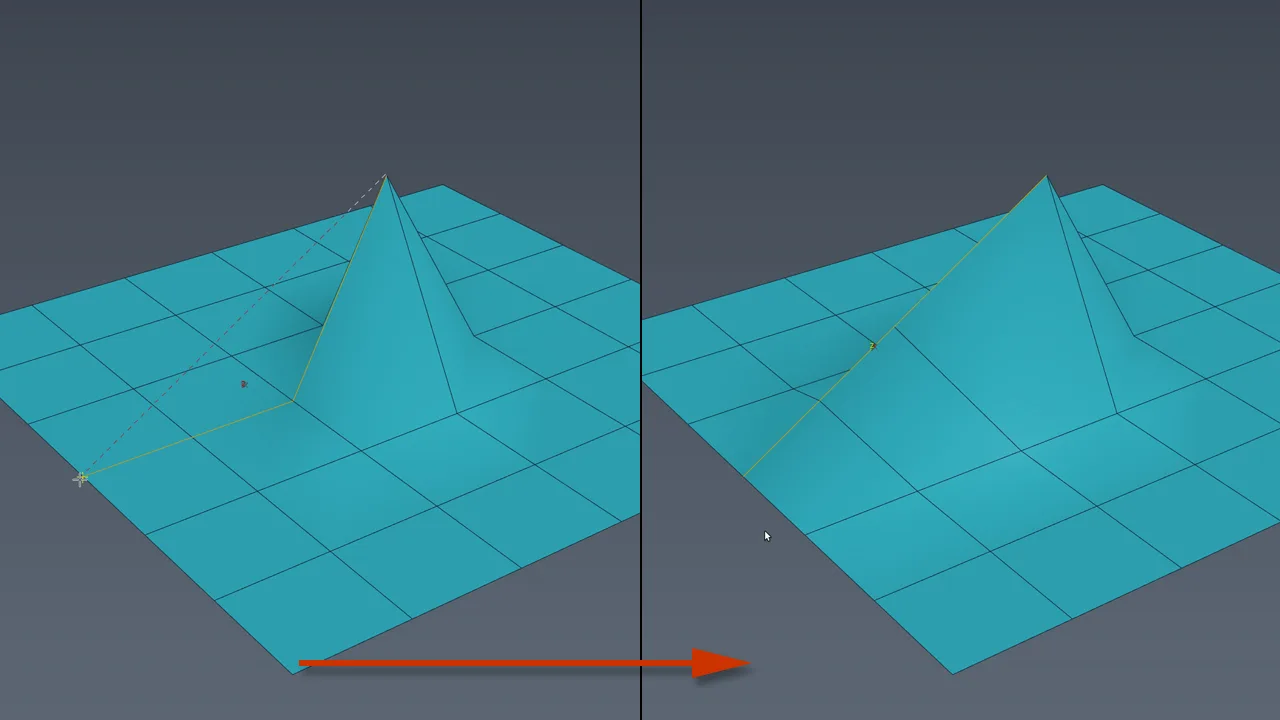
Path Deform gives you a curve to edit while shaping the selected loop. Mio3 Flex smooths vertices along that curve, and the original edges remain visible as a reference during the adjustment. That reference can help you compare the deformed loop with its starting position as you work.
You can select several edge loops and create an independent path for each one. When you want to apply the deformation without editing path controls, the Quick button applies it directly.
Controls for mesh shaping
Mio3 Flex includes controls for adjusting the path and its effect on the mesh:
- Mirror control points and the mesh across the X axis.
- Constrain movement to the X, Y or Z axis.
- Adjust control-point density automatically based on the vertex count.
- Change curve strength with the up and down arrow keys while editing.
The product page’s control notes describe the mouse and keyboard interactions.
Compatibility and listing details
The Blender Extensions catalogue lists Mio3 Flex version 1.0.4, with Blender 4.2.0 as its minimum version. It lists mio as the maintainer, GPL-3.0-or-later as the license, and Mesh and Modeling as its tags. Check the official catalogue record and the version history for current release details before installing.
Mio3 Flex is suited to Blender modeling tasks where you want to reshape selected edge loops along an editable curve. Its independent paths support working on multiple loops, while Quick applies a deformation without the path-editing step.