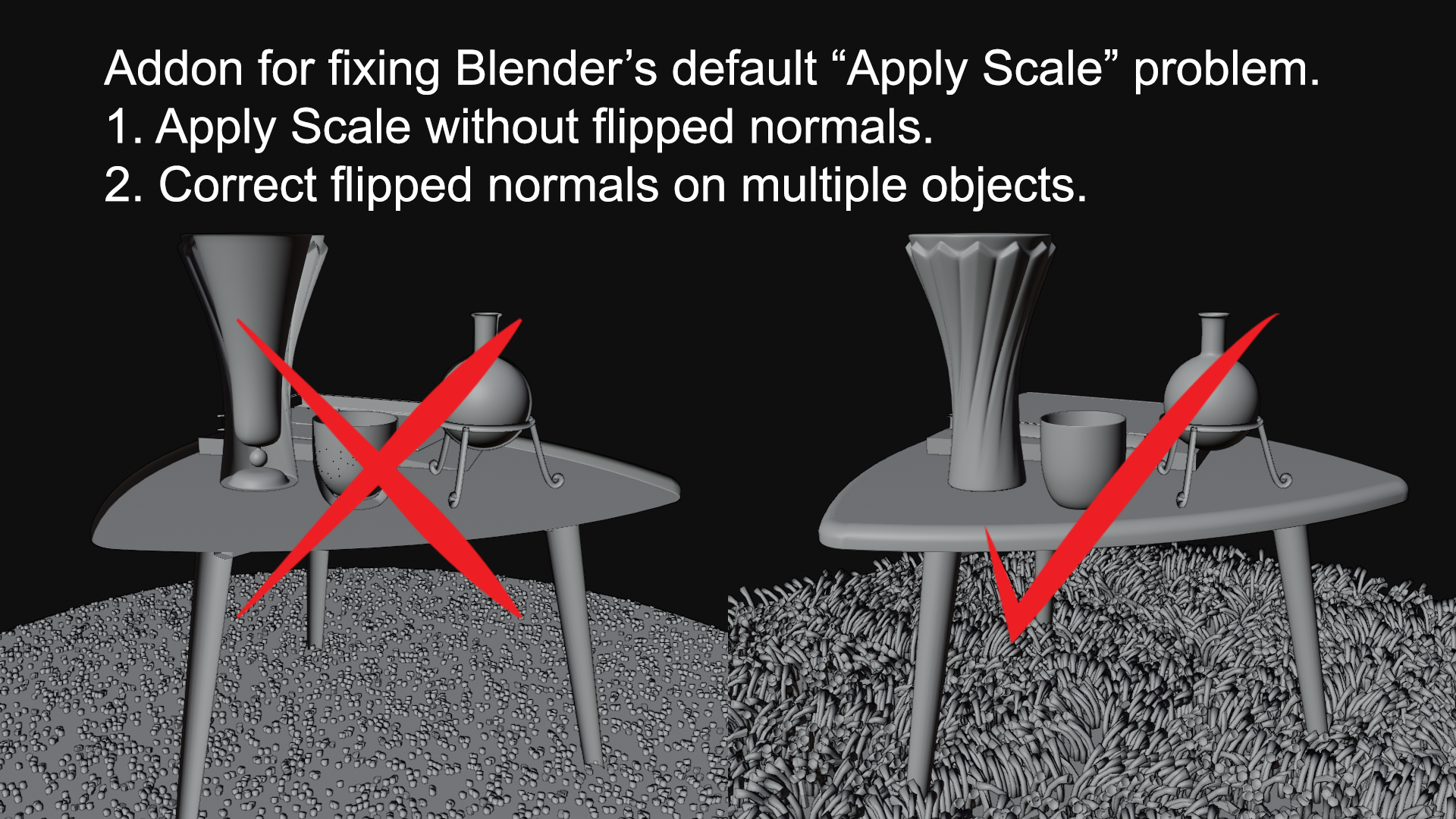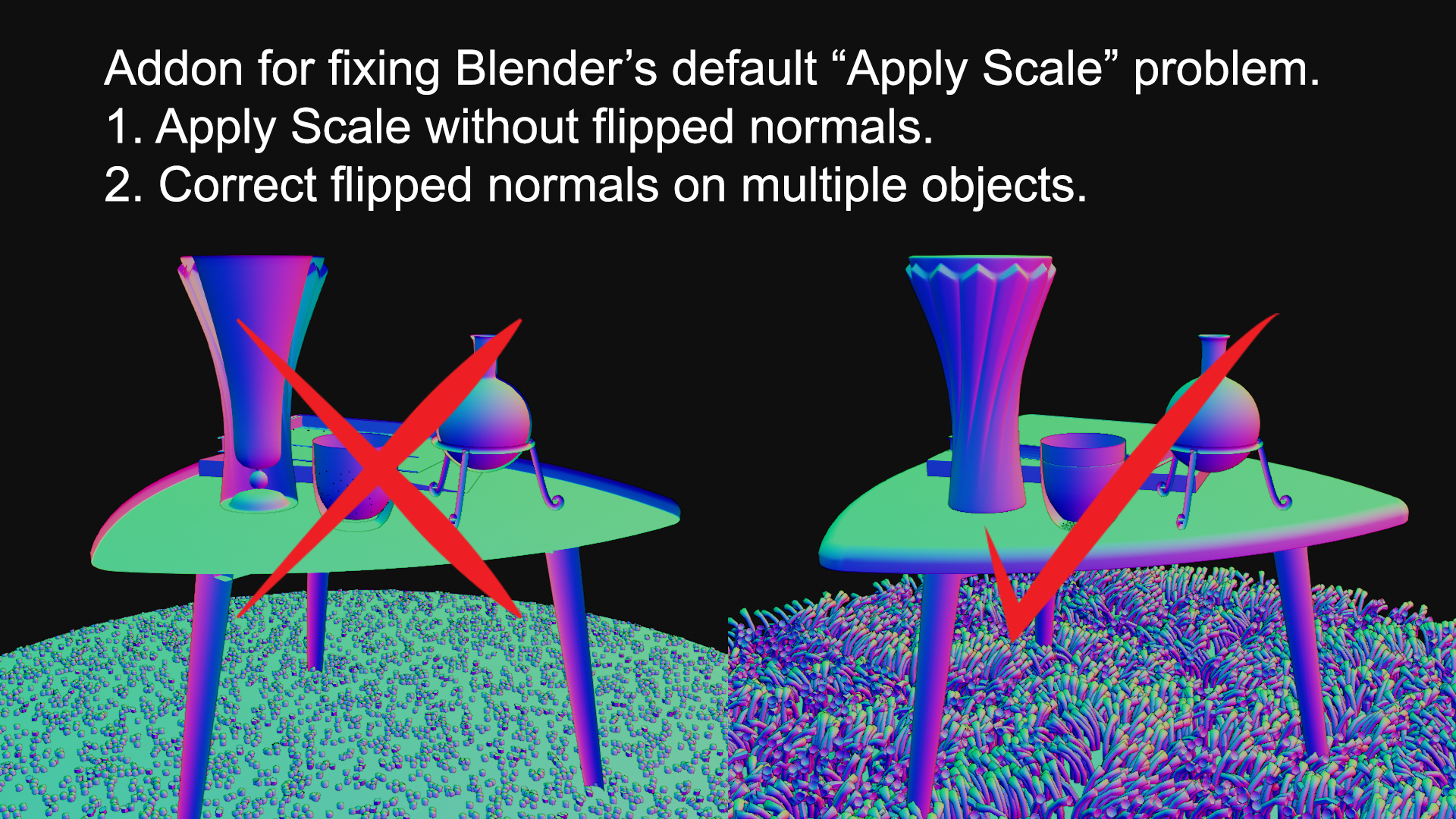
Mirror Pro (Fix Apply Scale Problem) is an installable Blender add-on from Cg Crafted. It adds scale application with normal correction to Blender's Object/Apply menu, which you can open with Ctrl + A. The add-on addresses flipped normals that can occur when you mirror an object with negative scale and then apply its scale.
Why applying scale can flip normals
According to the Superhive product listing, applying scale to a mirrored object can flip its faces. The resulting normals may affect solidify or displacement modifiers, texture normal maps, or hair particles that appear to face inside the object.
The manual correction described in the listing is to enter Edit Mode, flip the normals, and return to Object Mode. Mirror Pro applies scale and corrects normals from the apply menu, so you can avoid the manual Edit Mode fix. These symptoms can have other causes too; the listing does not describe the add-on as a general tool for diagnosing every shading or modifier problem.
Scale and normal fixes in Object Mode
Mirror Pro also includes an operation to fix flipped normals on multiple selected objects from Object Mode. That can help when several mirrored objects need attention without correcting them one at a time in Edit Mode. The product listing says exporting corrected objects to other programs will also be problem-free.
The add-on is intended for Blender modelers who mirror or rescale objects and want to handle scale application and normal direction from the standard apply options.
Listed Blender versions and installation
The product page lists Blender 2.93 and Blender 3.0, 3.1, 3.2, and 3.3. It does not confirm support for later versions, so check the current product listing before relying on compatibility with a newer Blender release.
- Download the add-on ZIP file.
- In Blender, open Edit > Preferences > Add-ons > Install.
- Select the ZIP file, install it, and enable the add-on.
After enabling it, look in the Object/Apply options or open that menu with Ctrl + A. The listing identifies the license as Royalty Free; review the product page for the terms that apply to your use.