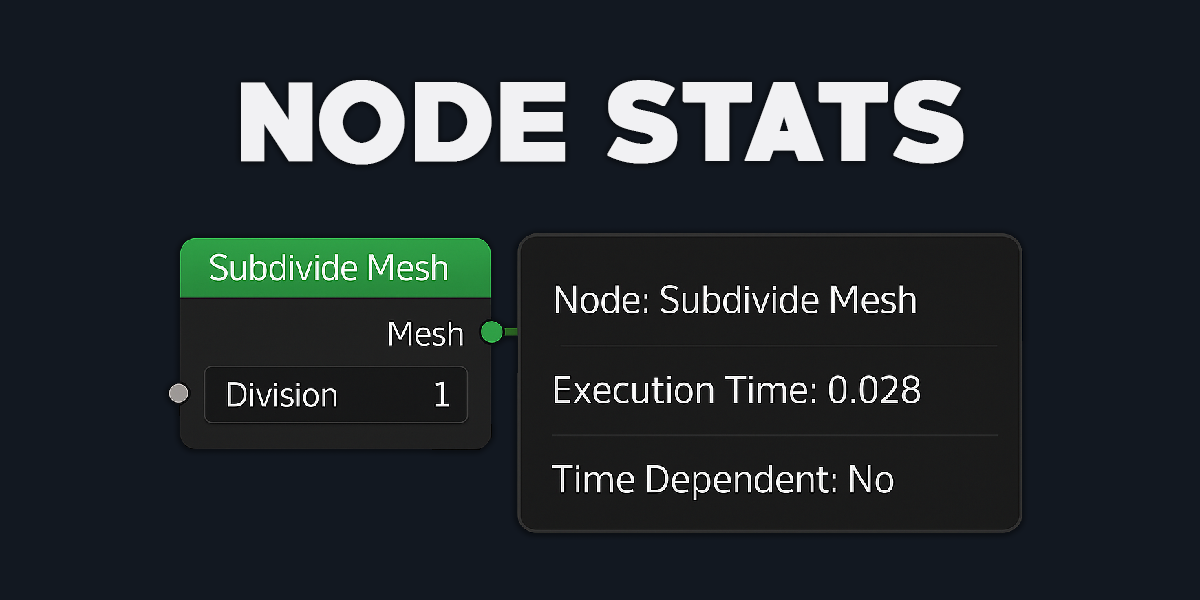
Node Stats is a Blender add-on for viewing performance and debugging information about a selected node in the Geometry Nodes and Shader Nodes editors. It reports how long that node took to evaluate, whether it depends on time, and details about its geometry output.
What Node Stats reports
- Execution time: evaluation time for the selected node, shown in milliseconds.
- Time dependency: whether the node is time-sensitive, such as when it uses a frame or time input.
- Geometry output: counts of vertices, edges, and faces, plus the output geometry type, such as Mesh.
These readings describe the node you select, so they provide a per-node view while you work in either supported node editor. The product listing describes the available information.
Compatibility and license
The product listing names Blender 4.4 and 4.3 and marks Node Stats as Blender Extension compatible. It lists Cycles and Eevee under render engine and identifies the license as GPL. Check the publisher's listing for current compatibility and license details.
Install from disk
The installation documentation gives these steps:
- Download the Node Stats ZIP file.
- In Blender, open Edit > Preferences and select Get Extensions.
- Open the Extensions Settings arrow beside the Repositories dropdown and choose Install from disk.
- Select the ZIP file, choose Install from disk, wait for Blender to register it, then restart Blender.