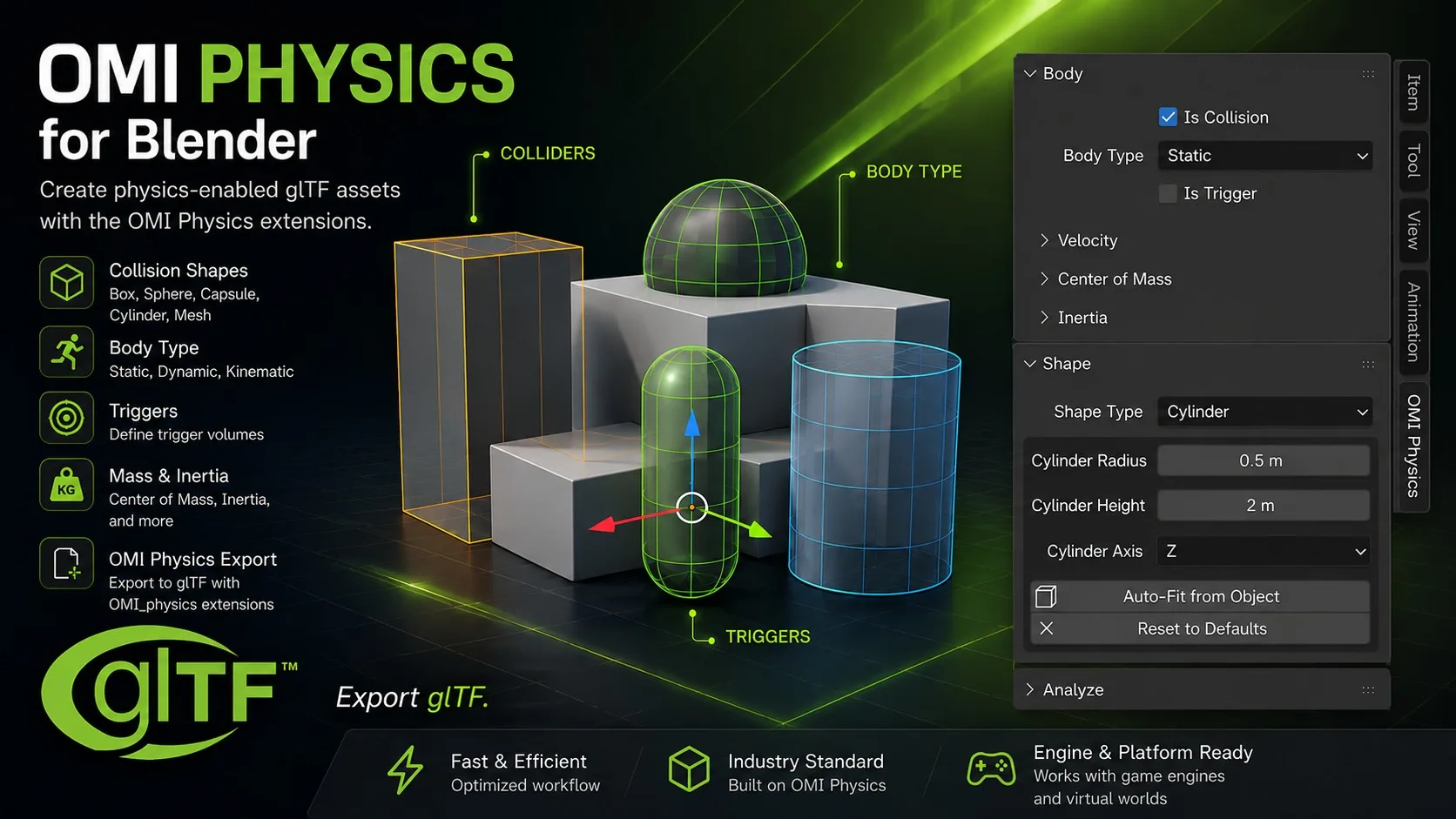
OMI Physics Body glTF Extension adds physics body and shape data to glTF exports from Blender. It writes OMI_physics_body data on nodes and OMI_physics_shape definitions at the file root for Godot 4.x to import. The official Blender Extensions listing gives its compatibility and distribution details; the developer repository documents the workflow and limitations.
Physics data it exports
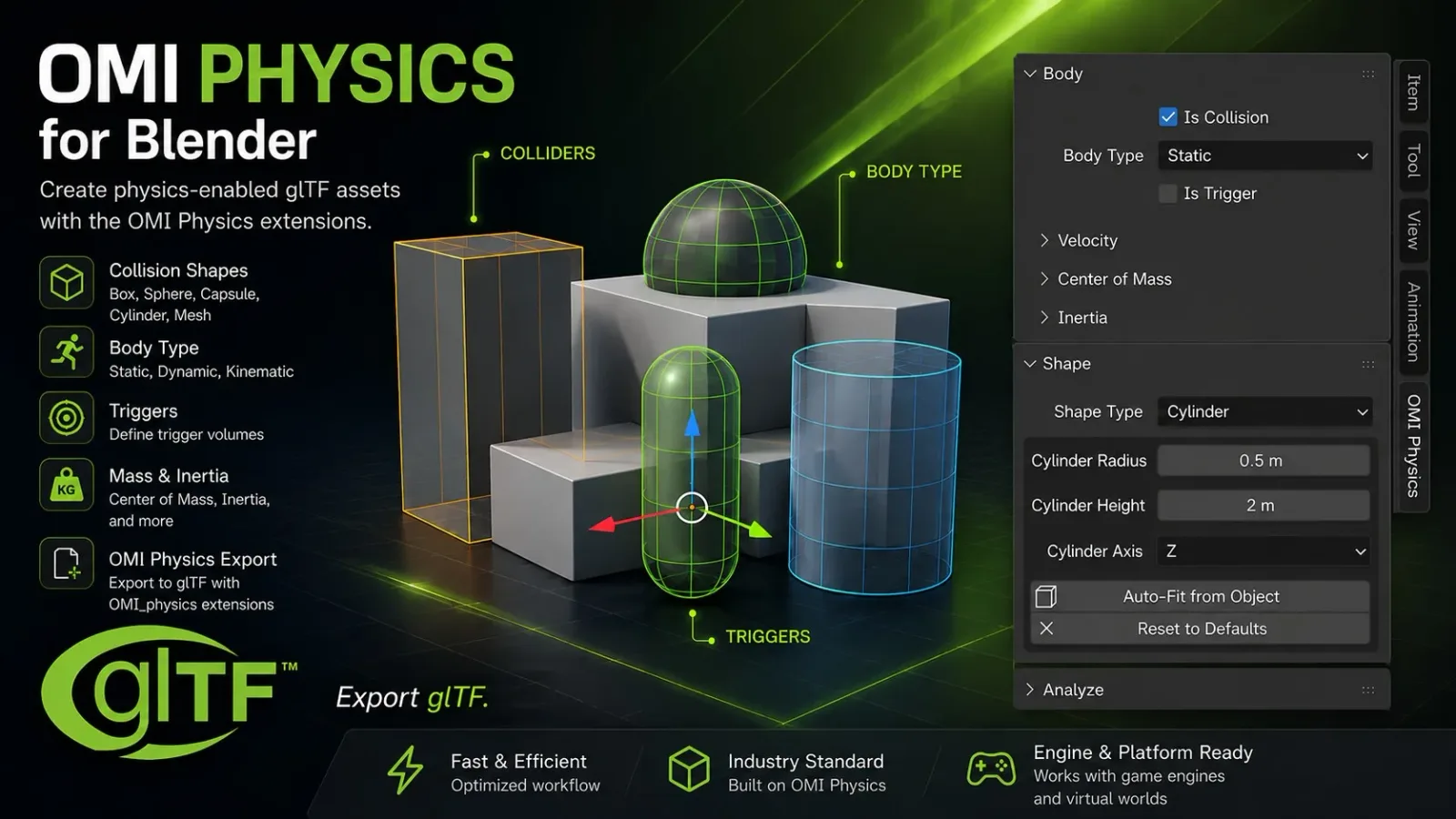
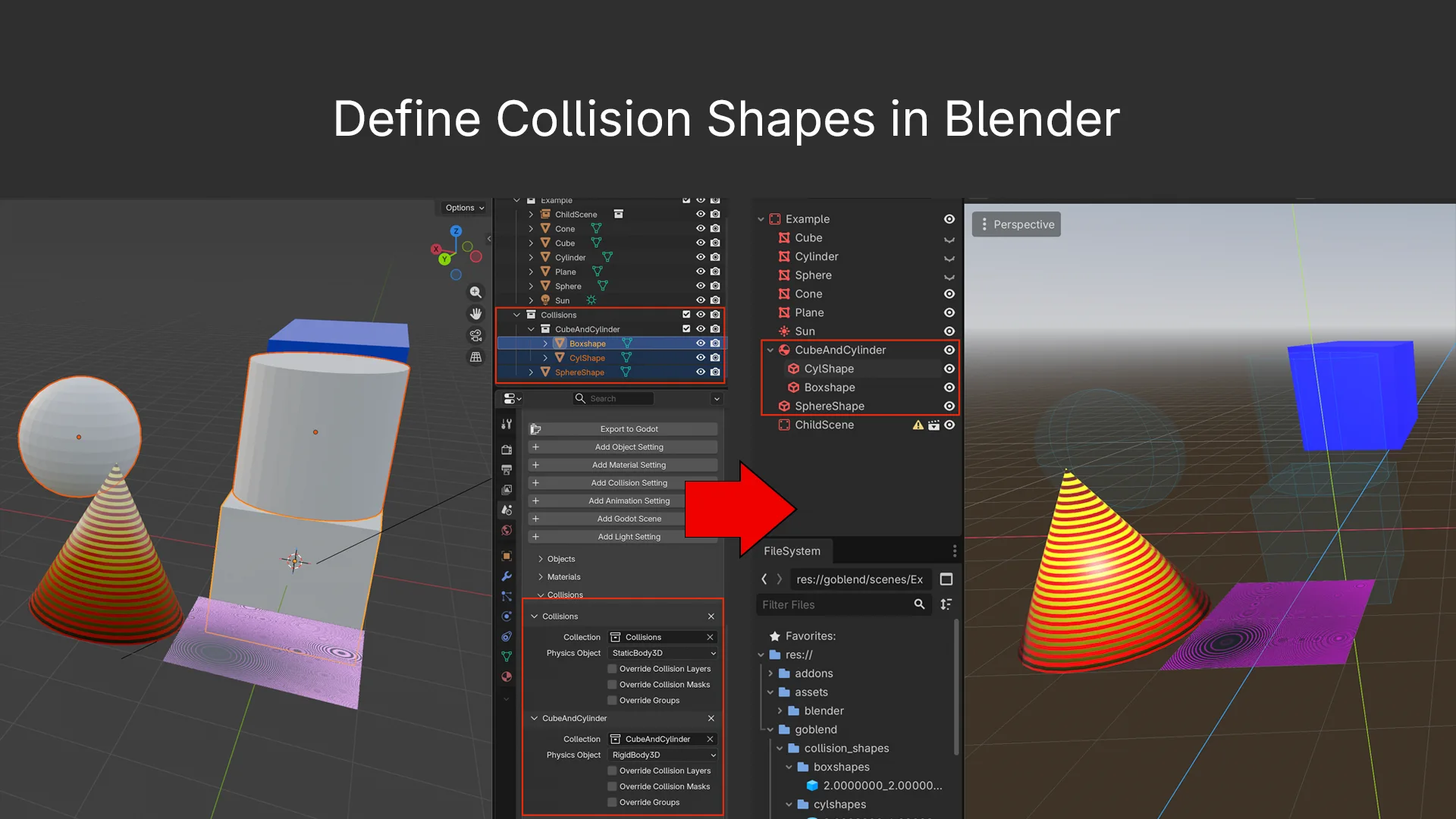
For each collision object, choose a static, kinematic, or dynamic body. The add-on maps these types to Godot's StaticBody3D, AnimatableBody3D, and RigidBody3D. A separate trigger setting exports Area3D-style volumes. Body data can include mass, linear and angular velocity, center of mass, and inertia.
Shape options include boxes, spheres, cylinders, capsules, convex hulls, and triangle meshes. A convex hull uses the object's mesh, which must also be included in the export. Triangle-mesh collision is static-only. Identical shapes can share a root-level definition in the glTF file.
From Blender scene to Godot
- Select an object in Blender's 3D Viewport, open the sidebar with N, and choose the OMI Physics tab.
- Enable collision, select a body type and shape, then set the dimensions manually or use Auto-Fit from Object.
- Repeat for the objects that need collision data. Before exporting, enable Blender's built-in glTF 2.0 format add-on if it is not already active. Then export through Blender's glTF 2.0 exporter as GLB or glTF, leaving +Y Up enabled to match the exporter's coordinate conversion.
- Import the exported file into Godot. Its glTF importer creates collision objects with collision shape children from the extension data.
Check scale and shape limits
Non-uniform scale can cause collision shapes to behave incorrectly in Godot. The add-on's Analyze panel checks local and world scale, and can scan collision objects before export. For a primitive with non-uniform local scale, Bake Scale into Shape adjusts its dimensions and resets its local scale. A non-uniformly scaled parent can still affect the result, so fix the parent scale or reparent the collision object.
Godot ignores the axis field on cylinders and capsules and uses the Y axis. Apply the needed orientation through the node transform. Godot also warns about convex hulls with more than 255 points, so keep those meshes simple. Round-trip import back into Blender is best-effort; complex compound triggers may not round-trip perfectly.
Compatibility and distribution
The official catalog entry sets Blender 5.0.0 as the minimum and requires Blender's built-in glTF 2.0 format add-on to be enabled. The developer README lists Blender 5.1.1 as tested and targets Godot 4.x (master as of June 2026). It says the Blender Extensions distribution uses GPL-3.0-or-later, while the GitHub copy is MIT-licensed; check the terms for the source you use.