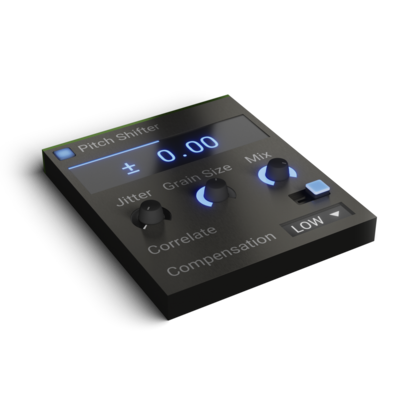
How Pitch Shifter shifts audio
Kilohearts Pitch Shifter shifts an input signal up or down by semitones using grain delay. Set the pitch amount for a transposition, then adjust the grain size to change the length of the audio snippets used in processing. Grain size can influence the resulting sound.
Controls and tradeoffs
The Mix control blends the processed signal with the original. Jitter adds random pitch variation; at higher settings it can create a unison-like effect. Jitter is available when Correlate is off.
Correlate switches to a more advanced algorithm that gives a clearer result for many inputs. Kilohearts warns that it can have problems with complex pads and textures, so check both settings with material of that kind.
Pitch Shifter as a Snapin or DAW plugin
Use Pitch Shifter when you want to set a semitone shift, vary the pitch with jitter, or retain some of the unprocessed signal with Mix. It is also available as a Snapin, so it can be combined and modulated inside Kilohearts hosts such as Phase Plant, Multipass and Snap Heap. You can also load it as a regular DAW plugin.
Compatibility and access
Pitch Shifter is included in Kilohearts Essentials, which is free with an account. Versions installed via Slate Digital installers require an iLok (USB dongle or iLok Cloud) and a valid Slate Digital license. The plugins support DAWs that use VST2, VST3, AAX or Audio Unit. Kilohearts lists an x86-64 CPU with SSE3 support or, on macOS, an Apple M processor. Running many plugin instances or Snapins in a patch increases CPU use, and meeting the minimum recommended requirements does not guarantee flawless operation in every use case. Kilohearts gives no fixed minimum OS version and does not support OS versions their manufacturers no longer support; it recommends trying a free trial on an outdated OS to check compatibility.