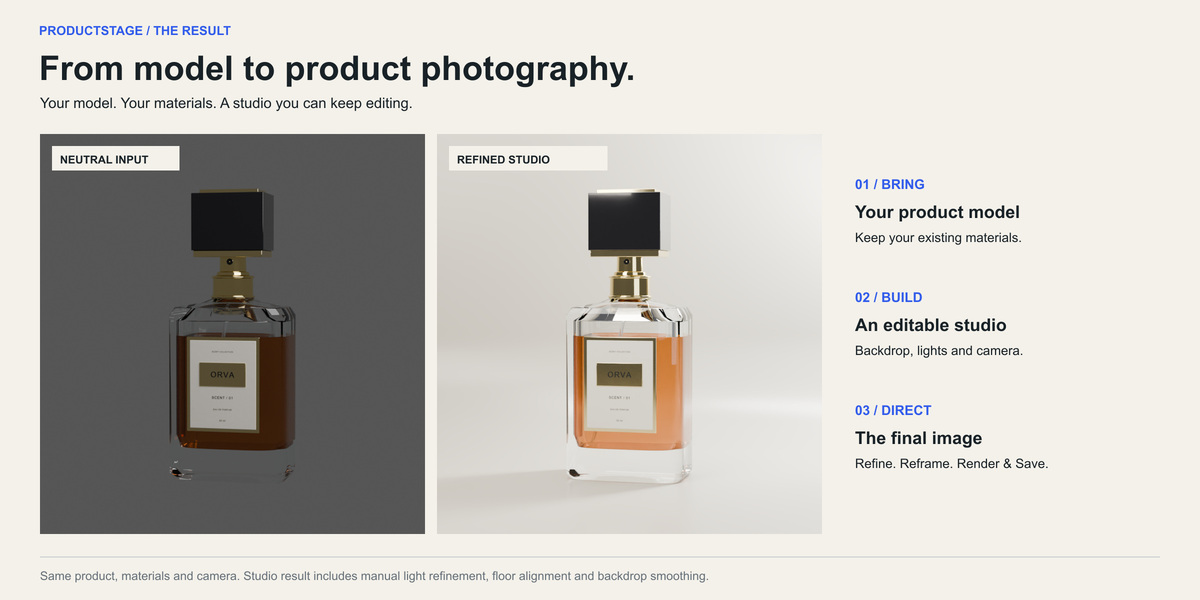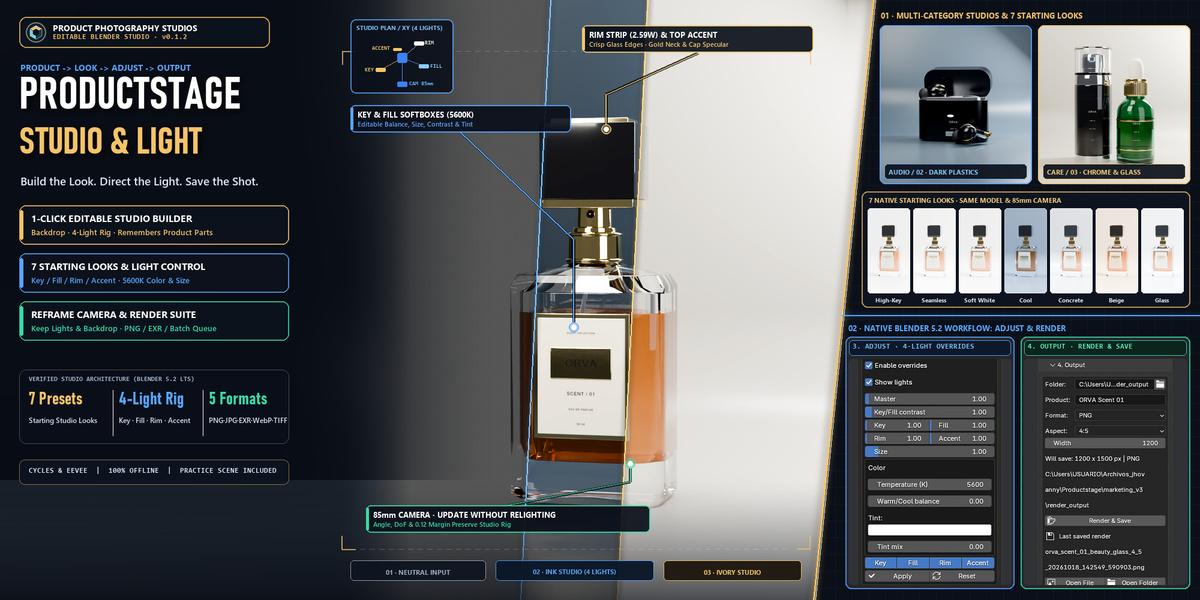
ProductStage is a Blender extension for setting up product renders around your own model. It builds a backdrop, camera and four-light studio, then lets you adjust the scene in Blender. Version 0.1.2 runs offline and needs no API keys or extra Python packages. You supply the product models, materials and art direction.
Build an editable studio around your model
Select all visible product parts, including labels and text, and exclude unrelated geometry and lights. Choose a preset, then use Selection → Build Studio. ProductStage remembers those parts as the product group when you select other objects later. If you replace the binding through Use Selection, run Build Studio again; restore or explicitly reselect any hidden or deleted parts. The extension includes seven starting looks, from Editorial High-Key to Beauty Glass. You can edit the backdrop and lights with Blender’s native controls.
The included procedural bottle scene provides a practice setup. To work on your own product, open a separate blend file with your model and materials, select its visible parts, and build a studio. The ProductStage quick-start guide walks through the first render and setup steps.
Change the framing without rebuilding the lighting
Adjust the camera angle, focal length, depth of field or frame margin, then use Update Camera. ProductStage updates the camera while leaving the studio lights, backdrop and materials in place. You can also balance the Key, Fill, Rim and Accent lights, including their size and color temperature.
Render and save from Blender
Choose an output folder, dimensions and file format in the panel, then use Render & Save. Supported formats listed for version 0.1.2 are PNG, JPEG, OpenEXR, WebP and TIFF. The panel can open the saved image or its folder. Render time depends on your hardware. The documentation also covers batch and queue workflows; its FAQ notes that queue jobs use saved blend, scene and object names, along with output recipes, rather than frozen scene snapshots.
Check version support before installing
The Superhive FAQ lists Blender 4.2 or newer for the extension and 4.0 or newer for the separate legacy add-on. For version 0.1.2, the listing identifies Windows with Blender 5.2.1 LTS as the verified configuration; other operating systems and Blender versions remain unvalidated. Install the extension ZIP intact through Blender Preferences, and keep only one ProductStage installation enabled. See the ProductStage FAQ for additional setup and scene notes.