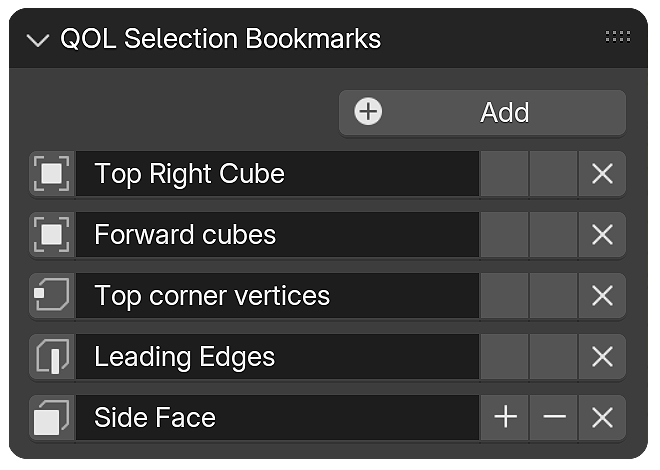
Qol Selection Bookmarks is a Blender add-on for saving named selections and recalling them from the N-Panel. Select the objects or mesh components you want, click Add, then name the bookmark. The add-on detects the selection and creates a matching bookmark type.
Recall object or component selections
Object bookmarks can combine meshes, lights, curves, metaballs and other object types. For mesh work, the add-on also supports vertices, edges and faces. It remembers component selections across multiple objects. When you recall a component bookmark, it restores the mode you were using.
Manage bookmark contents
Use the panel controls to add items to an existing bookmark, remove items or delete the bookmark. Add and remove actions are limited to the bookmark's selection type, keeping object selections separate from mesh components. Click the corresponding button to recall a selection when you need it again.
This suits Blender workflows that revisit the same object sets or mesh components during a project. The Superhive product listing has the product details, and the QOL Tools developer page links to the creator's other tools.