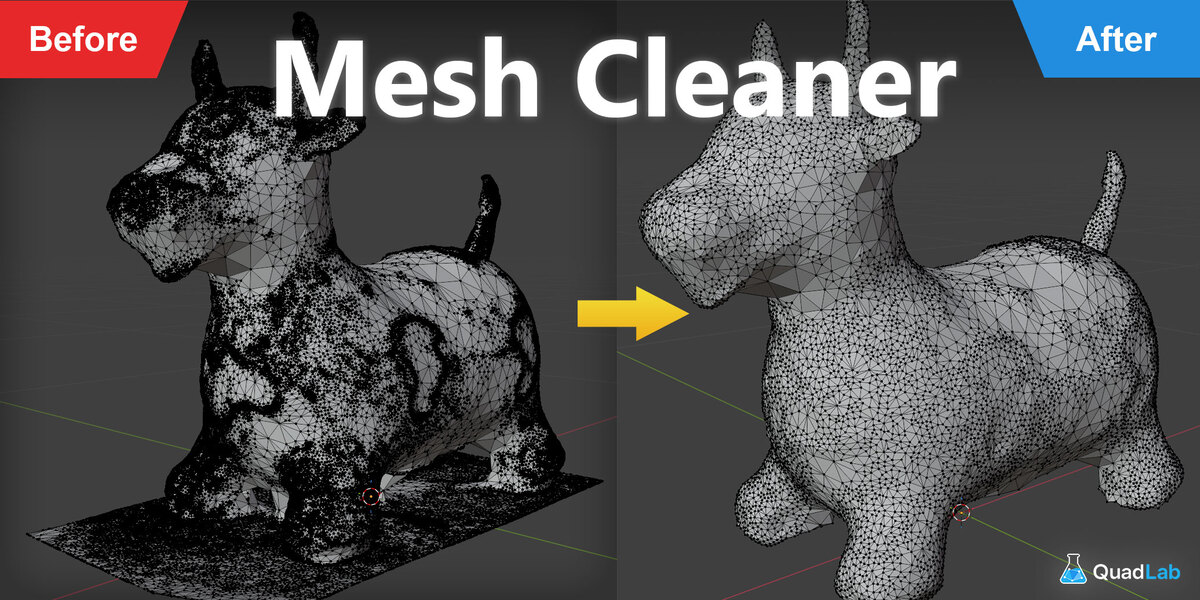
QuadLab Mesh Cleaner is a Blender add-on for analyzing and preparing scanned, sculpted, decimated, kitbashed, and other irregular meshes. It identifies common geometry problems and provides separate cleanup, trimming, and hole-repair steps before remeshing, export, or manual retopology. It prepares geometry for later work; it is not a retopology tool.
Where it fits in a Blender workflow
Scans and sculpted models can contain loose fragments, tiny islands, open boundaries, or degenerate faces. QuadLab Mesh Cleaner starts with diagnostics so you can review detected issues before applying cleanup. The product is aimed at creating a cleaner starting mesh, with manual work still available for difficult cases.
Analyze, clean, inspect, trim, and repair
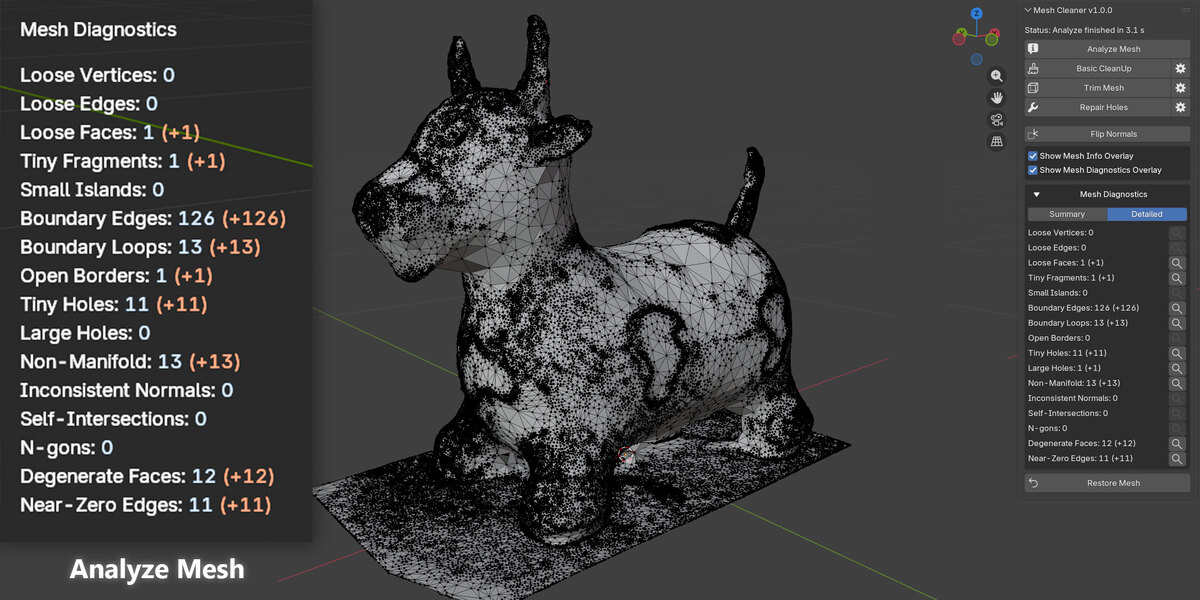
Analyze Mesh reports issues such as loose geometry, fragments, holes, boundaries, non-manifold cases, and degenerate faces. The product documentation also lists small islands, self-intersections, and overlapping geometry among its diagnostics.
- Basic CleanUp: Removes loose geometry, detached fragments, and small islands; merges nearby vertices, dissolves degenerate geometry, recalculates normals, and supports limited cleanup for selected non-manifold cases. N-gon cleanup is optional.
- Inspect: Provides tools to select, isolate, frame, and navigate between detected problem areas.
- Trim Mesh: Previews a kept region so you can retain a useful part of a scan while removing surrounding geometry.
- Repair Holes: Offers Standard and Smart modes for open mesh regions, with a topology-safety rollback if a repair breaks topology. Smart mode adapts to surface curvature, and the workflow includes optional surface-following behavior.
Restore Mesh returns the mesh to a stored original snapshot after cleanup or repair.
Limits and compatibility
Basic CleanUp is an initial pass, not a universal geometry solver. Support for complex non-manifold cases is limited, some hole shapes may not repair automatically, and self-intersections can require manual correction. Very large meshes may take longer to process. Treat the diagnostics and repair steps as aids for reviewing geometry, then inspect the result for the mesh you are preparing.
The marketplace listing identifies the add-on as compatible with Blender 5.0 through 5.1, marks it as Blender Extension compatible, and lists a GPL license. Its product FAQ says the launch release was tested with Blender 5.0.1 and that a free version is available. Check the current product details if you use another Blender build.